POTA Activation Kolomoki Mounds State Park K-3726

I decided to try a park in SW Georgia and Kolomoki Mounds State Park looked interesting. It was about a 3 hour drive traveling back highways and byways. I spent two nights there with my wife and it was a very nice experience. The campground was quiet and the restrooms were clean.

Hot! it was hot and very humid while we were there. My little camper has AC but everything got damp in that kind of humidity. Ambient temperature was in the low 90’s and the high humidity made it feel hotter. I plan on going back there but maybe in the fall or winter.

The propagation gods were angry. While there, I suffered from R1 radio blackouts mainly due to flare activity. The bands were mighty quiet; however, I was still able to make 100 contacts over the weekend.

Testing! Test,test. I brought a couple of antenna projects with me to do some field testing with. These included some of the 9:1 transformers I wound. I will report on the results in a separate post.

Setup. This weekend, I brought my IC-7300. I brought it for a couple of reasons. I hadn’t used it in a while so it deserved an outing. Plus, I had foreknowledge of the possibility of poor propagation so I brought it to run FT8 and have a little more power. I ran it in the 25-35 watt range and the 7300 can run like that all day long. However, the antenna I used is happiest when the power stays 25 watts or less on digital. This was fortuitous, CW, my preferred mode, was non existent at my location. I made one CW contact on 60 meters. The antenna I used was my POTA standby, my Frankentenna.

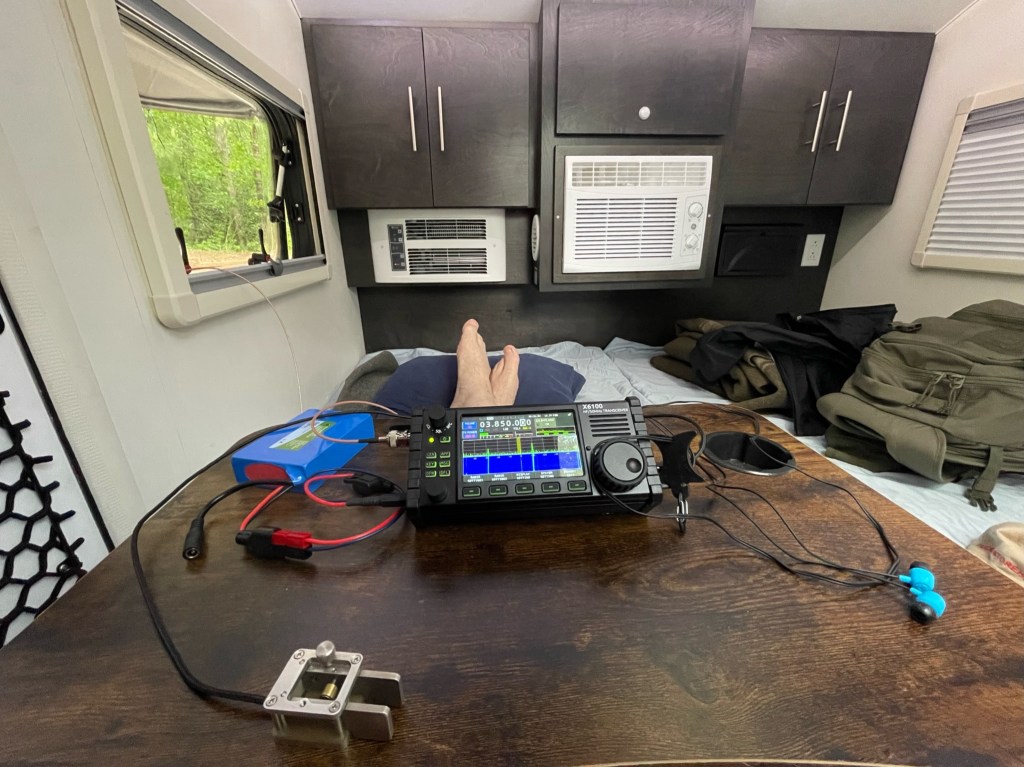
I ran one 50 foot counterpoise off into the woods. In the photo, you can see the lower 2 Buddipole extensions, the blue is pretty easy to see. I ordered 2 black ones to better allow the antenna to blend in. The antenna was fed with about 31 feet of RG-316. The shack looked like this.

I used a LDG Z-11 Pro to match the antenna. To sync time for FT8 I use a GPS dongle I got from Amazon https://tinyurl.com/2p9595sz. I sync the time to WSJT using GPS2Time. I used N3FJP for logging. The set up worked well. Since my little camper has an awning, I stayed in the shade all day and drank plenty of fluids. I lost a pound of weight over the weekend. A side note. When I operate in a campground, I wear ear buds and run either CW or FT8. I do not make “radio” noise. Out of sight, out of mind.

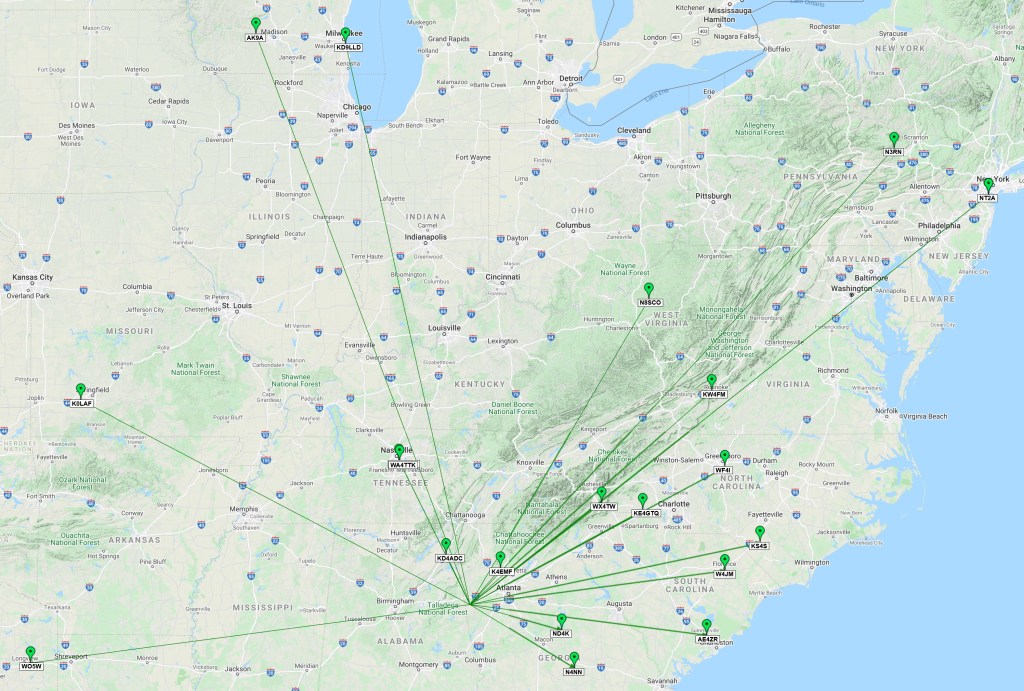
How did I do? Pretty good actually considering the poor band conditions. I am attempting a N1CC award so I was trying to work 10 bands while at the park. Here is a QSO Map from the activation.

It was work. Sometimes I was just banging away and no one responding. The few pileups I had were never more than 3 or 4. QSB would rear its ugly head and I lost a few contacts as they faded away. In the end I made 100 QSO with 20 minutes to spare on my last Zulu Day. I managed 10 bands with my one CW contact on 60 meters which does not have FT8. What was interesting was I worked a couple of stations in Brazil and one in Europe on 10 meters. It was fun while being a challenge. It’s always good to have a plan B. FT8 was my backup, but quickly became my primary mode. In upcoming post, I will spend time going over my antenna results, and a few other kinks I am working on. That’s all for now. 73 Scott.

K4SWL Antenna Plus

Recently, I have had the desire to try my hand at winding toroids. They have always been a mystery to me. Today’s project is winding a toroid for 40-10 meters. My target antenna is one I learned from Thomas, K4SWL. It is a random wire antenna that is 29.5 long with a 17 foot counterpoise. It is a great antenna and works well at park campsites. I either string it up in a tree or I use my 20′ B&M fishing pole https://kk4z.com/2022/05/11/vertical-antenna-support/.

The antenna as pictured above (battery not included), weighs about 3 oz. The antenna while broadbanded can present higher SWR on some frequencies which can reduce transmit power. I decided to try a 9:1 UnUn to see if I can smooth that out. For instructions on how to wind the toroid I used QRP Guys mini unun. I was going to buy their kit, but they were out of stock at the time of this article. Max power is probably about 10 watts.

The form factor I borrowed from OM0ET. His instructions were not that clear but I liked the way it looked. Winding the toroid was probably the most difficult part. I didn’t have 3 different colored magnetic wires, so I had to pay close attention to how they were wound. I little trial and error and this is what I got.

Partially assembled, it looks like this.

Fully assembled it looks like this. I added an optional rope loop to take the strain off of the UnUn.

In use, the antenna is connected to the brass screw. Either a counterpoise or a 20′ or better length of coax connected to your radio can be used. To run a counterpoise which I prefer, you add a BNC Tee connector.

Your coax cable to your radio is connected to the other side of the tee. The counterpoise is made using a crimp style BNC connector. DO NOT use the center pin in the connector or it will short the antenna.

The other end of the counterpoise has an an eye so it can still be used with the old style configuration. I added a little shrink tubing to help with strain relief.

Here is the complete kit.

Weight is under 4 oz. which is less than a 1 oz gain over the old antenna. How does it play? Initial testing with an antenna analyzer showed SWR’s below 3:1. However, this was done quickly with the antenna more horizontal than vertical. It was a hot sunny day and it was time to get inside. This next weekend I have an activation planned and will wring the antenna out, but so far it looks very promising.

9:1 UnUn QRO

Today’s dalliance is UnUns. An UnUn which stands for Unbalanced to Unbalanced is a transformer of sorts which in this case matches or attempts to match the impedance between an antenna and a transceiver. Today I am making a 9:1 ratio UnUn which is suppose to match a 450 ohm antenna to a 50 ohm transceiver. When the impedance is matched between a transceiver and an antenna, maximum power from the transceiver can be transmitted to the antenna. A 9:1 UnUn is used with random wires and a counterpoise. I call this UnUn QRO because it is rated at 250 watts. I would use this in the field with a radio like my IC-7300 even though I rarely go above 50 watts. I went QRO because this is my first turn at winding a toroid and I thought starting with something larger would be easier.

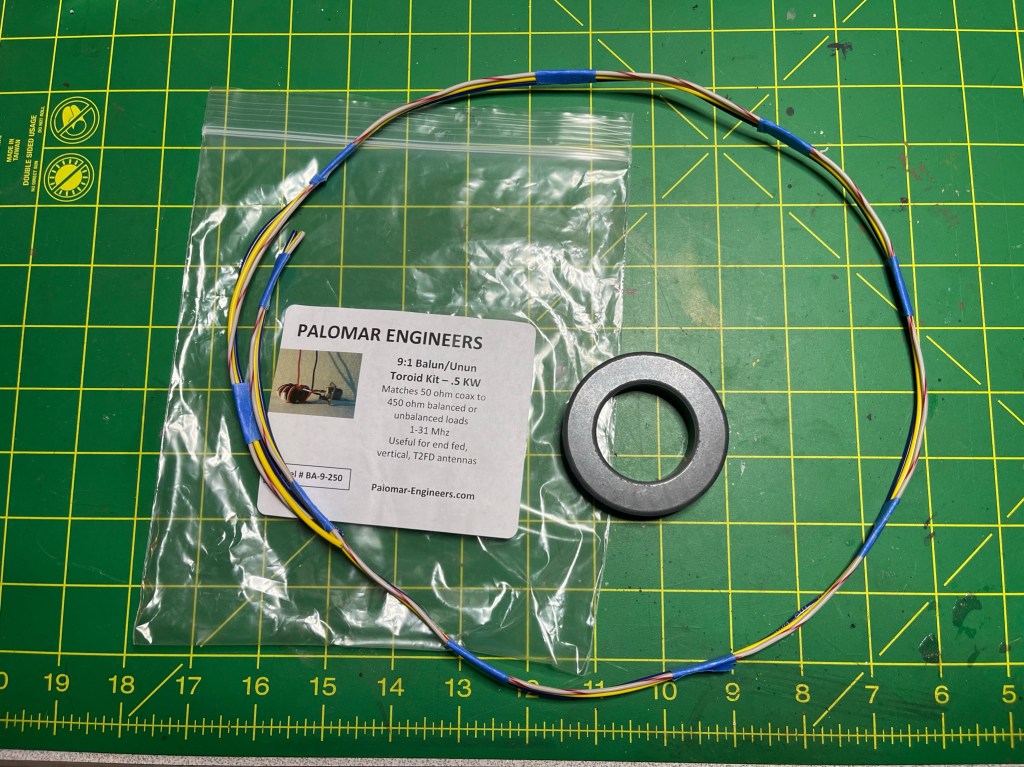
I will only list project specific parts. The toroid kit come from Palomar Engineers https://tinyurl.com/3tkctj2e. This gives you the toroid, wires and instructions. The other project specific part is the case which came from amazon https://tinyurl.com/2p93h9r5 Everything else is generic parts that I either had on hand, purchased locally or from amazon.

The Palomar Kit looks like this.

The kit comes with decent instructions but, with a couple of caveats. One, the wire that comes with the kit appears to be random. The colors of the wires, do not match the colors in the instructions. this is not insurmountable, just makes things a little more difficult especially for first timers like me. The second nit is the pictures provided, while of decent quality, are black and white. In today’s world, color photos should not be that big of deal. The kit can be wired as a BalUn or UnUn. The way I overcame the mentioned shortcomings was to annotate the schematic they provided.

The UnUn is the schematic on the right. According to the instructions, the 3 wires are wound 10 times or turns with each pass of the wires through the center of the toroid counting as one turn. The wound toroid looks like this.

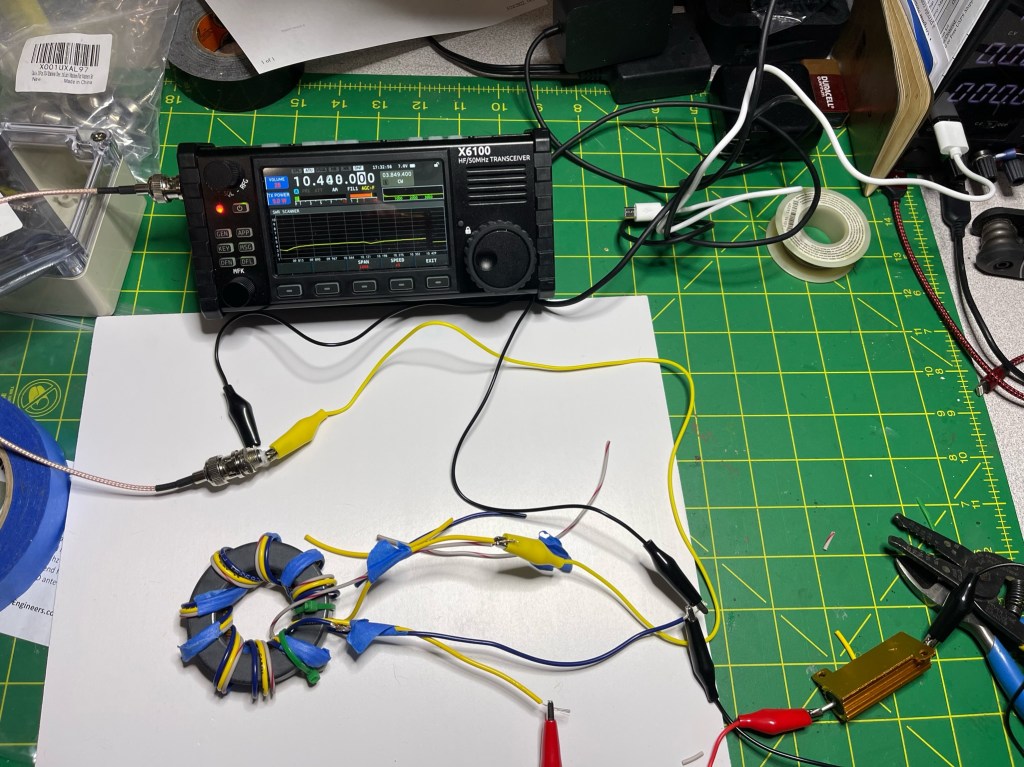
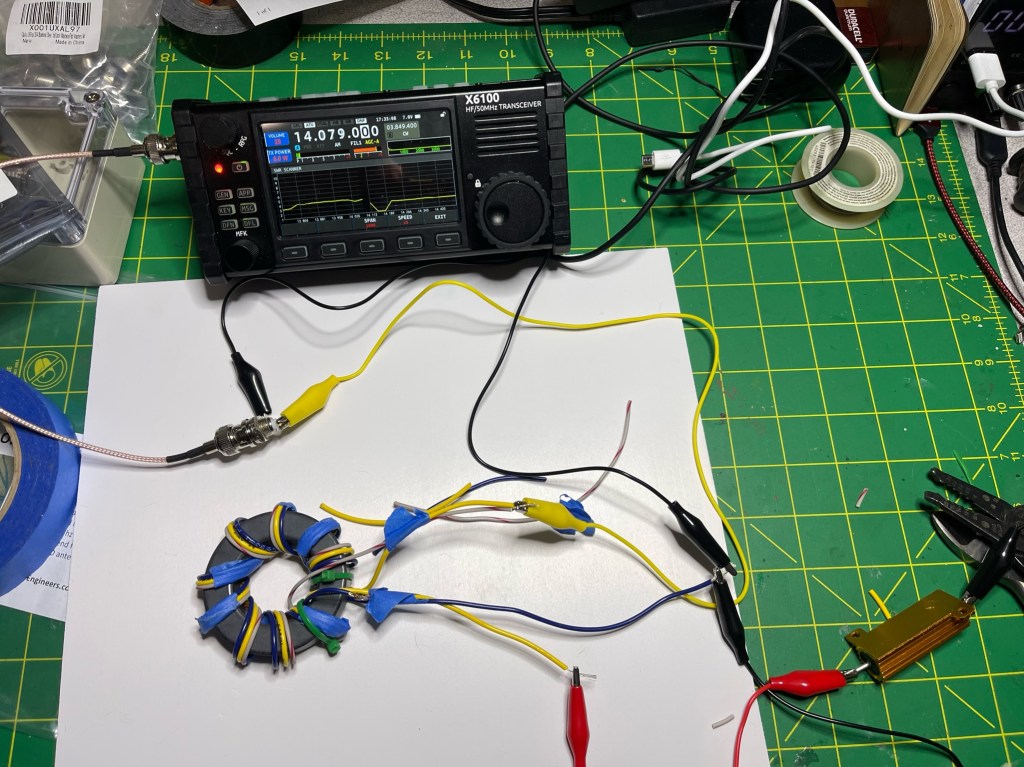
Before I went any further, I tested the toroid. I did this by hooking up a 450 ohm 50 watt resister to the antenna and counterpoise leads and attached my Xiegu X6100 to the input of the UnUn. I then used the SWR Sweep function on the X6100. I knew this wouldn’t be an exact science since I was using a 12″ RG-316 cable and 12″ jumpers, but should be close enough to see if I am in the ball park. Here are a couple of the test.

Shown are 160 meters, 30 meters, and 20 meters with all showing an SWR of ~3:1 or less. Not too shabby. With a random antenna wire of around 49 feet and a 25 foot counterpoise, I expect the SWR to even be less. That means anything from 160- 20 are well within the capability of most tuners. I suspect that I may be able to get down to 10 meters once I hook it up to a real antenna.

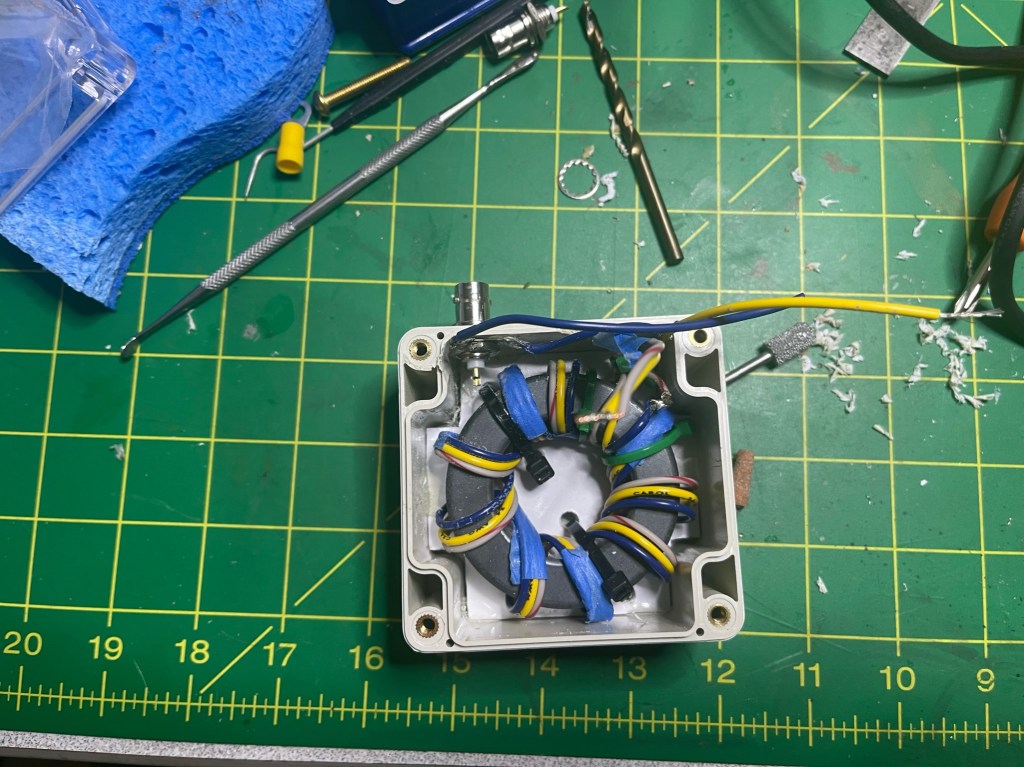
The case was a guess on my part, but as it turns out, it was the right size.

Then all put together, it looks like this. The toroid is mounted on a sheet of plastic and glued into the case.

The input connector is BNC and the screws are 10-32. I have some 10-32 wingnuts on the way to make it easier to attach wires. The eyebolt was to help take some of the strain off of the antenna wire and BNC connector is on the bottom to help protect it from the weather. One final test.

This was a fun little project and gave me some experience and confidence making UnUns. My next project will be a QRP UnUn. I mostly operate QRP when out in the field (max 10 watts. I know). However, some of the stuff I bring is QRO rated. I am trying to reduce the load. Making antenna parts that are QRP rated instead of QRO rated, reduces weight and space. Right now I am doing POTA activations, but hopefully this fall when the ticks and chiggers die off, I will try my hand at SOTA. 72 de Scott

Paddle Mount for the IC-705

I kinda like the idea of being able to mount your paddle to your radio when operating portable. You can use the weight of the radio to help prevent the paddles from moving around and it frees your off hand for other tasks. We see examples of this with the Elecraft KX series of radios and there are some adapters for radios such as the Yaesu Ft-817/818.

I really like my IC-705. It is probably my best radio for POTA/potable operation. I think the only time I would leave it home is if weight became a problem or I needed to exercise one of my other radios. Recently, Begali came out with a mount to attach their Adventure paddle to the IC-705. It is a sweet set-up; however, the approx. $400 USD price tag got me looking for other alternatives. I have nothing against Begali, I own three of their paddles, and they are superb instruments. I think I wanted to tinker, and this gave me a good excuse.

For paddles, I have a set of Larry’s (N0SA) SOTA paddles. I love these paddles. When I go on an activation/Portable Operation, I bring these and my Begali Travelers. If I was going to do a SOTA activation, I would just bring Larry’s Paddles. Next was a trip to Tractor Supply Company (TSC) for a sheet of 16 ga. Steel. That set me back $16. I cut it to 3″ by 3 1/2″ using a cutoff wheel on my grinder.

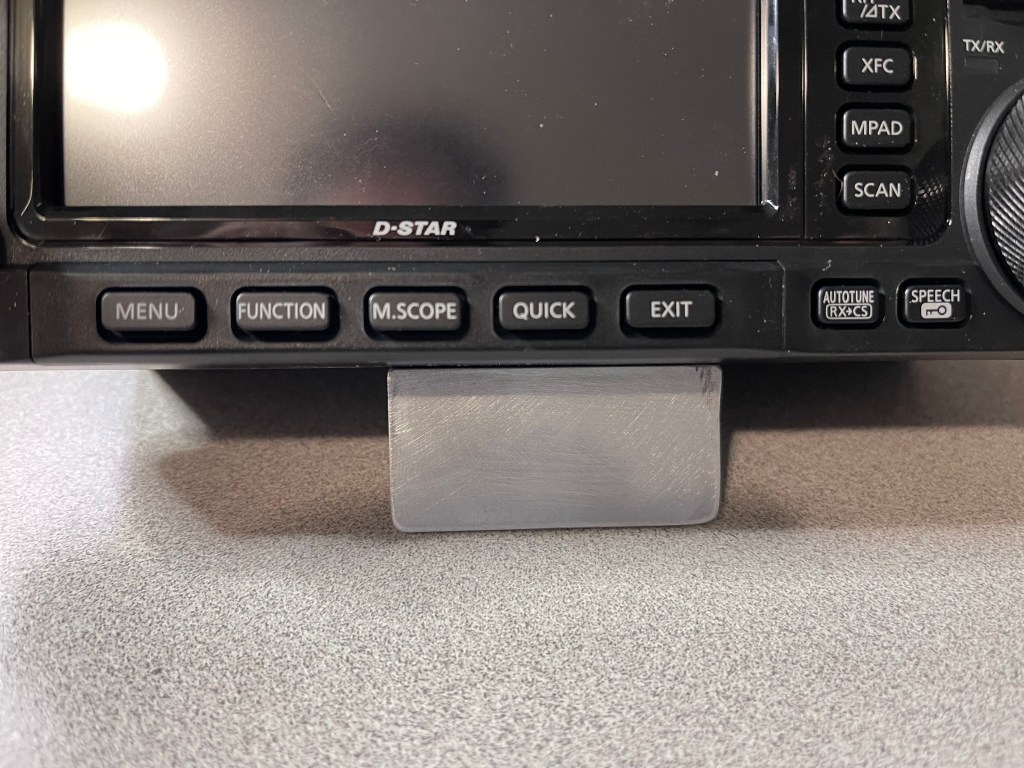
I already have a stand I made out of 1″ x 1″ angle aluminum so I cut this to fit behind it.

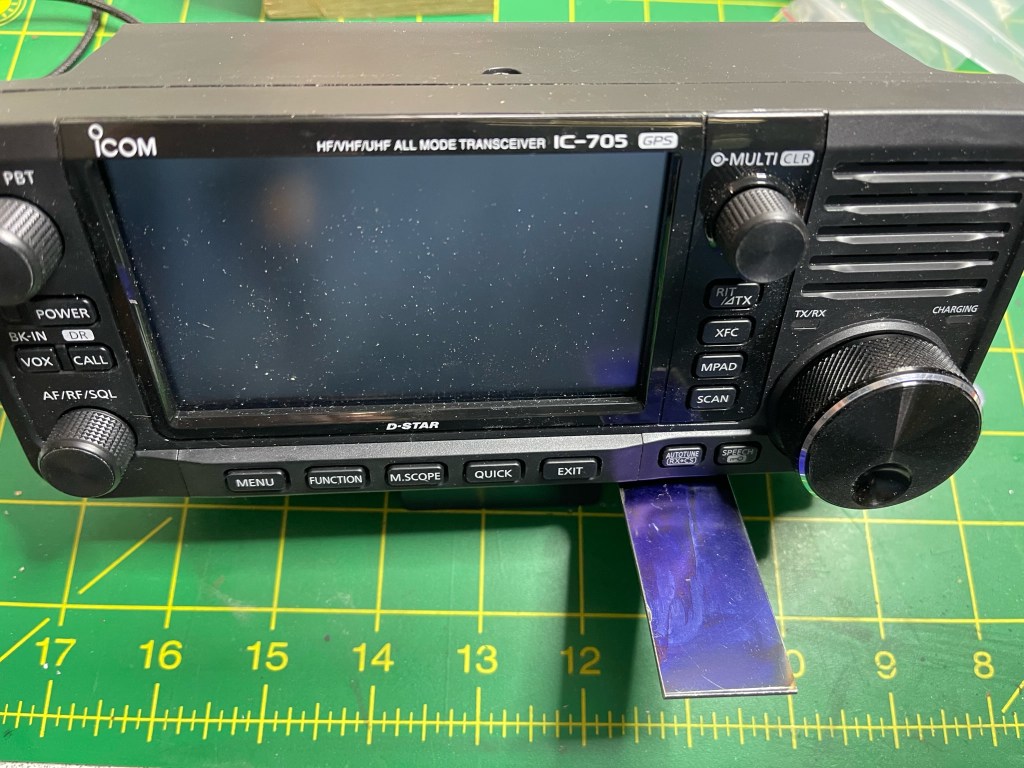
The blue on the metal is Dykem Blue which is a layout fluid. In creating this project, I am only using hand tools. Power tools consisted of a grinder with a cut-off wheel. a hand drill, and my trusty Dremel tool. Here is a picture of me giving the mount a rough finish with a file.

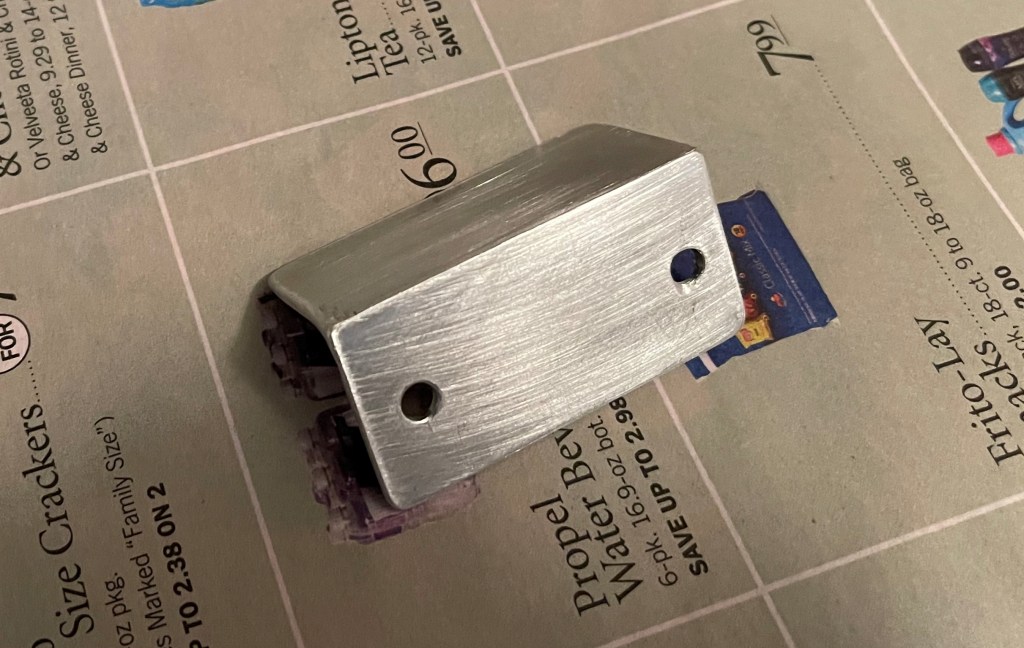
My next step was to install the mount on the radio. I left the tail that will hold the paddles a little long to see where I wanted the paddles.

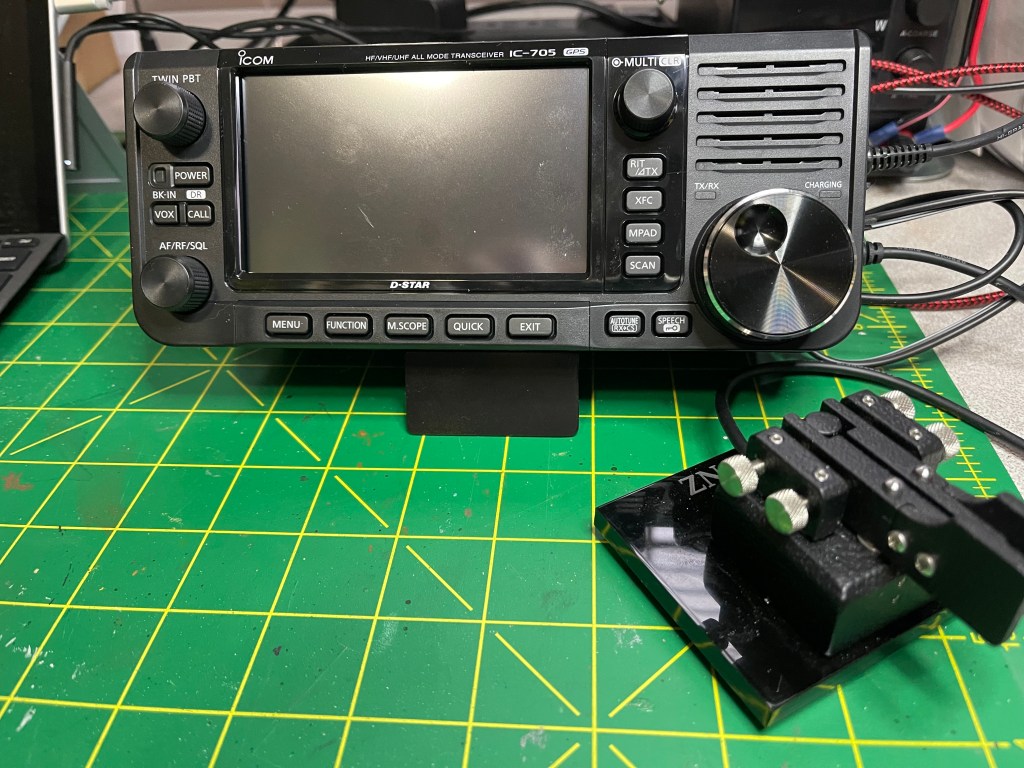
I am right handed so I mounted the paddle to the right of the radio. As a child, I broke my right wrist and lost a little range of movement so for me, I cannot use a paddle straight on. I found an angle of about 40 degrees to be about right. I also bent the mount down a bit to get the paddles close to level.

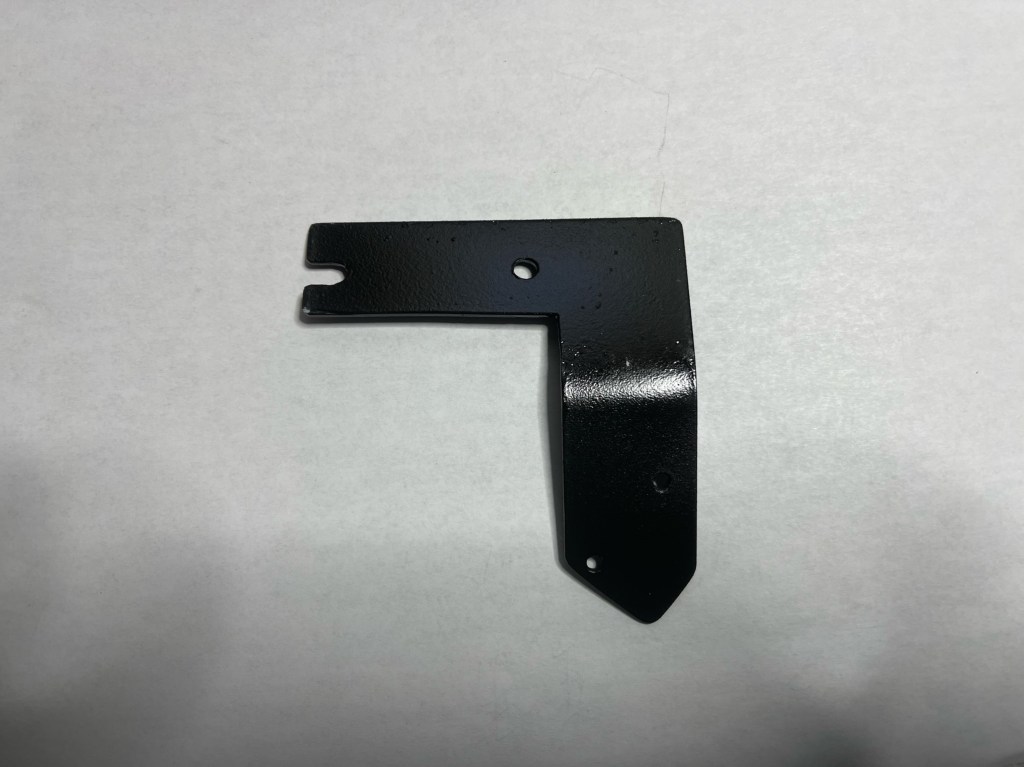
I turned one of the machine screw holes into a slot. That way I only have to remove one screw to install and remove the mount.

Next is a coat of primer, followed by a coat of flat black. I also added a clear coat to increase the durability of the finish.

Here is the finished product installed on the radio with the paddles.

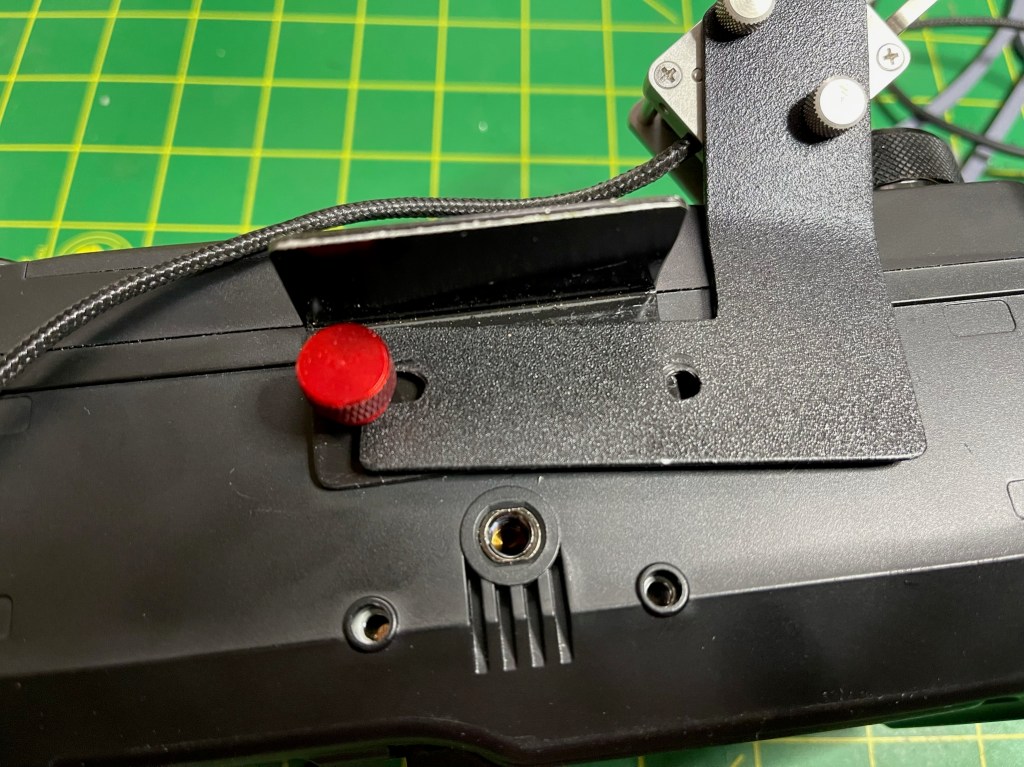
The screws that hold the paddle to the mount are #4-40 x 1/4″. I am going to change the hex head bolts that hold the tilt stand/paddle mount to the radio with M4 x 10mm knurled head bolts so I can remove/install without tools. The mount itself weighs in at about 1 ounce.

This was a fun little project. The radio could move around on a smooth surface so something like a silicone mat would cure that, but on something like a wood picnic table it should be just fine. Except for the sheet metal this was built using whatever I had around the house. How does it play…

UPDATE

I got the final pieces in the mail. One thing I tried was to mount the paddles on the top of the mount. This also works very well and may even be better in some cases. The only button that the paddles get in the way of is the autotune button. It can still be reached fairly easily.

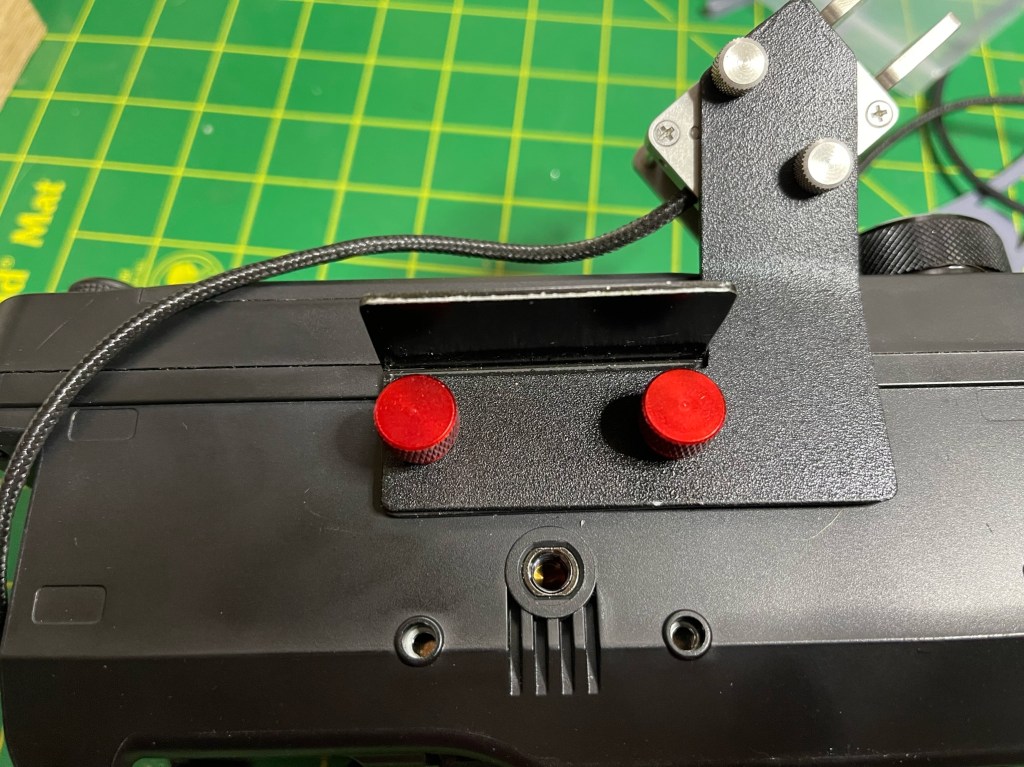
I also replaced the hex head bolts with knurled head bolts so I can install/uninstall the mount without tools. I got them in red, just in case I drop one. As you can see I only have to completely remove one bolt and loosen the other to remove the paddle mount. This allow the tilt stand to remain with the radio.

The bolts will tighten down with either one or both pieces; however, I only snug them down. That’s the completed project and overall I am pleased with the results. Next field trip is in a couple of weeks. 73 Scott

GA POTA Meetup and K-2171 Activation

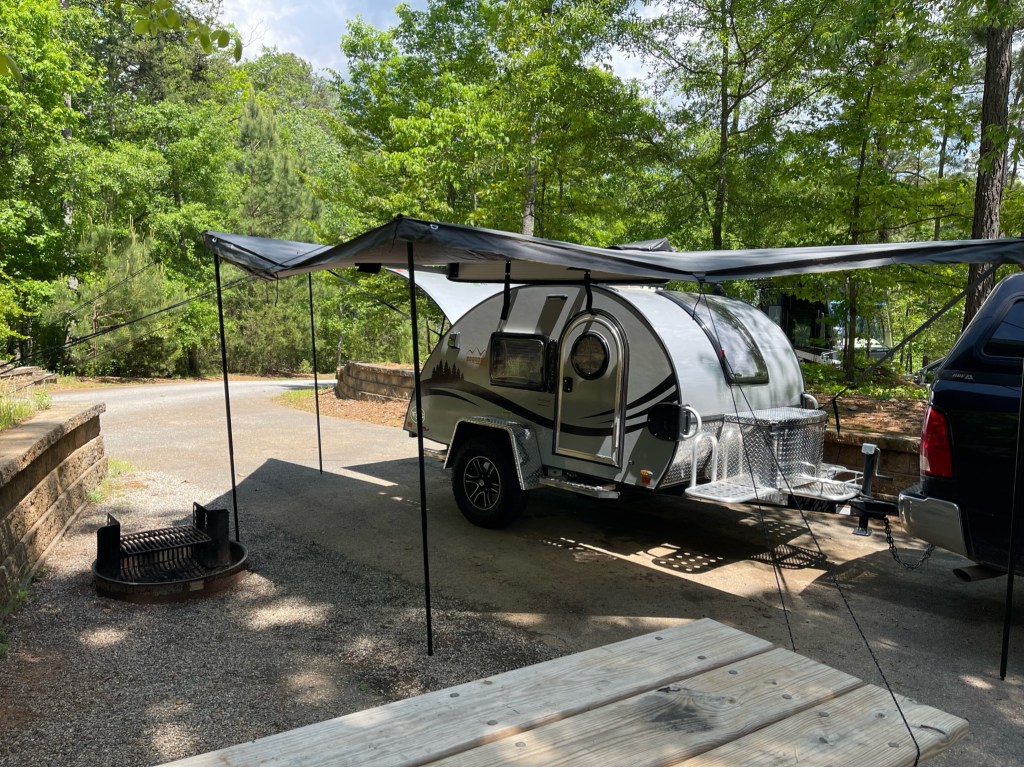
This past Saturday (05-07) was the Georgia POTA Meetup. It was held at Don Carter State Park (K-2171). The park is about a 2 hour drive so I decided to take my new teardrop camper out on its inaugural run. I drove up on Friday. One of the reason for purchasing the camper was to extend my POTA activation range. The camper is made by NuCamp and so far I am pretty impressed with it. It pulls well behind my pickup truck and I only lose about 1/2 mile a gallon for gas. Set up was easy. Since I didn’t disconnect the trailer from the truck, I was set up and good to go in about 15 minutes. Here is a shot of the camper set up.

The camper next door told me some strong winds and possibly a storm were coming so I added some additional guying to the awning. There were no problems.

Friday was a rather chilly day and because of the winds I did not set out my folding chairs and table until Saturday. I brought two radios and a couple of antennas with me. Traveling QRP doesn’t take up a lot of space even if you bring a couple of each. I wasn’t sure I was going to make enough contacts on Friday since I started late but I gave it a go anyhow. The first radio up was my Xeigu X6100 and I hooked it up to Chameleon Micro on a spike with a Buddipole 12 foot fiberglass antenna and two aluminum extensions. I also ran a counterpoise. I was only able to make 5 contacts Friday evening, furthest being Colorado. Band conditions were not that good from this location. The Reverse Beacon Network (RBN) didn’t even pick me up. I did start outside.

I worked this way for a little while until the temperature dropped and I started seeing chiggers on the table. I move the operation inside. I wanted to see how well I could operate from inside the camper.

The answer was quite well. I bought a lap desk for this purpose and I was quite comfortable. For logging, I used the Hamrs App on my phone. This was the first time I did logging solely from my phone. Band conditions were still not very good, so I spent most of the time hunting P2P. It was fun, doing a search and pounce while operating CW QRPish (10 watts).

How does the X6100 play? First let me describe the environment. I was in a a RV camping area that was mostly full. There were a lot of big trailers loaded with all sorts of electronic devices, switching power supplies, and whatnot. I was also down in an RF “hole”. The X6100 is fun to use and the display is top notch. Most of the controls are fairly intuitive. I had no problems operating CW and did use the memories. It does have its nits. As others have said, the receiver does overload rather easily, and while I can still work stations, I felt I may have missed some because of the added noise. Along with that, the audio is also rather harsh. While at a park, I often wear ear buds to be respectful of my neighbors. The audio can become tiresome. Adjusting the RF Gain helps. The last real nit was the Digital Noise Reduction. It needs work. Turning it on even at the lowest setting is way too much. Hopefully they will fix this in future firmware updates. The digital filters on the other hand are very good, almost on par with Icom. I did run the radio with a Bioenno 3AH battery so I could have 10 watts. There is a lot to like about this radio. You get a lot of goodness for the money, and Xeigu so far has been good about updating the firmware. When I use this radio again, it will be in quieter RF environments. such as, less popular parks, National Forests, Wildlife management Area, and SOTA. It really is a fun radio to use.

Saturday morning, I walked over to the GA POTA meeting up. It was about a mile and gave me the opportunity to get a little exercise in. There were about about 20 or so people there and they had a couple of stations set up. They also had the special event callsign W4P. It was good to meet fellow POTA operators and have a chance to chat with them. They served hamburgers and hotdogs along with chips, soda and condiments. After a few hours of chatting and a couple of hamburgers, I decided to head back to the camper and see if I could complete my activation for the day.

When I got back I broke out the X6100 again and used it for a while. Not having a lot of luck, I switched over to my IC-705. Yes it is a much better radio and it is more refined, and it does cost twice as much. The X6100 is an excellent value at its price point. I set the 705 up with the AH-705 tuner. I really like the AH-705, as is very versatile, much like its big brother, the AH-4.

One nice thing about the Icom, is it works just like my other Icom radios. Easy to remember. The paddles du jour are my N0SA SOTA paddles. They are one of my favorites. With the better receiver and audio on the Icom, I made a few more contacts, but still not what I was expecting. QRP antennas can be light and small so it is nothing to bring a few along. I decided to swap out antennas. I took down my Chameleon/Buddipole antenna and put up my K4SWL 28 foot vertical with counterpoise. It is a homebrew antenna, but I got the idea from Thomas Witherspoon K4SWL. After putting this antenna up, I continued to slowly add contacts to my log. My method was simple. If I could hear them fairly well, I figured they could hear me, so I tried to work them. There were plenty of stations on the POTA spot page that I did not hear at all. By the end of the day, got enough contacts for an activation on Saturday. Here is a map:

Wrapping up and lessons learned. First, I had a lot of fun both at the meetup and at the campsite. I enjoyed taking up my camper for its first go. Everything worked except for the heater. I may have to bring it back to the dealer, but I had plenty of blankets. I am already planning a trip for next month.

Radios. If I am going to do a drive up POTA activation, my first choice will be the IC-705/AH-705. I like the X6100, its fun to use, and I imagine as time goes on it will get better. The X6100 will do well in quieter RF environments. I haven’t given up on it yet as I think there is still a lot of potential there.

Antennas. I had a surprise here. When weight is not a problem, I bring my my Frankentenna which is a mixture of Chameleon and Buddipole parts. On Saturday, when I switched from my Frankentenna to my K4SWL Random Wire antenna, it was on par and maybe even a little better than the former. The idea of carrying less on an activation has endeared itself to me. I can fit everything I need in a small 8 Liter Bucket Boss Bag https://tinyurl.com/3mwbk95r.

The important part is to get out and have fun. So pack those radios up, 10 watts or 100 watts SSB or CW, drive or walk, around the corner or around the world. I hope to work you and if I have, thanks for the contact. de KK4Z

POTA/SOTA Antennas and More

My amateur radio club, West Georgia Amateur Radio Society (WGARS) decided to participate in Winter Field Day. We are going to operate from Talladega National Forest in Alabama. It doesn’t take much to get me out in the woods with a radio. As a club, we will be operating QRP and I will be doing CW.

Since joining POTA, I have been more inclined to build things. I had forgotten how much fun this can be. So today, I thought I would build a couple of antennas for the outing. My first antenna will be a replacement for my speaker wire non-resonant vertical. The idea came from Thomas K4SWL using speaker wire. It was an okay antenna but it was bulky and heavier (12 oz.) than I wanted it to be.

A British company, SOTA-Beams sells some remarkably thin antenna wire. It is insulated and approximately 24 AWG. The best part is they sell a 100 meters for $10.37 and their shipping rates are reasonable. You can find it here: https://www.sotabeams.co.uk/antenna-wire-lightweight-100m/.

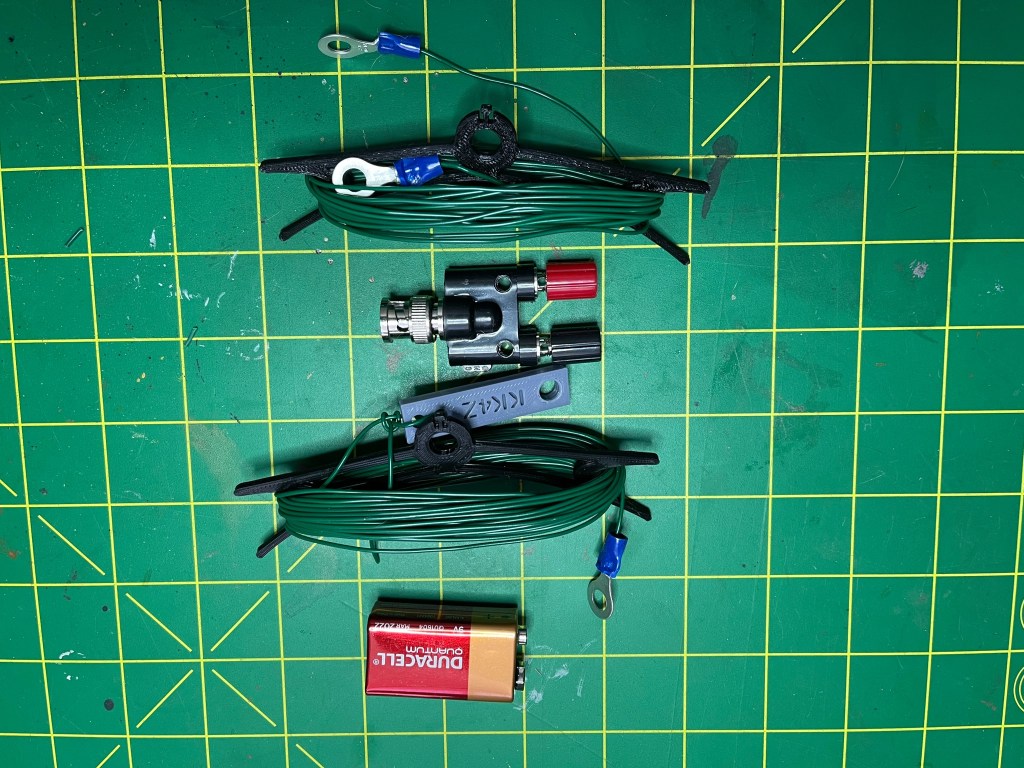
A non-resonant antenna is an antenna that is not resonant on any of the frequencies you plan to use. In non- resonant antennas only forward waves exist. A non-resonant antenna radiates as well as a resonant one. Here is what I started out with.

The end insulator and the wire winders were 3D printed by my son. The battery is for scale. The antenna length is approximately 28-29 feet and the counterpoise is approximately 17 feet. Putting it together was straight forward with the end result looking like this. It weighs 3 oz.

I have discovered that I like working the low bands while on a POTA activation. It takes a little more doing as the antennas get more complex and heavier. My Frankentenna can reach 160 meters but it is a pretty heavy antenna. Again, taking a clue from K4SWL, I acquired a piece of military surplus radio gear. I found an antenna winder for a dipole that is fed with 30 feet of twinlead. I got excited! A doublet is one of my favorite wire antennas as the vertical element can also radiate giving you some DX capability. It will also tune a broader range of frequencies than a dipole. Here is what I started out with.

Note that it is made by the Hughes Aircraft company. I cut the wire at 67 feet per side which should give me an approximately 132 foot dipole. I should be good to go down into the CW portion of 80 meters. While it won’t be efficient, I am thinking I can get an impedance match on 160 meters with my Elecraft T-1 or AH-705 tuner. A half wave dipole for 160 meters is about 270 feet and would be too unwieldy for the field. Getting things hooked up was straightforward.

Everything wraps on the winder. I added a balanced to BNC adapter and two 25 foot lengths of reflective cord I picked up at Tractor Supply. It all weighs 1 lb 3 oz and it all fits in a gallon size freezer bag.

There will be somewhere in the neighborhood of 5 operators at our site, so I don’t know if I will have the room to get the big antenna up. I hope so.

In case you couldn’t tell, I am a big fan of Ziplock Freezer bags in the quart and gallon sizes. They are tough, waterproof and cheap. I buy them in bulk at Sam’s Club. When one wears out, I pull a new one from the box.

Low band POTA activations can be a challenge, but not impossible. My activation at Ft Mountain State Park in GA. proved that. I am one step closer to being ready for Winter Field Day. Should be a lot of fun. It’s supposed to be cold (cold for us southerners) Night time in the mid 20’s and daytime south of 50 degrees. I’ve lived in cold climates; but, what will get me is my hands. I get pretty fumble-fingered on the paddles when my hands get cold. Thank goodnes for propane heaters. We will be operating under the callsign W4D and hopefully be turning in a log to POTA as well. Hope to hear you out there.

POTA Activation K-3756 JL Lester WMA

I had a doctors appointment in the morning so that kind of scrambled my day. I decided to attempt a quick activation using my new IC-705 with the AH-705. Today was the best day to do it because we are supposed to get some real winter weather starting tomorrow. I’m not opposed to winter weather, I do not like driving around with a bunch of folks who are. And yes, true to southern tradition, people are at the stores buying milk, bread, and eggs. Can never to too sure.

The J. L. Lester Wildlife Management Area is located in Polk County, GA near Cedartown. It is 477 acres with hunting and fishing opportunities. Even though I wasn’t hunting or fishing, I am required to have either a hunting or fishing license, or a land pass. The land pass is $30 and the hunting or fishing license is $15 per year. I became a fisherman. I parked in a parking area near the eastern boundary. I was nice and quiet.

The setup was simple, the IC-705 running off of its own battery, N0SA paddles, AH-705 tuner and a Spark Plug EFHW with 65 feet of Buddipole antenna wire. The coax is RG-316. This is the first time I used the Spark Plug antenna. I hoisted the antenna wire about 20 feet up into a tree, and tied the Spark Plug off near my truck.

Here is the complete antenna set-up.

The setup in the truck was pretty simple. I used my center console desk and logged with paper. During the activation the AH-705 was on the passenger seat. Using the desk with the radio on it made it a little tipsy so for the photo, the AH-705 was a counter-balance. I will remedy this next time with a bungee cord. I had the earphones out; however, the IC-705 had enough volume for these not so good ears so the earphones were not needed.

I also discovered that I didn’t need the clock as the time on the IC-705 was easy to see.

How did everything play? Quite well actually, the AH-705 tuned the EFHW for the first time in less than 2 seconds. I was impressed. The AH-705 is more like a miniature AH-4. I have an AH-4 and it is a very capable tuner. I am looking forward to see how well the AH-705 compares to the AH-4.

One of the reasons I brought the IC-705 was for the keyer memories. I use keyer memories quite a bit. Using memories eases the QSO workflow. I started on 40 meters hoping to get 10 activations and if not maybe move to another band. However, I had a nice pileup going on for about 35-45 minutes and ended up with 21 QSO’s. As suddenly as it started, it stopped. I called CQ twice with no answer and then pulled the plug. the antenna and 5 watts were more than ample. Here is a map of the contacts.

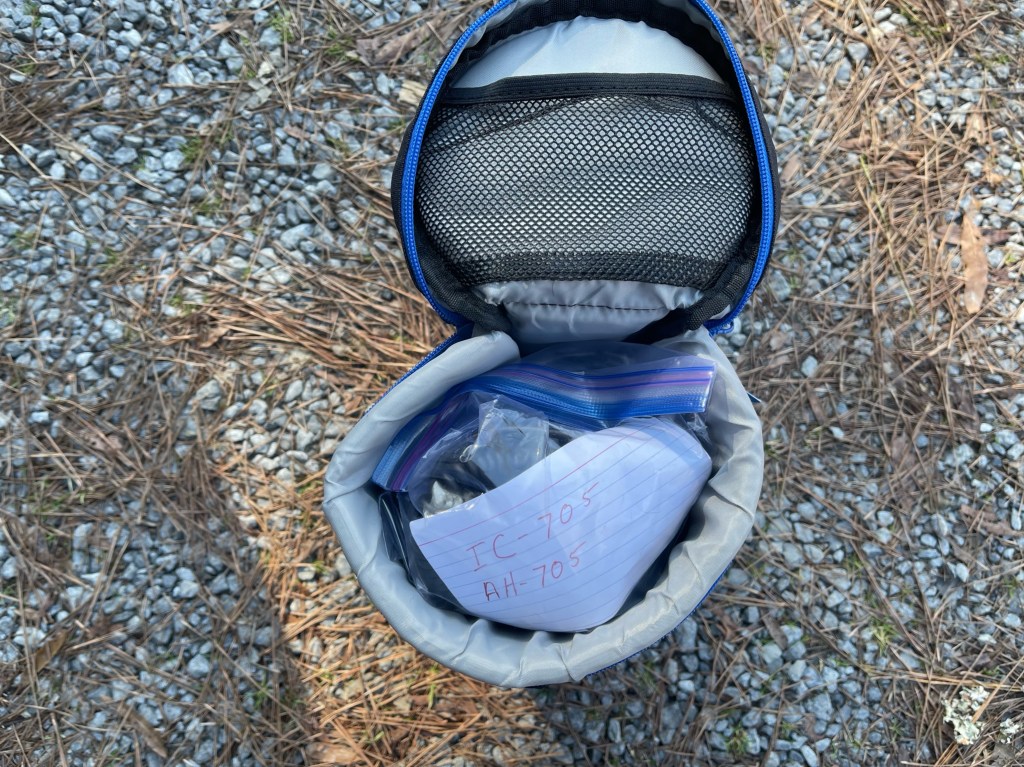
Packing up was a breeze, all my Icom stuff fits into one case. The only things that are not included is the antenna and coax.

All in all it was a great activation. It lasted just long enough and no one was left behind. I can see where the the IC-705 is moving up the ranks as my POTA radio of choice. Because I am very familiar with the Icom architecture, using it is almost second nature.

As I was packing up Marty K4JMG stopped by to say hello before he started his activation at the same place. We chatted a while and swapped a few tales. Marty and I belong to the same ham radio club. It is always good to see him.

Thanks to all those who hunted me, I enjoyed the QSO’s. See you down the log.

IC-705 Stand

I bit the bullet and ordered an Icom IC-705. It really was a no-brainer for me as I already have several Icom radios. I have had other brands, but I keep going back to Icom. Anyhow, once I got the radio I needed a stand to keep it tilted at the right angle. There isn’t a whole lot out there. The commercial stands are rather pricey, and the 3D printed versions are nice but my son’s 3D printer is down for maintenance and upgrades.

I had a $30 gift card from Tractor Supply I received for Christmas, so off I popped. The stand is made from 1/16″ thick, 1″ x 1″ angle aluminum cut to 2″ long. I got a 48″ piece for 10 bucks. While there I picked up some M4 x 10 machine screws and some M4 washers (about another 2 bucks. Icom gives you the dimensions for all the mount holes in their manual.

I cut it to length, drilled the holes and then did a nice deburr on it. Needle files and a Dremel work great here. I then lightly sanded the whole piece and cleaned it with non-chlorinated brake cleaner (great stuff and cheap at any auto parts store).

The next step was a coat of primer, in this case zinc chromate, a throw back to my Army Aviation days, followed by a coat of high temperature flat black. It’s what I had on hand.

Finally, I added a clear coat and let it sit over night. Here is the final product installed on the IC-705.

It was a fun little project and only took a couple of hours time. The 705 sits back on that angled section at the back of the radio — perfect. I found a padded telephoto lens case that should fit it just fine for about 20 bucks. I’ve taken Icom radios to the field before and they hold up well. I’ve made some CW contacts from home and the radio works as well as my other Icoms. I made out to California and up into NY. I am looking forward to getting this in the field.

Begali Signature Paddles

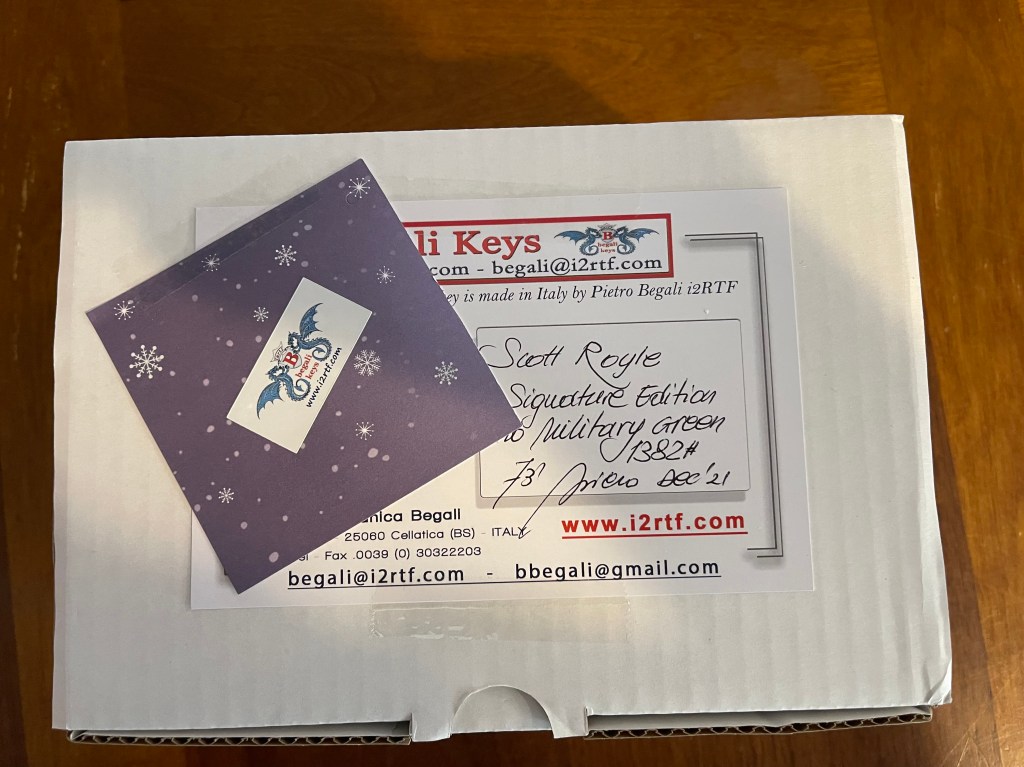
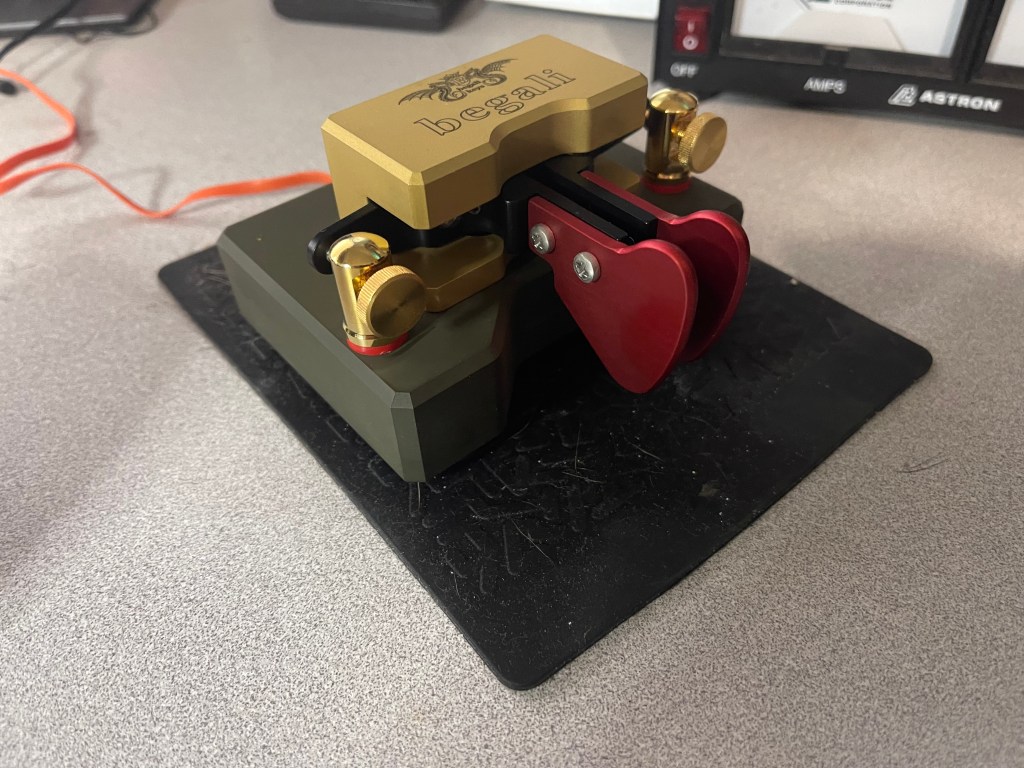
Today is a dreary day in northwest Georgia. It looks like rain and thunderstorms most of today so little or no Ham Radio. Yesterday I received a package from Italy. After waiting almost 3 weeks, my Begali Signature paddles arrived. This is no fault of Bruna at Begali, she shipped them out early so that I would have them for Christmas. However, Fedex had different ideas and the paddles sat in a Fedex facility for 10+ days before they moved. So here they are.

Even the packaging is a work of art with a note from the master himself.

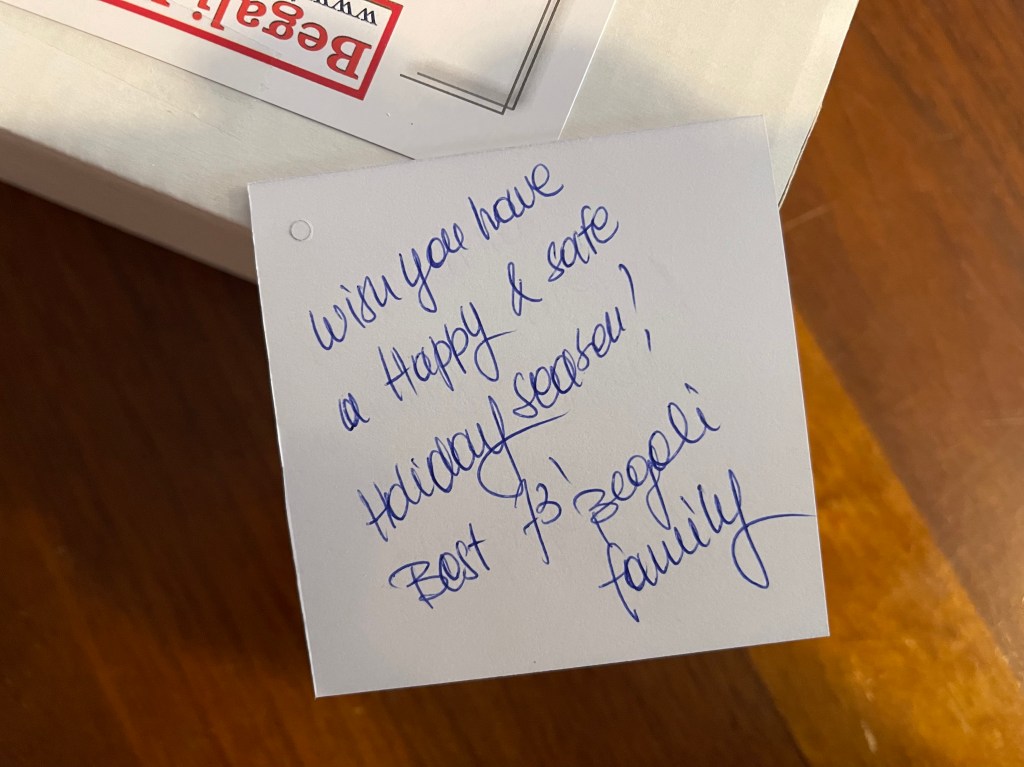
His daughter Bruna added a little holiday cheer.

To be honest, this is my third set of paddles from Begali.

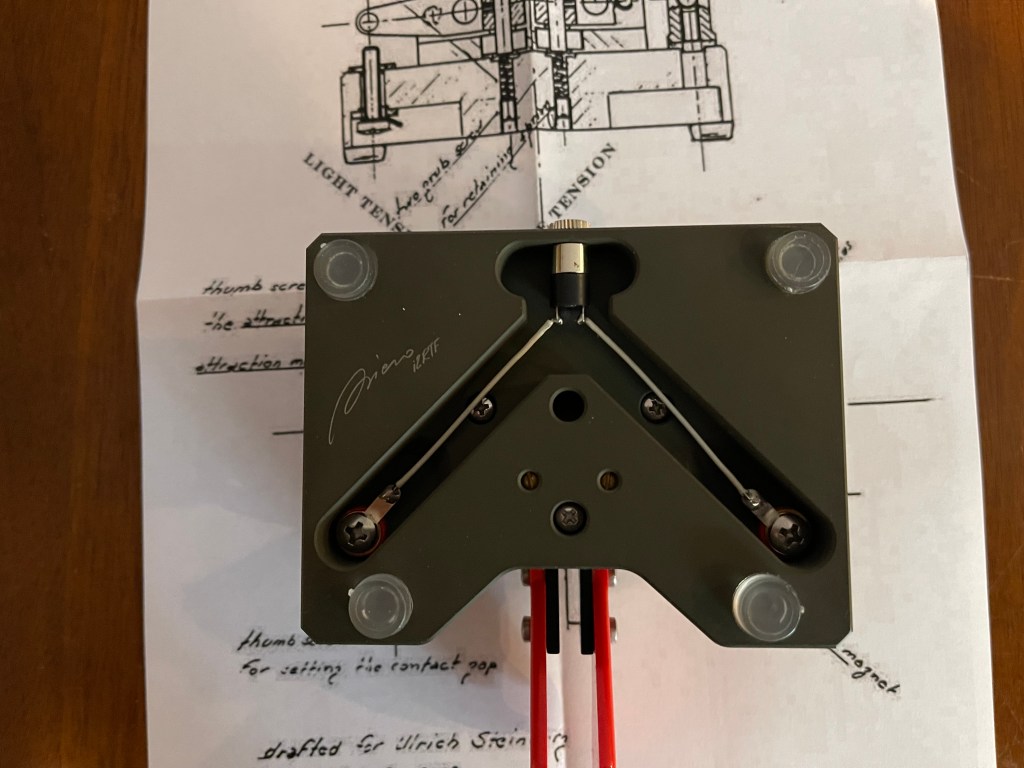
So why did I choose the Signature this time? My first set of paddles were Benchers. That set up is what I call right angle arms. The contacts are to the side of the paddles and not to the rear. In my opinion they have a slightly different feel. The paddles came with the longer plastic finger pieces and the contacts screwed closed to prevent damage. I swapped the finger pieces out with the included short aluminum ones.

Adjustment was easy. I loosened the contact screws, plugged the paddles into my radio, screwed the contacts in till I heard dits or dahs, and them back it out until they stopped. No other adjustment was necessary.

The fit and finish of the paddles are typical from Begali which is excellent. I have an engineering/quality background and have an appreciation for fine fitment and finish. Begali never lets me down. Even the work on the underside is perfection. The paddles make me think of Ferrari or Lamborghini.

For the finish, I wanted something a little different. I’m from the “chrome don’t get you home” crowd. The base of the paddle is military green and the top is their titanium finish. Both are more of a satin finish rather than shiny. I like the green as I am a former soldier. The finish creates an understated elegance that is a quiet statement of quality.

How do they play? First, they are different. The action feels a little different because of the different geometry of the arms. That being said, I do not think I have ever used a smoother set of paddles. Smooth as silk or purrs like a kitten come to mind. I am no speed demon with CW. I typically run in the neighborhood of 16-22 wpm. These paddles are smooth enough to go much higher. The arms are magnetically tensioned keeping the amount of force consistent through the swing. In short, they are a joy to use and to admire. The little time I have had them and used them, they have endeared themselves to me. The now reside on my desk top and are my go to home key.

Final thoughts. The whole Begali experience is something other companies should aspire to. From their customer service, packaging, and the product itself, is all top shelf. Their commitment to customer service leaves me feeling like they made this key especially for me. Is there another Begali set of paddles in my future? Probably, but not tomorrow.

Begali CW Machine

A little while ago I purchased a Begali CW Machine. I was fascinated by it. I thought it would be good for POTA/SOTA activations.However, there is not a lot of information available on it. First, let me be clear, this machine DOES NOT decode CW. Let me repeat, this machine DOES NOT decode CW. And that’s a good thing. I have not found a piece of software that can decode as well as the CPU between the ears period. Weak signals, QSB, QRM, QRN, and bug/straight key operators with their own style or fist, often throw the software into fits, throwing out a bunch of T’s and E’s. Learning to hear CW takes practice, it is not impossible.

So what does this thing do? Actually, quite a few things. first it acts like a memory keyer. It will handle paddles, straight keys and bugs and has several different keying modes built in. It is a memory keyer, that can play back recorded messages. But it goes one step further, you can insert text in the middle of a message. Here is an example. I have a message I use in POTA (hunter) That goes like this BK TU UR (pause) GA GA BK. I can do one of two things. I can wait for the pause, insert the RST, hit the decimal (dot) key to have the message continue, or I can type in the RST while the beginning of the message is playing, it will insert the RST, and continue to the end of the message without further action from me. I can also insert silent commands that are not transmitted. In the above example, the CW Machine goes on the air to play the message, however, at the end of the message I have a silent command that takes the machine back off of the air. Your paddles are always ready to send a message with the push of a button.

Why would I do that? Because I want to enter additional information that I do not wish to transmit. I tune in a station and I copy his call sign, KK4Z and hit enter. The call sign is now in a QSO buffer. The machine can now use that call sign as a part of a message; something like their call de my call. Once I have the call sign I can add some additional information. While waiting for the pileup to die down I hear he is from GA. I type GA and I press the + key, for POTA, I hear his park, I type in K-1234 and hit the + key again. I hear a lull and I send my call which is stored in a message memory. He comes back with a RST of 559, I hit the asterisk * and type 559, it is now stored. I send him his RST using a message like in the above paragraph, and it stores it. He sends me a 73 and I send him one, but now, the machine inserts the current time/date, the band (not the frequency), saves it to the logbook which is part of the machine, and clears the buffer for the next QSO. The logbook is stored in non-volatile memory which means it would require physical damage to lose it.
The CW machine is hooked up to your radio via one cable that plugs into your key jack. For it to work correctly, you must set your radio keyer to straight key. To use it with your computer, you need a serial to usb port adapter. Power can come from either the computer or a separate power source. Whatever, you are running your radio with (12v) will work just fine. The CW machine only draws about 20 mAh so it’s perfect for field operations. It could also run off of a 9 volt battery.

Mistakes are fairly easy to correct. lets say I typed in the other stations call sign wrong. I retype it correctly, hit the enter key and the call is updated. You can do this to other fields using different key strokes, but it all works like that until you save it. You can edit after it is saved, but it take a little more effort (slightly more) to get it right.

You can run the CW machine in several different configurations. At the minimum. it needs a paddle/key and a PS2 compatible keypad. Yep, it uses a PS2 port. Basically you enter data with the paddle and commands with the keypad. You can also replace the keypad with a keyboard. This requires a PS2 compatible keyboard (Logitech still makes one the K100). This works well as you can now run the machine like a mill. You type and it sends CW. If you get a keyboard, make sure you get one with a keypad. the machine recognizes individual key strokes, the 1 on the keyboard is not the same as the 1 on the keypad for example. For those whose fingers get stiff in the winter time, this will reduce your errors. Another way to run this is with a computer using the computers keyboard and key pad. And finally you can run it from a Surface Go2 using its keybaord and attach a keypad to the machine.

One feature I really like is the ability to change CW speeds. With a twist of the knob I can go from 10 to 35 wpm (my setting). I sometimes have issues going from one speed to another when using a paddle. I’m just not that good. With the machine you can match the other station, without making a lot of errors. This really works well when you have someone activating at 13 wpm. I often bust a pileup because I am sending at a speed they can comprehend. It’s also fun on the other side. I typically run in the 16-20 wpm realm. Depending on the operator, I can copy up to about 25 wpm. When I hear one of these stations, I can crank it up and we have a quick staccato QSO.

LCD Display. The CW Machine has a one line LCD display should be readable in direct sunlight. It is adjustable. The screen is rather small and basically has one line that can scroll sideways to see what is going on and also to adjust the settings. There are annunciators that surround the one line of text to show you the status of the machine. It’s not a full sized computer screen, but there is sufficient information to run the machine without a computer.

So far I’ve been working it from home as a hunter for POTA. It works quite well in this capacity. I have used all of the configurations I mentioned and the easiest is using the machine with a computer. I have logged about 100 contacts so far and spent a lot of time reading the manuals. I would not call this plug and play, there is a learning curve. I am getting comfortable enough to try and activation with it.

Log files. The machine itself can hold about 12,000 QSO’s. It is easy to export to ADIF and it takes me about two minutes in ADIF Master to get it ready of POTA. basically I delete two columns, rename two columns and its ready.

Things I like to see changed. One is to go from a serial com port (DB9) to a straight usb port. Doing this would not only get rid of the serial/usb adapter, it could also get rid of the external power port. There are so many ways today to power something via usb. The display could be bigger and have more information available on it. There is plenty of real estate on the top of the machine to put a bigger more up to date display. A good example is the one Xeigu uses on its G90. Lastly, this is more of a niggle than anything else, put a better speaker and audio driver in there. Really, all this needs is an update, there are better components available today which could easily take this to a new level.

Caveats. It’s pricey. Right now it’s selling for about 295 Euro. Not for everybody. It takes time to learn. This machine does a lot, but to unlock the magic, there is reading and testing to be done. This is probably not for the techno-challenged. It does not decode so if you do not know CW, you have to jump that hurdle first. Who is it for? Someone doing POTA/SOTA activations who wants to travel light, have something to share the workload, easily maintain a log (especially if you have poor handwriting like me), works well in cold weather (when my fingers do not), and sips battery power. Right now it has become my POTA/SOTA go to logger/keyer. I am only using ACLog now as my master log. It is easy to import the ADIF from CW Machine (after tweaking it) into ACLog. There you have it. I will probably update once I get it out on an activation.