I gave the 710 a bit of a workout yesterday. Mainly ran CW and FT8. I did find some differences between it and the 7300. To some, the differences may be small, but to others, not so small. My initial ranking putting the 710 behind the 7300 still stands. The 7300 is a bit easier to use and for all practical purposes, they hear about the same.
Using FT8, the 710 would sometimes do funny things to WSJT-X software. It would change the mode to FT4 when I changed bands. Also when changing bands, the software would lag behind the radio before it would change. It may be a polling issue. I do have the latest revision of the software.
Below is a video of some of the differences I found between using the 710 and 7300. You will have to excuse the gaffs, sometimes it gets a little confusing when switching between two different manufacturers. I don’t edit the videos, this is me doing the things I do. I got the 710 packed up and ready to go on my next adventure. This will be the first field test of the radio.
For my birthday, my wife bought me a JackTite 31′ pushup pole. I’ve had my Mfj-1910 pole for about 15 years and bought it used for $25. On my last outing, the joints were starting to slip. This time I went with JackTite. It’s a 31′ pole instead of a 33′ but it has a sturdier tip.
The MFJ is above and the JackTite is below. Overall they are about the same size.
The only mod I did was add some Gorilla Tape where the pole rubbed against my trailer hitch flagpole holder. Hoisting up a 12ga insulated antenna wire the tip does have a little sag but not near as much as the MFJ.
I normally tape the wire to the pole at the top three sections using a little electrical tape. 3M Super 88 is my go-to. The joints are tight and secure and the JackTite has a sturdier construction than the MFJ. I will take it out on my next camping trip. I’ll keep the MFJ as a spare.
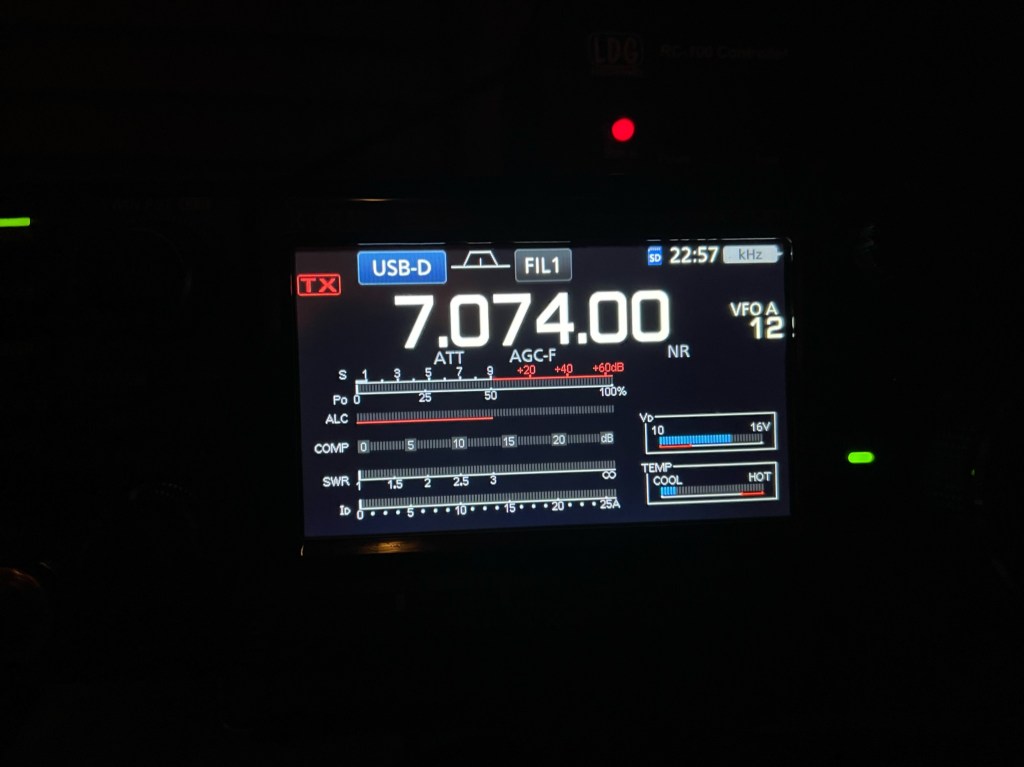
Update on the FT-710. Yesterday, I spent the day setting up the radio. I’m not much of a tweaker once I get things set up, I get on the radio to operate and make contacts. If you look at military or commercial HF rigs, there is very little to tweak. I think I am close to where I like it. One very frustrating issue was getting the radio to operate FT8. I got everything to work except the audio on transmit. The software would key the radio, but no sound. I turned on the monitor and could hear it through the speakers, but the radio would not transmit it. so zero watts out. I worked on this for a couple of hours. Finally, I checked to see if there was a firmware update and there was. Duh, I know! The update fixed the issue, but really! The radio should have never left the factory like that. With the popularity of digital modes, that should have been a priority. Come on Yaesu!
On a good note, my first contact on FT8 was Turkey. First (or second) impressions. My intended use for this radio is a field radio and as such, it will work fine. My other radio is my trusted IC-7300. I’ve had the Icom for 7 years now and know it quite well. My field box is set up in such a way that to swap the radios out for a trip, all I have to do is swap the radio and the microphone and I am good to go. I pretty much bring the same things every time I go out. I am involved in EmComm and it pays to know your gear.
Where does the FT-710 fit in? I always thought that comparing the IC-7300 to the FTDX10 was unfair, but a lot of people did, and that should tell you how people think about the radio. I don’t think anybody will be comparing the FT-710 to the IC-7610. Today, I would place the FT-710 slightly behind the IC-7300. They are both good radios and if you are married to one manufacturer, then by all means stick with that brand. I have 2 Icoms and now I have 2 Yaesu’s, The FT-710 and IC-7300 will be my field radios. Currently, I do not have any intention of selling either one. Like the FTDX10, the FT-710 will be a long-term review. I wouldn’t worry about the Rob Sherwood numbers too much; it would be rare that the FT-710 would need that kind of filtering horsepower. The IC-7300 will hear everything the FT-710 will hear. I am looking forward to bringing the FT-710 on my next trip. 73 — Scott
When I started doing portable operations like POTA, my intention was to do a lot of day activations, so I started collecting small QRP radios. Fortune befell me, and I was able to acquire a small camper that allows me to go camping for a weekend about once a month. My paradigm shifted and I found that when I go camping, I usually bring a bigger radio such as my IC-7300. It makes sense since I don’t have to pack it anywhere. I still do the occasional day activity, but those are far fewer than I originally planned. I decided to sell a couple of my QRP radios namely mt TX-500 and my TR-45L. Thanks to Thomas K4SWL, I sold the TX-500 in about 2 minutes. The TR-45L is still for sale, but I may hang onto it as it is a fun radio. My other QRP radio is an IC-705.
I just finished a long-term review of the FTDX10. My reviews are a little different, I do them from the perspective of operating from the field. Besides POTA, I am a regional coordinator for EmComm with my church. I like doing long-term reviews as I get a good feel for the radio and through a good bit of use, it brings out the good and the bad. Shortly after selling my TX-500, I decided I wanted another “big” radio for the field. I tried the FTDX10 but found it was a better shack radio than a field radio. This time I went with the Yaesu FT-710. I almost bought another IC-7300, but after playing around with the FT-710 at HRO Atlanta, I thought I would give it a whirl. I primarily operate CW and Digital with a little SSB thrown for nets. I operate what I call QROp or low power (20-35 watts. Starting today, it will mostly be the Yaesu I bring to the field.
It has been said that Yaesu’s are a thinking man’s radio. In other words, there are many, many things you can tinker and play with on the radio. You will not be seeing much of that here. Once I set up a radio,I make very few changes to it. I’m on the radio to operate and not think about it.
Today, I am home getting the radio its initial setup. Here are some of my first-day thoughts. My comparison will be with the IC-7300 which is a direct competitor to the 710.
They are pretty close in size with the 7300 a little taller.
**Noise Floor** The 710 has a noise floor of -126 dBm and the 7300’s noise floor is -133 dBm (Rob Sherwood). The lower the number the better it hears and in this case by a factor of 8. I Icom hears better. To use wide-open SDR radios like the 7300 and the 710, the attenuator and RF are your friends. **External Tuner** I don’t know why Yaesu makes it so hard to use a tuner. I have an old LDG Z-11 Pro that I have had for at least 15 years, it works with every Icom radio out there. I tried a Mat-30 tuner and it has issues that I don’t care for. You can see my comments on one of my FTDX10 reviews. There is a workaround. Change the mode to AM and key the mike. The carrier is enough to let the tuner do its job. The Icom has a separate transmit button, but I have to hook the mic up to the Yaesu to make it work (I normally don’t hook the mic up in the field with the Icom. **Ergonomics** I’m going to call it a draw. Most functions that I use regularly seem to take about the same amount of button/screen presses. Both screens are the same size. The one exception is filtering. The Icom has a dedicated knob and ring to adjust the filter passband. The Yaesu uses a knob and then you have to go through a menu system. I also prefer the RIT/XMIT on the Icom over the Clarifier on the Yaesu. The Icom has separate buttons for each function and uses a different knob than the main tuning dial to adjust it. Handiness. The 710’s controls favor a right-hander. **QMB/MemoPad** Same thing, different brand. Icom wins here because the MemoPad can be viewed and edited. I use this function quite a bit. I can delete one channel or all at once. **Filtering** On paper the Yaesu wins, in use, it’s pretty much a draw. The Icom’s filter controls allow for more adjustment and are quicker to use. You also have more flexibility in setting your default filters. If you look at my FTDX10/IC-7300 comparison during a contest, everything I could hear with the FTDX10, I could hear with the 7300. **Split** I don’t use this a whole lot, but I find the Yaesu more intuitive. **VMI** VFO Mode Indicator. Yaesu loves their acronyms. I actually kind of like this. It gives a great visual on the status of the VFOs. Operating in the field often has a lot of distractions. Being able to see those bars on each side of the Main Tuning Dial is an asset. **Auto CW** The 710 allows you to send CW while in SSB mode without having to change over to CW. One of the nets I check into allows for CW check-ins during the SSB net. With the 7300 I have to either set up a separate memory channel or use the Memopad because I have to offset the CW frequency by about 600 Hz so they can hear me. Good job Yaesu. **AESS** I like the idea of a forward facing speaker and in the shack it seems to work really well. However, in the field, I tend to wear headphones. Most campers, camp to get away from noise. **Power Consumption** It’s a wash with a slight edge going to the 7300. One amp vs. 0.85 for the 7300.
Overall, I like the radio. Nothing in the above is really a deal breaker. I am going to spend today, setting up the radio and getting it ready for the field. I will operate from the shack this weekend for the Support Your Parks on the Air Weekend. One last little niggle. Portable Zero has not made rails yet for the 710 and RT Systems has not made software. The software makes programming frequencies into memory easy and having rails protects all the things that stick out. I am sure in the near future we will see them.
I like big boxes, for radios that is. Over the last year or so I have been going portable on a regular basis. During that time I have had a good opportunity to see how I actually operate and enjoy my adventures. I was a little bit surprised. I had thought I was going to do QRP with little radios. I did some of that but what I found was I had a penchant for big box radios operating at what I call QROp or low power usually around 20-35 watts. I also found that I did a lot of FT8. Over the past year band conditions were not good and sometimes, FT8 was the only way to make contacts. I also discovered that I like to chase DX when operating portable. That is my kind of fun. In addition to that, I have a hand (or a foot) in EmComm and support a couple of different organizations.
Why I like big boxes. The first reason is I can run FT8 all day and all night at 35+ watts and the radio doesn’t even get warm. I have done that with both the FTDX10 and the IC-7300. The audio is better on big radios (the exception might be the IC-705). There are more and often bigger controls on a big box radio. The obvious advantage is I can crank up the power when I need it. Even then it is usually no more than 65 watts.
I have 3 QRP radios: IC-705, TX-500, and the TR-45L; all premium radios all great for what they do; all mostly stay at home in a box. I decided to sell two of them, the TX-500 and the TR-45L. They deserve a better home, someone who will give them a proper exercise now and again.
The TR-45L (fat) has the built-in battery and will sell for $580 shipped. The TR-500 will sell for $850 shipped. All sales final. See photos and video below. THE TX-500 IS SOLD.
What is next. Proceeds will probably be for another big box field radio. The IC-7300 is my main field radio and the FTDX10 has joined the home team. The FTDX10 really shines in the home shack. I use mainly for causal CW for things like POTA. I may be interested in another IC-7300, or a FT-710. I might even go for a FT-891 since that is a popular radio. Who knows what I might find out there that tickles my fancy. Like the FTDX10, what ever I get will have a long term review done. I will post the for sale here for a day or two before I put them up on QTH.com. 73 — Scott
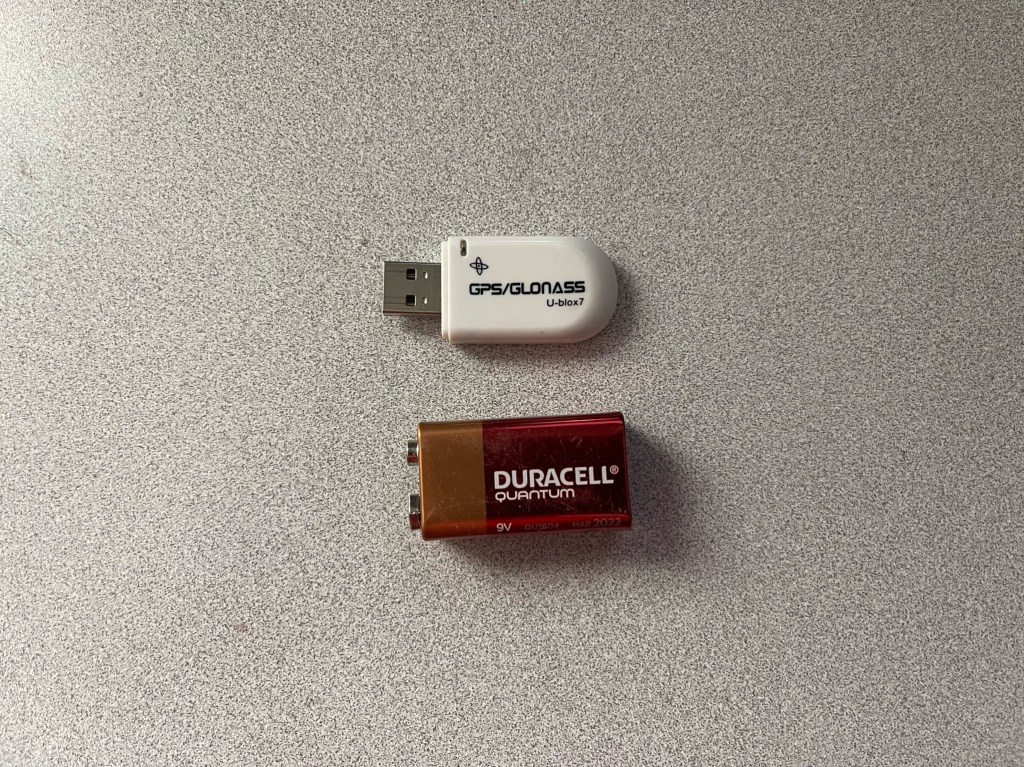
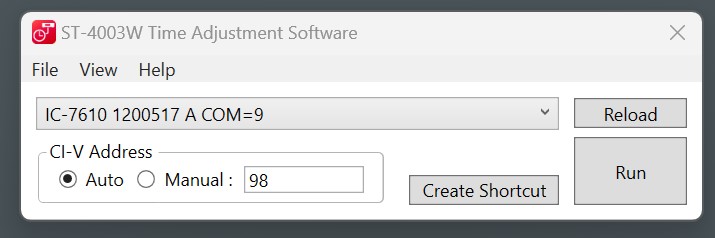
Digital modes have become a mainstay for Amateur Radio. Digital modes are used for conversations, chasing DX, POTA and SOTA, and for EmComm. Indeed we have come a long way even from the turn of the century. Some of these new modes require accurate time synchronization between the receiving and transmitting radios. Off by more than a second or two and the machines will fail to communicate. While operating from home or anywhere else where the internet is available, syncing time is easy-peasy. But what about those times when the internet and even cell service are not available? The easiest way I have discovered is to use the time signal from GPS satellites. It’s pretty easy and the cost is minimal. All you need is a USB GPS dongle like this one:
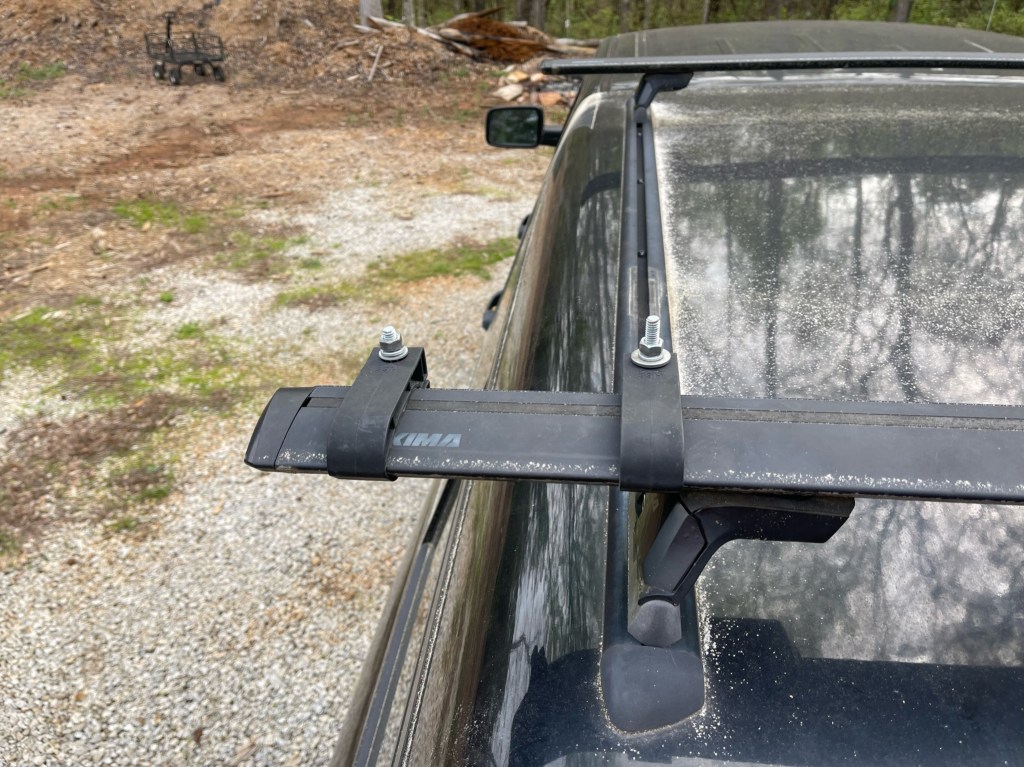
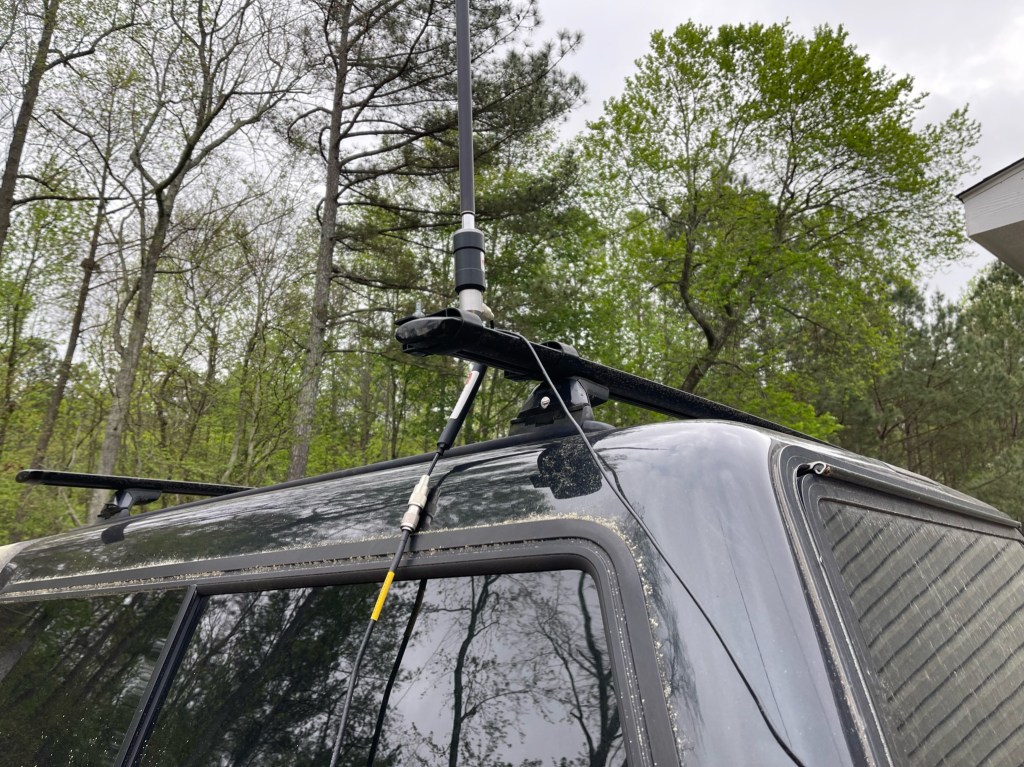
This is part two in my quest to make day activations more park (and park ranger) friendly. With day activations, you tend to be more out in the open and more readily observable. My idea was to reduce my visual signature. Part one was creating a desk for my radio so I could operate it from the cab. With this post, I am adding another modification to my Frankentenna. This antenna is set up to perform multiple roles in different configurations. The whole thing fits inside a regular Buddipole bag and stays with the truck. For this installation, I added a mount to my camper top’s cargo bars and made a ground wire attached to the truck bed. I had most of the parts on hand and spent about $10 for a piece of steel stock.
I start off with a pair of bar clamps I had from another project.
Taking the bar stock, I drilled two 5/16 holes in the end and one 3/8 hole in the center. I then cut it to length, deburred the edges and then gave it a coat of zinc chromate primer followed by a coat of Rustoleum Flat Black.
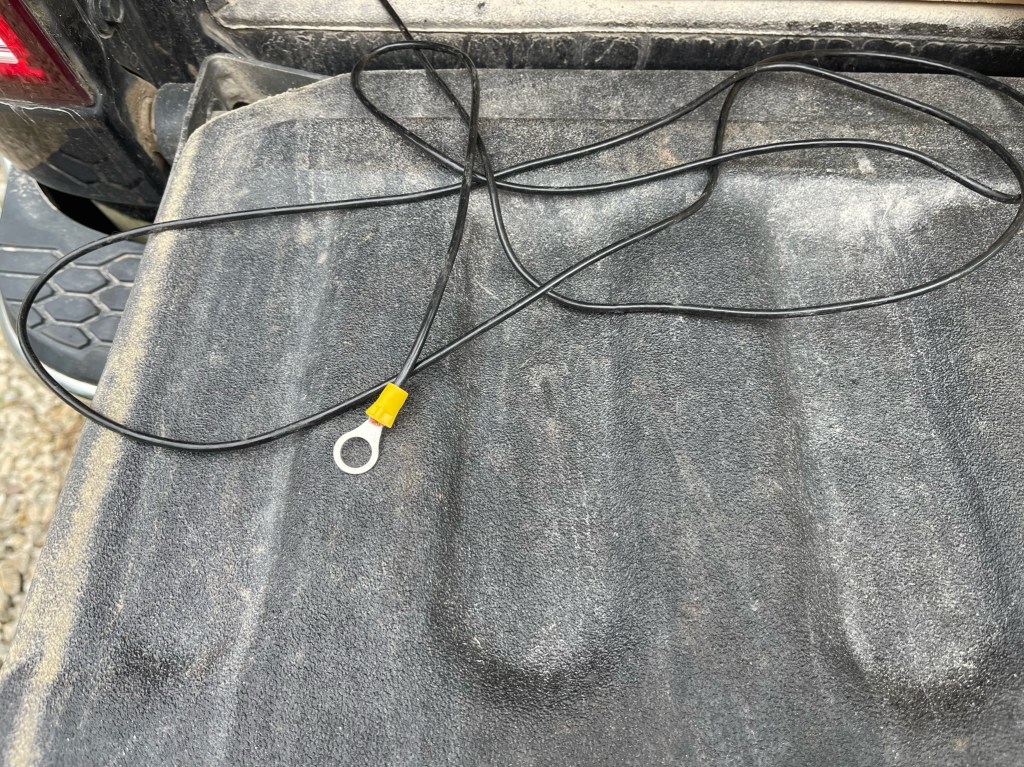
The ground wire was made from some surplus Flexweave I had. I took a grinder and ground a bare spot near the back of the truck bed, secure the wire with a sheet metal screw, and then painted it flat black.
The stuff they use on the bedliner was thick and took some doing to get even a little bare spot! Here are the parts I pulled out of the Frankentenna bag.
To install, I put a bolt through the bracket I made, then added the ground wire, then the Chameleon Micro, then the whip antenna (Buddipole). From there I add the choke and a length of RG-8X.
I can put this up and take it down while standing on the tailgate. No wires in the trees, no holes in the ground, and nothing to trip over. As you can see the visual impact is minimal.
How does it play? I think quite well. Checking the SWR, for 30 meters and above I am below 3.0:1. Forty meters is 3.4:1, 60 meters is 4.9:1 and 80 meters is 5.7:1. All are very usable with a good tuner. In fact, 160 meters is 8.8:1 but that’s a little sketchy.
Overall, I am pleased with the installation and I feel the performance will be similar to the other Frankentenna configurations using the whip. Now, finding the time to get out. Thanks to all who visit my blog, I appreciate you taking the time to read through my stuff. 73’s for now — Scott
Plato’s Republic he said that *our need will be the real creator* or the proverb as we know it today *necessity is the mother of invention*. Recently, my friend Thomas K4SWL acquired a Yaesu FT-891. During his YouTube video, he expounded on how much fun he had with it. It did indeed look like fun. During this time I was pondering about doing more day activations instead of overnights. With the cost of everything still climbing, the need to conserve becomes apparent. I thought an FT-891 might really be a great radio for these day activations. Then reality set in.
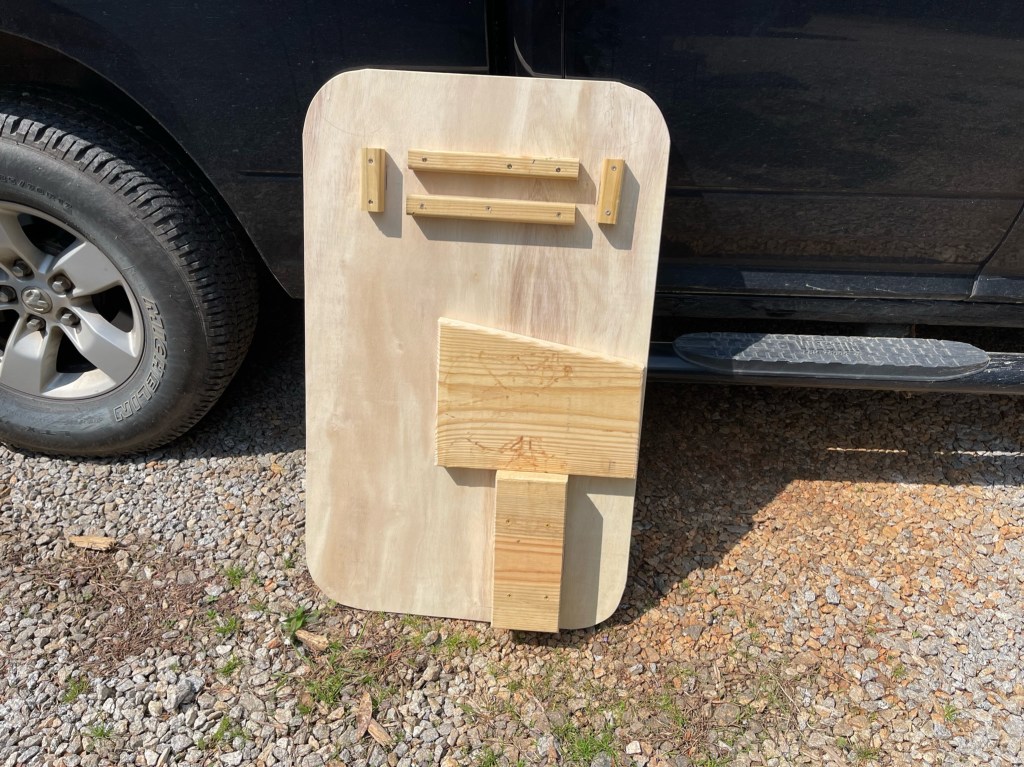
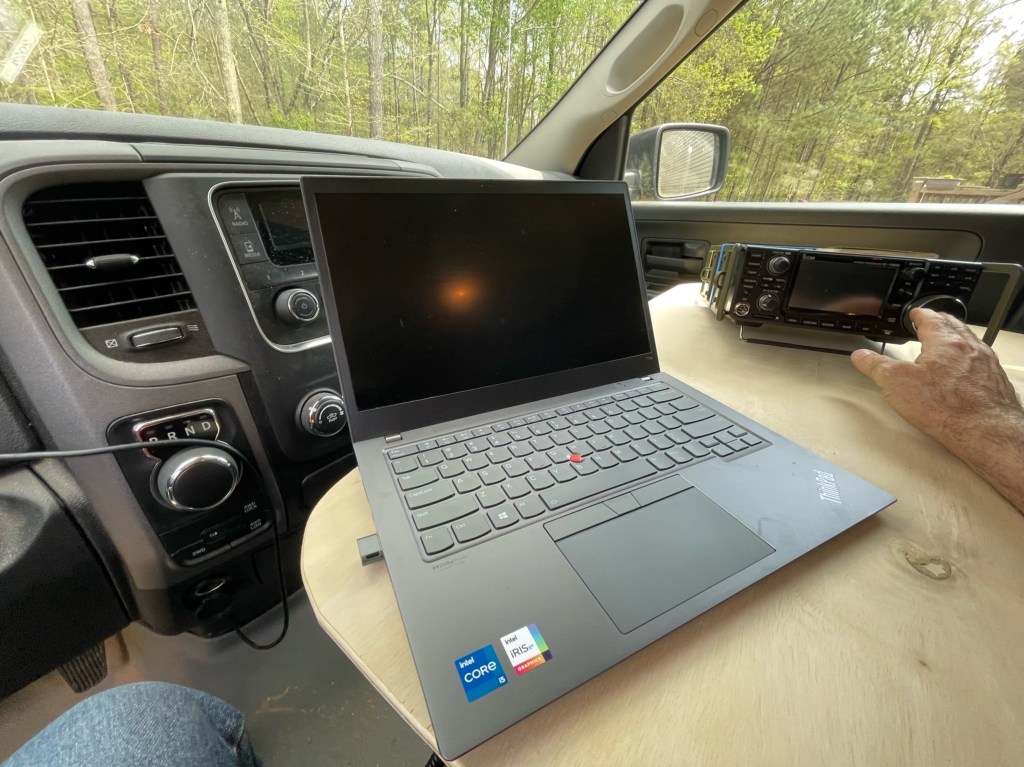
I already have a number of projects I am working on and misc things like maybe having to replace my old 33′ push-up pole, it was not in the stars nor was there a twinkle in my wife’s eye when I mentioned it. In reality, the IC-7300 is a great radio and does everything I need to do especially in the field. I don’t need another radio, I have 3 100 watt radios and 3 QRP radios. I still wanted an easy setup for these one-day activations. I want to drive to a park, set up in a few minutes, operate, tear-down in a couple of minutes, and head for home or another park. I also wanted to make my day activations park ranger friendly. To me that means trying to be inconspicuous. I have two projects planned. The first is a desk for my truck. I am making a desk to sit over the center console and front passenger seat big enough to hold my IC-7300, a laptop and a CW paddle. My plan is to secure the desk to the truck and the radio to the desk. I also wanted to make this as cheaply as possible. I used stuff I had on the property such as a half sheet of plywood and some construction lumber. The only things I had to buy were some screws and eye-bolts, about 14 dollars worth.
The plywood was cut to 24 x 38.5 inches. The length covers the center console and front seat while still allowing me to get to the heat/AC controls. I gave the corners a generous radius and I broke the edges with a router. On the underside, I used a 2 x 12 to make a spacer for the center console where the cup holder is and a leg for the other side over the passenger seat. The spacer is glued and screwed to the desktop but the leg is not attached. This is to make it easier to store. I made a socket for the leg using 2 x 2’s. It’s probably easier to look at a picture than me to try to explain. I added eye rings to the rear of the desk and use a bungee cord to secure the desk to the passenger seat. The only other thing I did, sprayed the top with polyurethane. Note. I am not a carpenter or cabinet maker. I use rough hand tools to get the job done and I am often making do with what’s on hand or what’s the cheapest way to do it.
Putting the desk in the truck, everything feels good. I brought out my IC-7300 and laptop and placed them on the desktop. There appears to be plenty of room for both plus a set of paddles. I will use the desk a few times before I decide where the radio will end up and then figure out how to secure it. I am pleased with the result. While I thought having an FT-891 would be fun, in reality, the IC-7300 is better suited to my operating style.
The desk was comfortable to use and the truck can be driven when it is installed. Without the laptop, there is plenty of space for a notepad or an iPad. Now, if I could just find the time to get out and operate. 73 — Scott
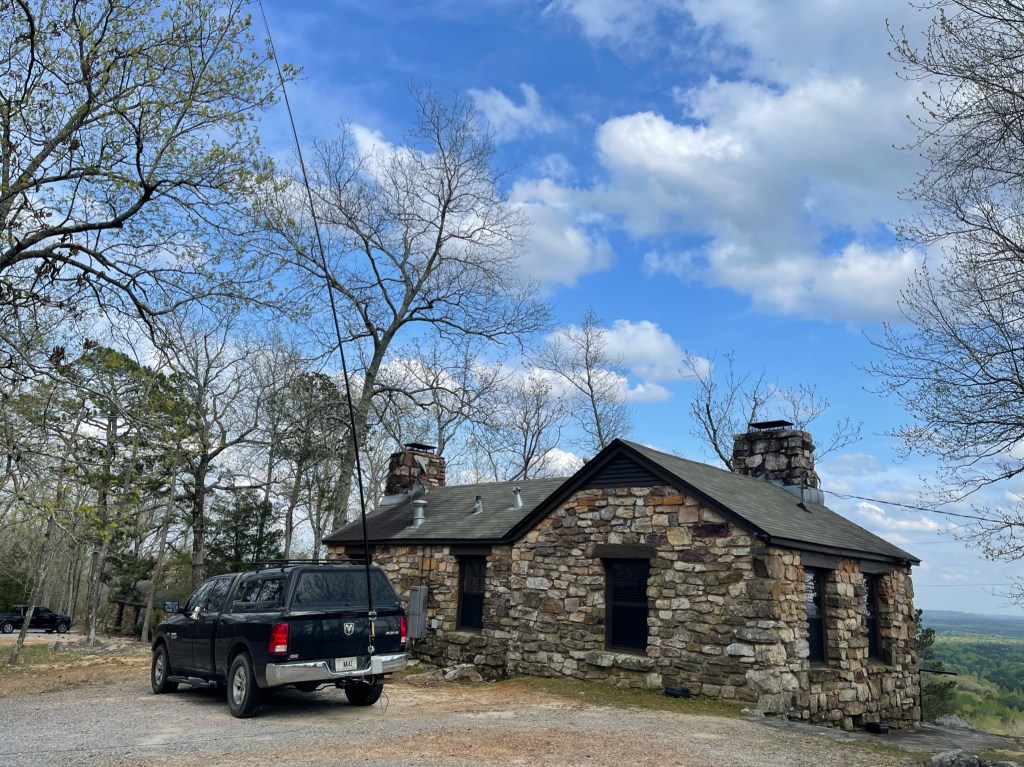
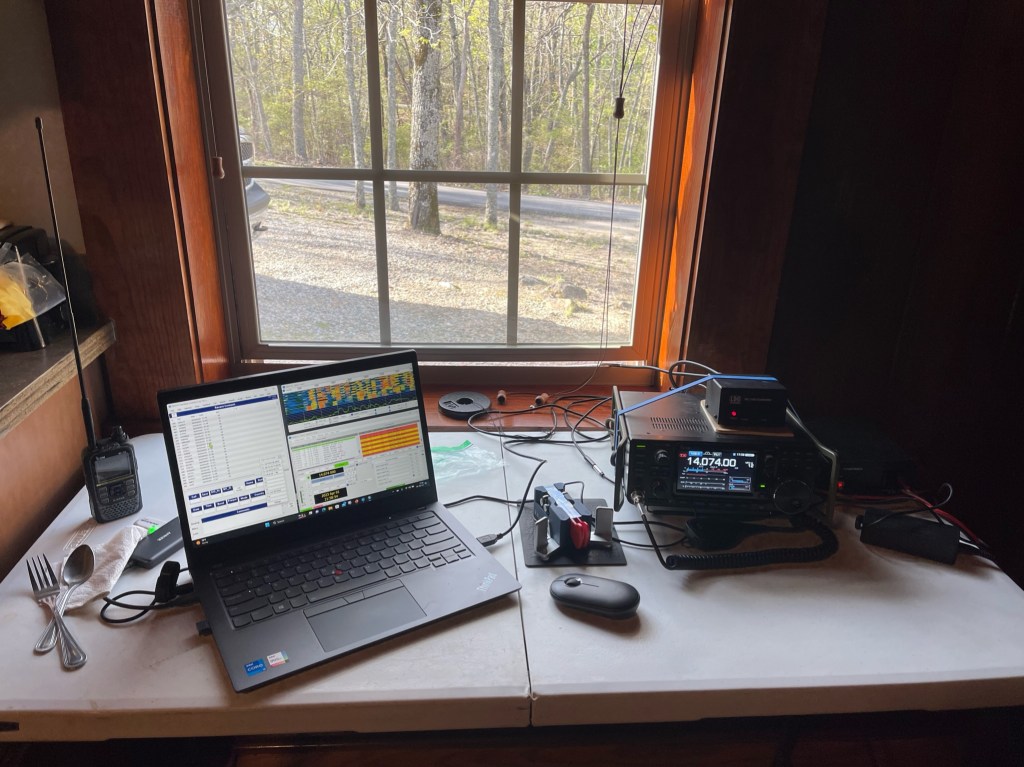
Friday evening, Mary K4SEZ and I traveled to FD Roosevelt State Park for a weekend in a very nice cabin. The cabin is located on Pine Mountain with some exceptional views. As you can guess, I brought some radios with me. I went QRV right before 1800 hrs. local to make sure all my equipment worked prior to the contest. Besides, the contest I had a regional HF net that I needed to check into Saturday morning. The contest starts at 0800 hrs local Saturday and the net was also at 0800 and lasted about 20 minutes.
Friday night was amazing! Twenty and forty meters was wide open. Using FT8, I made 223 contacts between 1800 hrs Friday and 0300 hrs Saturday morning. I worked stations as far west as Japan and Australia and as far east as Rwanda, Ukraine, and European Russia. Unfortunately, the rest of the weekend was not near as exciting. Between 0800 hrs Saturday morning and 1230 hrs Sunday, I made an additional 477 contacts. The bands were up and down and the pace was a little slower. I worked 48 States and 34 countries when it was all said and done. Sunday morning had an opening on 10 meters and I made 19 contacts many into Europe. In total, I had 700 contacts.
My antenna was my tried and true homebrew 28.5-foot random wire antenna which I named my K4SWL antenna as the original idea from Tom. It uses one 17-foot counterpoise. On this trip, the wire I used was 14 ga (I think), coated Flexweave I got from The Wireman many years ago. I was using some 20-something gauge I got from SOTABeams but because I use this antenna a lot, I worried about the thin wire breaking. I use a 9:1 UnUn with a 1:1 current BalUn to help with matching. The antenna is matched by an LDG RT/RC 100 matching unit. This is fairly new to and so far I like it. The tuning circuit out by the antenna helps keep stray RF out of the shack. It was also quite windy here Friday night and Saturday. The antenna held up well. The only issues I had were some of the sections on my MFJ push-up pole would collapse affecting the tuning. This pole is probably nearly 20 years old and should be replaced.
The radio was “The Rock” my IC-7300. I ran FT8 the whole time at 35-45 watts and the temperature gauge on the radio never moved past cool. Now that the FTDX10 has found a home in the shack, it’s nice to have my old friend back in the field with me.
The cabin is located on the ridge line of Pine Mountain, elevation ~1250′ ASL. Besides great views, it also gave my antenna a large aperture which may account for the many DX contacts I made.
I mainly worked FT8 as I also had to listen to a couple of conferences on the Internet and didn’t want to disturb my wife when she was doing things other than radio. We had a nice weekend away and of course, being able to bring radios is a huge bonus. When I get back home and settled, I may send the log to the GA POTA people. I don’t really contest anymore but they might find it useful for cross-checking.
This weekend is the Georgia Parks on the Air Contest. I will be at a park operating CW and FT8 depending on band conditions. I will not be contesting. I have participated in contests in the past, but now I look at contesting like I look at a job. Neither is really fun to me. If you see my signal, give me a call I will be uploading it into POTA and LOTW.
Radios. This weekend I will be bringing my Icom IC-7300. It is still one of my favorite radios. If I could only have one, the 7300 would be it. I still have the FTDX10 and it has become part of the home shack. It shares space with the IC-7610. The 7610 is still my workhorse and it is hooked up to the amp. It does everything well. That doesn’t mean that the FTDX10 isn’t used. I think I use them about 50/50. I like to use the FTDX10 for casual CW like hunting for POTA activators. I rarely go above 50 watts and the built-in tuner will tune my antenna well.
A side benefit of moving the FTDX10 to inside the shack, is I use it more and I am more apt to dig into the manual. There are things I like about the radio. One is the roofing filters. The filters, along with DNR do a pretty good job taming QRN and QRM. The radio is more pleasant to listen to. Another thing I like is the way split operation works. Once you set up the split, the main dial controls the receive frequency, and the outer ring controls the transmit frequency. As a chaser, I need to be able to move my transmit frequency around while keeping the receive frequency steady.
Another nice feature is the ability to transmit CW in SSB mode. The Icoms do not do this. I check into a net that also allows CW check-ins. With the 7610 I use the Memo Pad to switch between SSB and CW (with a -600 Hz transmit offset). I also use the second receiver set to the SSB freq. Once set up, when they ask for check-ins, I hit the memo pad read button, send CW and then hit the memo pad read button again to return to SSB. With the FTDX10 I set the TX Clarifier to -600 Hz and turn it on to send CW and off to send voice. Easy Peasy. The benefit with the FTDX10 is if the net moves due to QRM I am instantly ready, whereas with the 7610 I would have to reset the memo pad.
I find that I like the FTDX10 more in its role as a shack radio. It was okay in the field, but it is better at home. It sits on the left side of my desk which is ergonomically better. As I said in the past, it is a left-handed radio.
The FTDX10 is a keeper, the more I use it, the more it endears itself to me. The IC-7610 is not going anywhere. It still runs with the best of them. Is there an FTDX101 in my future? Maybe. If I get one, I would probably sell the 10 and still keep the 7610. If I make my desk just a little bit bigger…
Thank you, Thank you, Thank you. This blog, KK4Z.com recently surpassed 10,000 views. I never imagined that happening. I appreciate your support as it encourages me to continue on. KK4Z.com will remain without fees or subscriptions with the ideal of enhancing the amateur radio community by sharing my experiences and projects to spur you on to your own adventures wherever and whenever they may be.
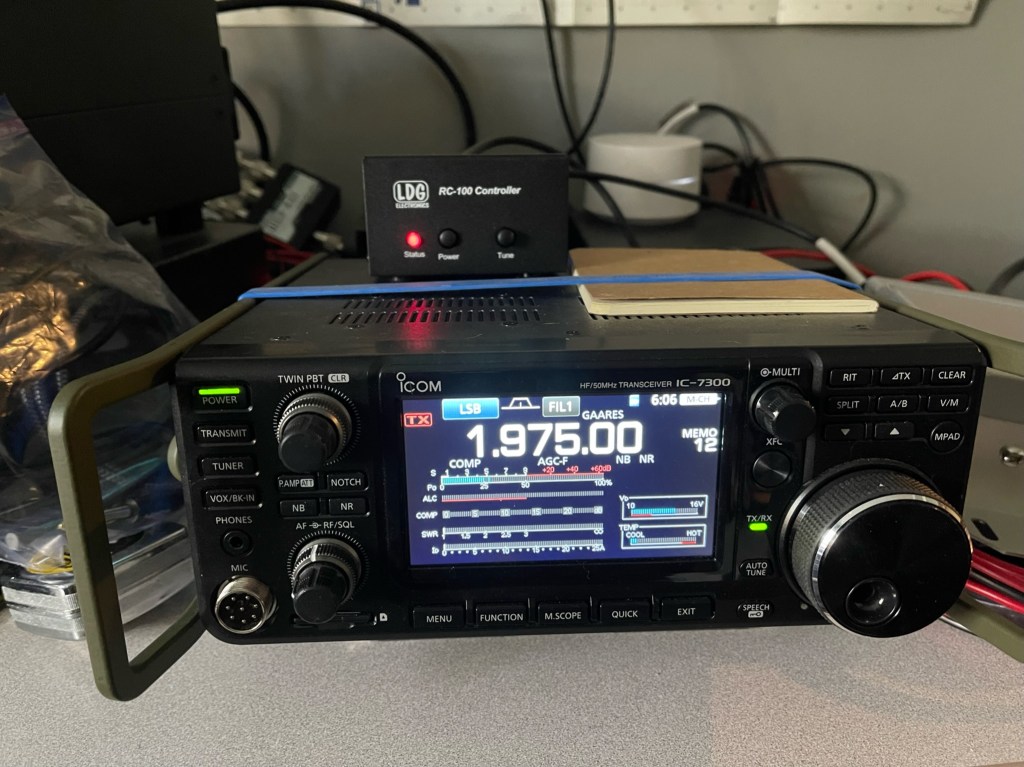
Recently, I purchased an LDG RT-100/RC-100 (hence RT-100) for use with my Yaesu FTDX10 in the field. As I have said previously, The FTDX10 now resides on the desk at the home QTH. It is better suited there. My main field radio is my trusted Icom IC-7300 so why not adapt this tuner to it.
The RT-100 is an auto tuner and doesn’t require a special tuning circuit. Icoms are set up in such a way that when using a tuner such as the LDG Z11 Pro or the Icom AH-4, the radio automatically detects the tuner and switches off the internal tuner. It also supplies power at the tuner port through pins 3 and 4. With the RT-100, there isn’t a way to make this switch since it only requires power to operate. What I wanted was to use the power from the tuner port on the back of the IC-7300 to power the tuner and turn off the internal tuner. I had to “trick” the IC-7300 into thinking there was a tuner there in order to get it to supply power to the RT-100 through the tuner port.
I only needed pins 2, 3, and 4. Pin 4 is the ground, pin 3 is power and pin 2 is what tells the radio an external tuner is present. It requires a resister in series and I used a 47K ohm 1/2 watt resistor. I did not incorporate the switch and I did not utilize pin 1. Here is a parts list: Molex Connector https://tinyurl.com/mw24chcc 47K Ohm Resistor https://tinyurl.com/43ax8kc9 2.5mm Power Cable https://tinyurl.com/2p8d466j
Starting with the basic parts.
It’s just a matter of soldering the parts to the pins.
And putting the pins in the right holes.
The pointy end of the connector is facing up.
I added a little heat shrink and electrician’s tape and viola!
When assembling, make sure you put the pins in the right holes and in the right direction. The pins will go in either way as I found out.
How does it work? It works well. The Icom power at the tuner port is rated at 1 amp and the tuner draws about 500 milliamps. This saves me from having to make an extra power connection. The RT-100 is a tune as you go type tuner so the tune button on the radio does not work. The way I tune when not using a digital mode (software has its own tune function), is to switch the mode to AM and then hit the transmit button or PTT button if a microphone is attached. This transmits a carrier at about half the wattage of your current power level. When the tuner finishes, stop the transmit, switch the mode back, and you are ready.
My next adventure will be the first weekend in April during the GA Parks on the Air Contest. I will not be contesting, but I will be operating portable at a park using FT8 and CW. I may try some FT4 to. Hope to hear you out there – 73 – Scott














 KK4Z
KK4Z 