Going Mobile

Goin’ Mobile, Keep me Movin’ (The Who). After recovering from my rove I decided to install the IC-7100 in my truck. I like the idea of being able to pull into a park and operate with a minimum of setup. The 7100 is nice in that it includes HF/VHF/UHF. Here are the bits an bobs I used to get this going.

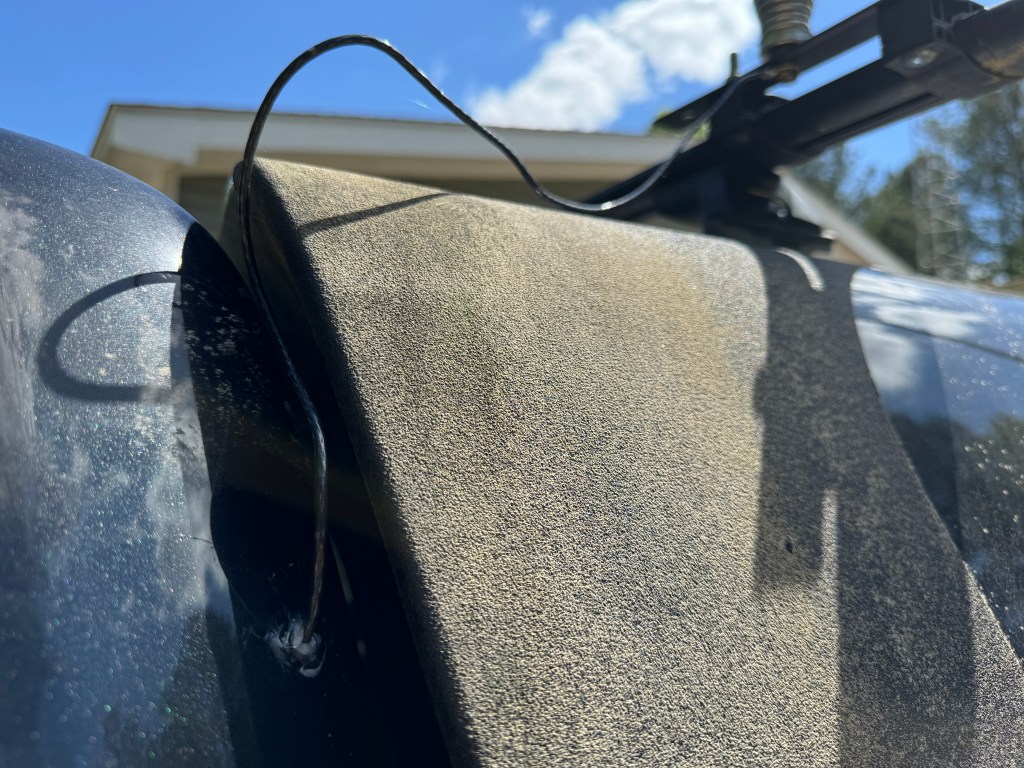
For a tuner, I used Icoms new AH-730. It replaces the AH-4 and is a much nicer unit. The AH-730 and the AH-4 are actually couplers much like the SGC SG-237. They are designed to connect directly to the wire antenna. Coax is only used between the radio and the tuner. I ran a 12 ga stranded wire from the tuner to the antenna which is mounted on my camper roof rack. It is a standard 102″ stainless steel whip. I only had to drill a small hole through the cab sheet metal, add a grommet and a little RTV and I’m done. I drilled an additional 3/8″ hole in the plate where the whip antenna attaches to the truck so I can easily add a horizontal wire for low band NVIS. All I need to do is attach the wire to the truck, stretch it out to a tree, hit the tune button and operate.

Once inside the wire is covered by the trim until it hits bottom and then is routed to the tuner.

The radio and tuner lie in the seat tray under the rear seat. Power from the battery and the UHF/VHF antenna lead are already there from the ID-4100 which was located there. All I had to do was run the control cable from the radio to the control head, attach the antenna to the tuner, the control cable from the radio to the tuner, and add some grounds. If need be, the radio can be easily removed to use outside of the truck.

The control head is mounted on my center console with a cup holder mount. I found this is a nice location for the control head, it is easy to see and manipulate the controls. Plus I also have the DTMF microphone for it. In a pinch I can run CW.

I haven’t done a lot of testing yet, but from my experience with a IC-706 MKIIG/AH-4 combo, things will be fine. Right now I have a bit of work to do on my property which unfortunately, takes priority over radio, but hopefully soon I will be able to get out to a park.

Another thing I haven’t talked about was this mobile setup also works well for EmComm. I can use the truck’s battery or one of my others to run the radio. Adding wire to the antenna will help on the lower bands; plus, the whole system is easy to deploy. Let’s hope I don’t have to use it. 73 de Scott

POTA Activation K-2169, Me, VaraC, 160 meters and more

This weekend I had the opportunity to activate Cloudland Canyon State Park in NW Georgia. It was a digi weekend with me running FT8 and experimenting with VaraC. I also tried a new antenna combination to see how it would work on 160 meters.

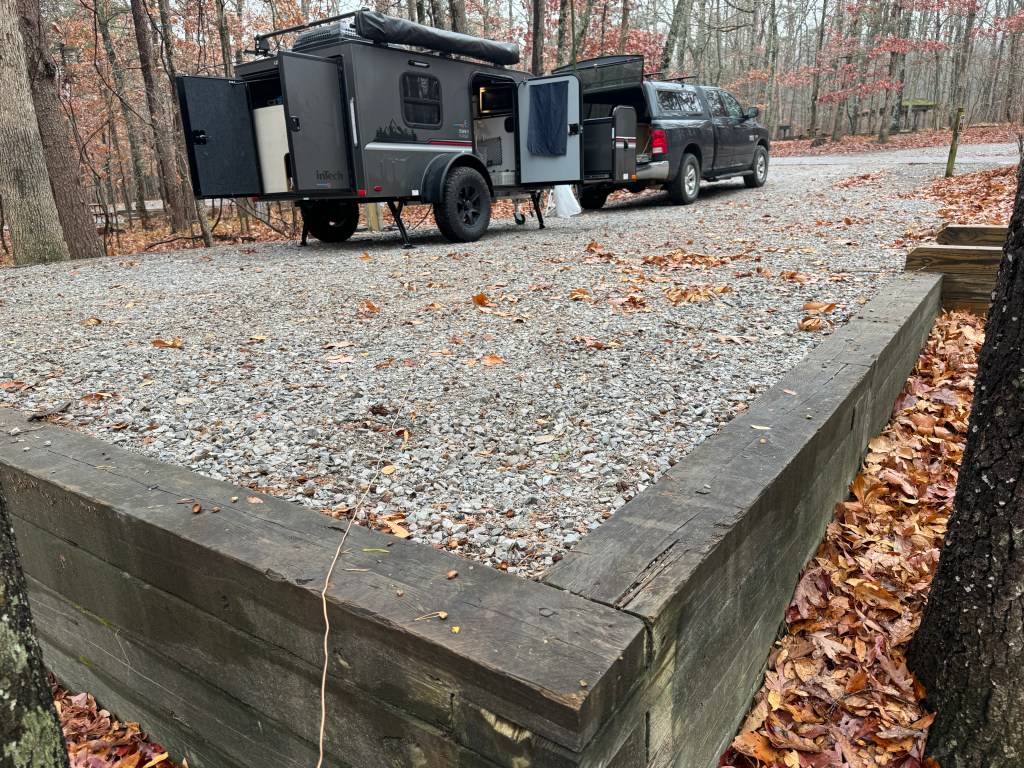
The weather. I book my campsites 4-6 months in advance so I take what I get when I go. This weekend called for rain Friday and was supposed to clear up Saturday PM. It didn’t. It drizzled/rained from the time I got there until 0200 hrs Sunday morning. Since I mingle FunComm with EmComm, this was another test of my gear. The only issue I had was I needed to better seal the window where my coax goes into the camper. You shouldn’t let the weather stop you from going as long as it’s safe. I go year round and because of that, I have a good understanding of my gear and my clothing under varying conditions.

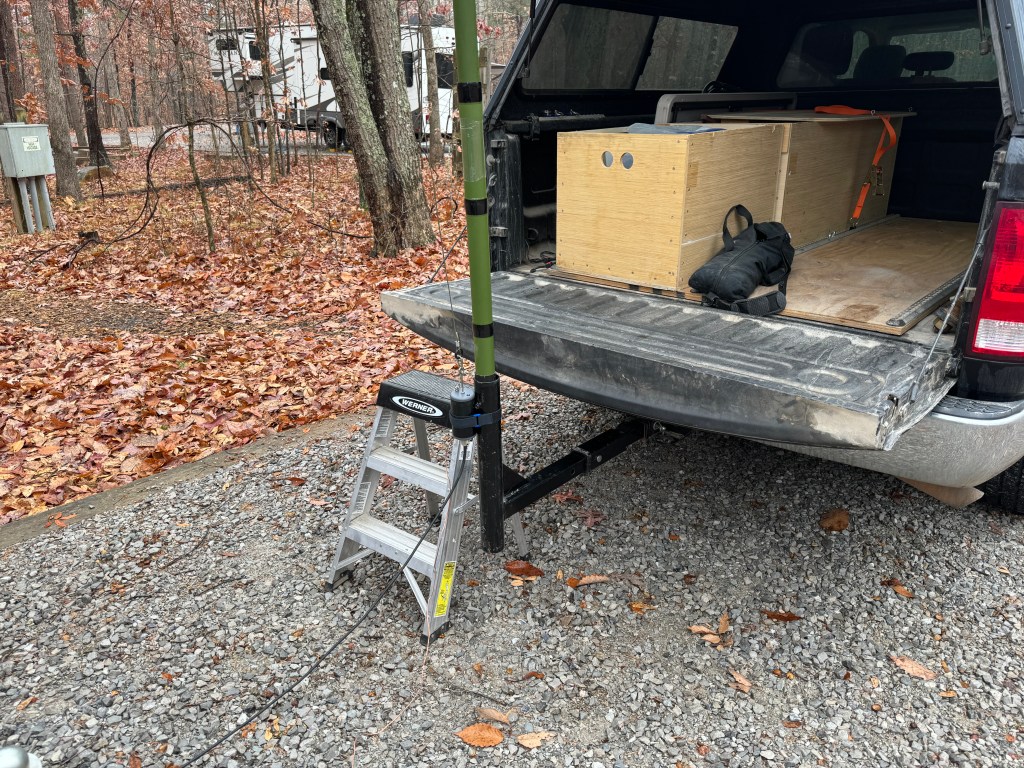
The gear. The antenna was a Chameleon EmComm II ver. 1. This version had a clunky antenna wire and insulator that is more from permanent/semi-permanent installation so I didn’t use it much. This year, Chameleon had a Black Friday Sale of 25% off. I decided to upgrade the wire to a 60′ Kevlar with a winder. I also ordered their new 40-meter OCF dipole which will be used on SOTA activations. I had some 14 gauge Flexweave wire that I cut to 50′ for a counterpoise. My intention was to use this antenna down to 160 meters. I ran the antenna as an inverted “L” ish. The vertical portion went about 25′ up my mast and the horizontal portion was more of a slope and facing north. The nice part was that the entire antenna fit within my campsite. I used the lantern hook on the site to secure the antenna. For rope, I used #36 tarred bank line. The rope is a little sticky so it holds knots well and does not absorb water like para-cord does. I used a clove hitch to secure the antenna ring to the mast and it held fast. The Bank line has replaced all of my para-cord.

The radio was First Peter, my IC-7300 that I bought new in 2016. I use an LDG Z-11 Pro that I have had for 15+ years to keep everything matched up. I was running 25-35 watts. My other IC-7300 is Second Peter. My backup radio was my new KX2. I keep it in a backpack so it is easy to toss in the truck.

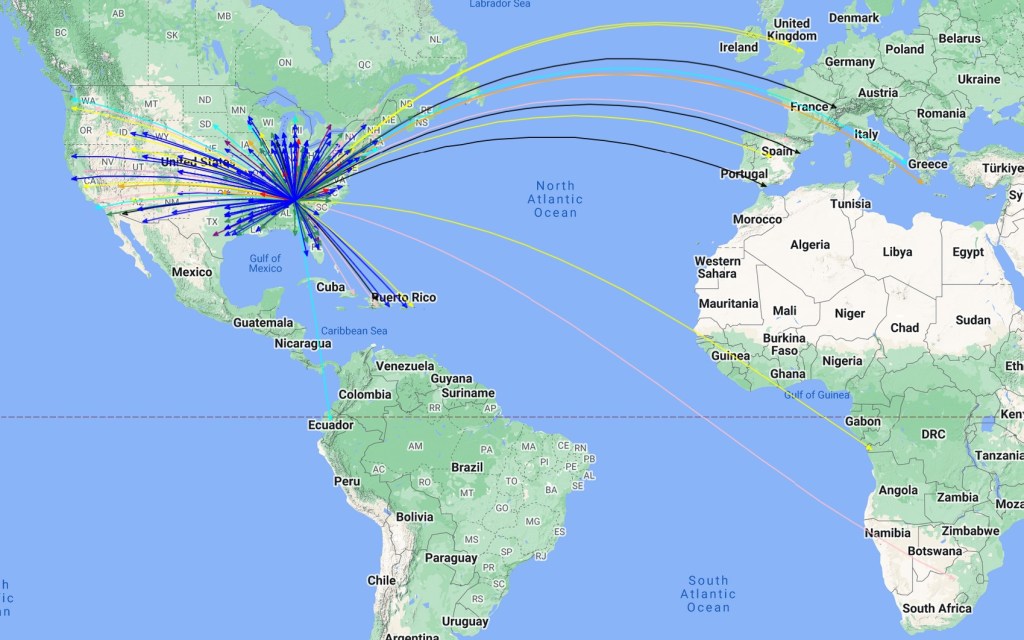
Propagation. It was different, not bad, but different. There was a lot of solar activity and I believe it pushed the MUF up above 20 MHz. I had a lot of success on the higher bands which is typically not the case in the winter. My antenna easily tuned 160 meters and I made about half a dozen contacts using FT8. How did I do? I started at about 2030 hrs UTC Friday and finished up at about 2200 hrs UTC Saturday afternoon. I made a total of 325 contacts covering 42 states and 12 countries. Some of the interesting (to me) DX was Angola and South Africa. Both of those stations called me. Angola was on 10 meters and South Africa was on 12. No DX on 40 meters. I had a Facebook request to work 40 meters for local contacts. I did my best but 40 was rather flat this time around. It had the second-highest count of contacts. Breakdown by band was: 10 meters – 18, 12 meters – 18, 15 meters – 13, 17 meters – 7, 20 meters – 136, 30 meters – 19, 40 meters – 90, 60 meters – 12, 80 meters – 6, and 160 meters – 6. One of the surprises other than the lack of low band activity was that 17 meters was fairly dead. Typically on an activation, my money bands are 17, 20, 30, and 40. This time only 20 and 40 panned out. I manage 10 bands at this park in case I want to go for another N1CC award.

VaraC. For the past week, I have been evaluating VaraC mainly for EmComm. There is a lot to like about it. For one thing, it uses the same modem as Winlink. If you have it set up for Winlink, you are good to go for VaraC. VaraC can upload files and low-res pictures. PSKReporter showed favorable propagation on 20 and 40 meters. I made a few contacts with it and did some beaconing. I haven’t tried it yet, but it looks like I can create a document in FLMsg, save it, send it via VaraC, and reverse the process at the other end. pretty nifty. I think pairing Winlink with VaraC just might be the ticket.

Recap. Neither snow, nor rain, nor heat, nor gloom of night stays this operator from completing his park activation… I had a lot of fun. I try not to let the elements stop me from doing what I like to do. 73 – Scott

Methods Modes and Madness

Before I take my leave from EmComm and revert to FunComm, I thought I would share some of my meditations on digital modes.

My use of digital modes goes back to the mid-2,000’s. I was an early adopter of Winlink and ran a regional digital PSK31 net. I have had the pleasure of working with many fine amateur radio operators with many different skill sets.  Recently, I have had the opportunity to run a national digital PSK31 net for a few months.  Again, the experience of working with amateur radio operators was a fun and fulfilling endeavor. I have used most of the modes for Winlink with VARA being the current favorite.  Other modes I have used include PSK31, PSK125, QPSK125, Contestia, MT63, and Olivia.  They all work as intended, however, when it comes to the less experienced digital operators, PSK31 is the easiest to master.  I have run nets where we started on PSK31 and then moved to another mode and then back to PSK31.  Many ops do fine on PSK31; however, once we move to a different mode, they get lost. When considering EmComm we should always play to the least common denominator.

My favorite modes for EmComm are:

1) Winkink/Vara.  If I had to choose one, this would be it.  With nodes all over the world, the probability of getting into a node is greater than if you had to depend on a single point. Because messages are stored until they are retrieved, Radios do not have to be left on to forward and retrieve messages.  This can be done at any time and there is no need for a schedule.  An operator can wait until favorable propagation exists. I have not tried VARAC yet, but it is on my to-do list.

2) PSK 31 and 125.  I like PSK31.  I have run a national net using it.  Typically, I take check-ins on 31, send a message using FLMsg on 125, and then go back to 31.  I have a much higher percentage of people getting the message using PSK31 than with other modes.  On most modern radios, PSK31 can be decoded and sent without the use of a computer.  While those at home with mains power see that as frivolous, a computer or laptop can be a serious drain on a battery when mains power is not available when operating under potable/emergency conditions.  Because PSK31 has a narrow bandwidth (60 Hz) compared to MT63-1000s (1000 HZ), it enjoys a 2 S-unit advantage.  Roughly that means a PSK31 message transmitting at 5 watts is equivalent to an MT63-1000s message transmitting at 100 watts (5 watts to 100 is about 2.2 S-unit gain and PKS 31 to MT63-100 is about 2.03). My point of view here is someone operating in the field, using portable equipment.  In addition, we do not always get to choose who is in the field and who is at home.  Throughput on PSK31 is about 50 wpm and MT63-1000 is about 100 wpm.  If we bump up to PSK125 (which is about 1 S-unit better than MT63-1000) we get about 200 wpm.

3) My third mode would be CW and this would be used when nothing else is working.  It requires the least amount of equipment and what can be used is not complicated.  This would be an emergency mode.  Any communications plan should include CW and any EmComm group should try to maintain a few CW ops on their rosters.

What would I do if I was in charge? I would try to keep the communications plan as simple as possible and play to the least common denominator.  I would use the U.S. Army acronym PACE which stands for Primary, Alternate, Contingency, and Emergency. My plan would look something like:

a) Primary – normal infrastructure/internet-based communication.  When it’s working, it’s the best. I have seen operators try to use their radios when there is a working FAX machine next to them.

b) Alternate – This could be a combination of Voice/SSB and Winlink.  Establish a voice net because that is where most of the operators operate and provide an email address where to send Winlink Messages.

c) Contingency – This could be a Peer-to-Peer digital mode such as MT63-1000, or VARAC.  I like the idea of VARAC because VARA is used by Winlink but I have to try it out before I can recommend it.  Down at this level, the more experienced ops may not be prevalent, and it might be the less informed ops on the scene. 

d) Emergency – This is no man’s land in the EmComm community.  The probability of us getting to Emergency is quite low, maybe 1%.  Here you might find an operator with a radio and antenna while a geomagnetic storm is raging overhead.  I have been deployed to a disaster area while a storm was raging, and we have had a couple of SETs with poor band conditions.  Here might be the realm of PSK31 and/or CW.

What I am saying is to keep your comm plan simple.  You don’t have a legion of professional-level operators on hand that can tackle all the modes available.  What you do have are operators with widely varied skill levels, with amateur radio either a secondary or tertiary interest.  Pick the fewest modes that use the fewest different types of software and stick with them.  Don’t forget to train, train, train.  Additionally, have exercises that get operators out in the field.  Field ops are hugely different than operating from home.  Try to get them at least 20 miles from their home, this reduces the run home for something I forgot.  Many times, during a deployment/exercise there were ops who could not complete the tasking. I like to go camping at least once a month and bring my radios with me.  I usually do a POTA activation; it gives my radio system a good shakedown and helps me understand its performance. Get out, get on, and go do!  73 de Scott

Antennas and More

I have poured over a lot of documentation about antennas.  Through it all I have come up with the following antennas for portable/field use.  The best antenna is a horizontal half-wave dipole at 0.1 to 0.24 wavelengths above electrical ground.  As long as the height stays below 0.25 wavelengths, its efficiency isn’t affected that much.  Much of what I read has a height somewhere between 15-30 feet.  There are even a few who advocate putting the antenna within inches of the ground.  The antenna can be allowed to sag in the center for a little gain or it can be hung in an inverted vee as long as the apex angle is 120-140 degrees.

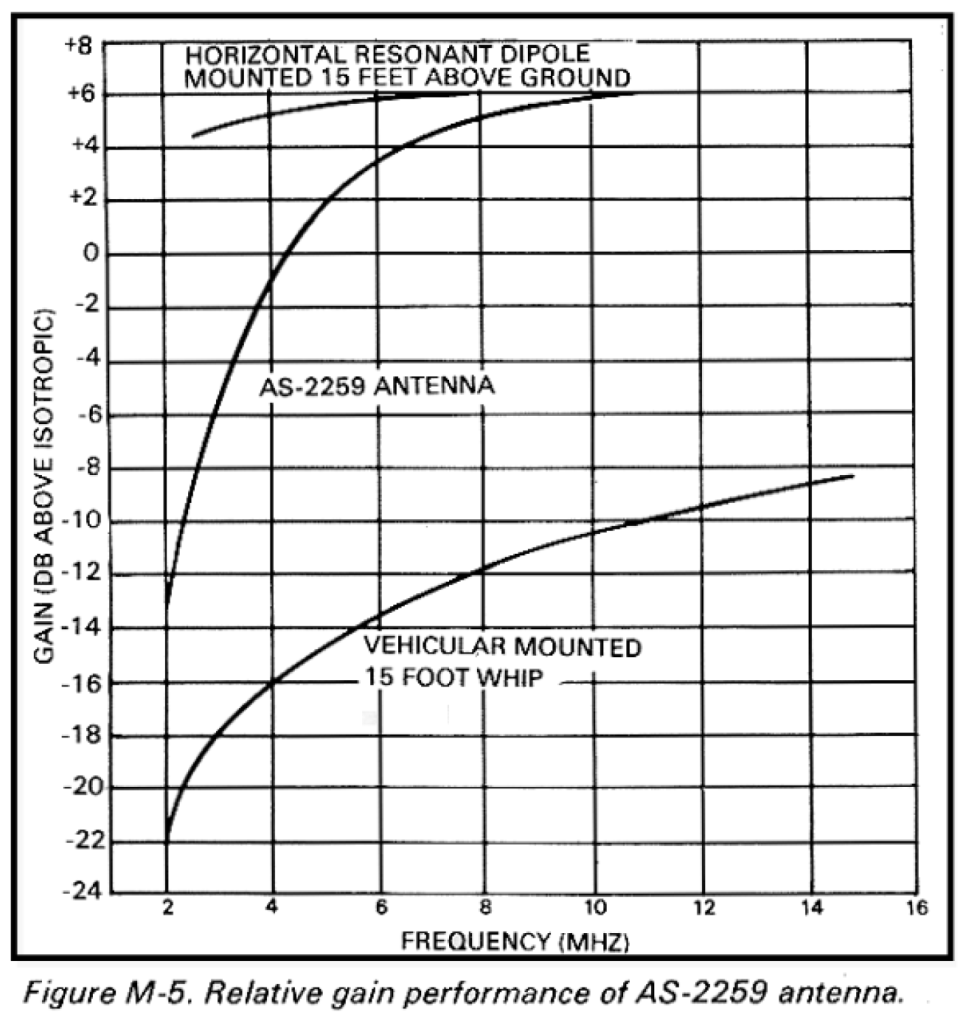
What about the AN/AS-2259?  Good question.  I built one back in 2007 and used it a few times.  It can be a pain to set up and I am not sure the juice is worth the squeeze. Concerning the AS-2259 vs a half wave dipole: In most cases, a standard dipole is as easy to install and performs significantly better (NVIS).

Height above ground.  There are two components to antenna height – the part you see and the part you don’t see.  The part you see is represented by the length of the mast holding the wire above the earth. The part you don’t see is the portion below the apparent surface through which the radio waves travel before reflecting. For very conductive ground, such as seawater, radio waves reflect on the surface.  For poor ground, such as freshwater, radio waves penetrate many feet.  An antenna lying on the surface of rocky soil, for example, might have an effective “height” of 40 feet or more. (NVIS) The second antenna is a military whip either 16’ or 32’ attached to a vehicle and used with a coupler. The whip is tilted horizontally away from the vehicle and the vehicle serves as a ground. This creates an asymmetrical dipole.  These whips are hard to get and are often expensive.  The whip can be replaced with a wire and the length can be extended to 60-100 feet or more and/or a counterpoise can be used.  This is a similar setup I used in Jacksonville, FL back in 2004.  Another variation of this antenna is Chameleon’s EmComm series.  All the antennas mentioned work. 

Remember an antenna NVIS should enhance near-vertical radiation and suppress ground wave radiation. Antenna 0.25 to 0.1 or less wavelengths above the ground should provide adequate or better NVIS performance. Any adventure into NVIS starts with a communications plan and propagation study. As I said at the beginning of this series, this is a Cliff Notes Version, enough to get you interested and going.  One thing that must be remembered is that NVIS doesn’t always work, and the communications plan should include a contingency for using long path or other forms of communication such as WinLink.  Thanks for your interest. 73 de Scott

EmComm and FunComm

As I have said earlier, I practice EmComm to prepare for natural or man-made disasters when normal means of communication fail. FunComm is pretty self-explanatory, it’s things I do for fun. Fun things may include POTA, Field Days (winter and summer), supporting bike rides, and other club activities. I always like it when I can blend the two together. When I participate in POTA either for a weekend camp-out or a day activation, isn’t it kind of a practice run for an EmComm event? I use the same antennas and most of the time the same radios. My equipment gets a good exercise and I learn more about how they operate under different conditions.

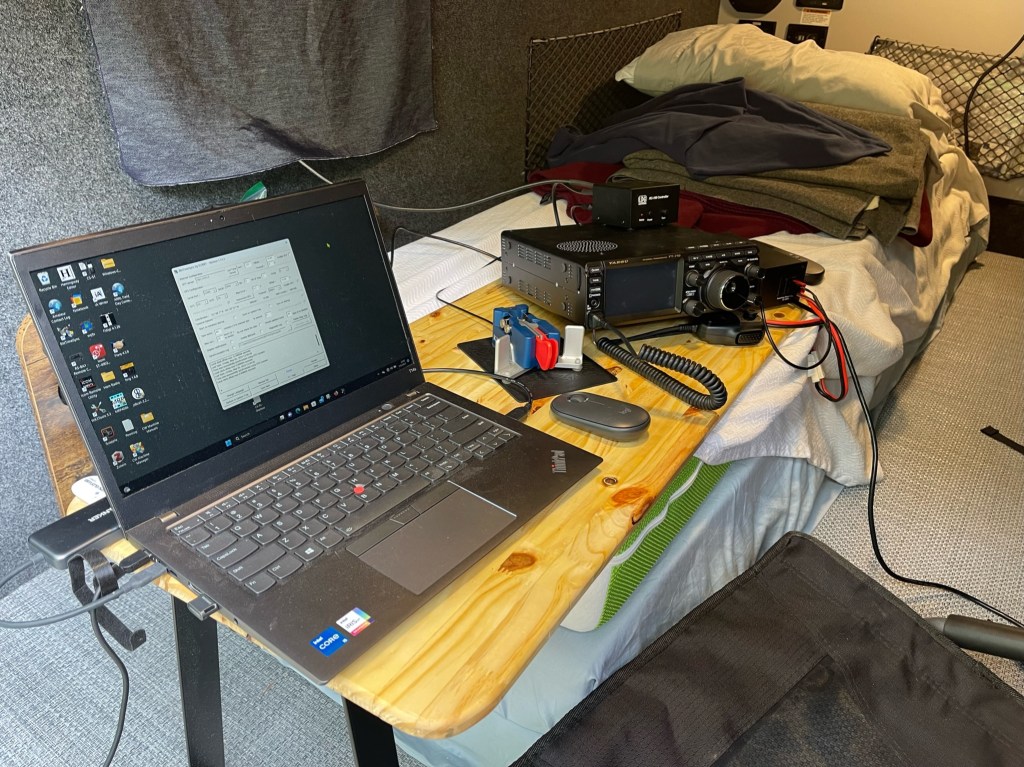
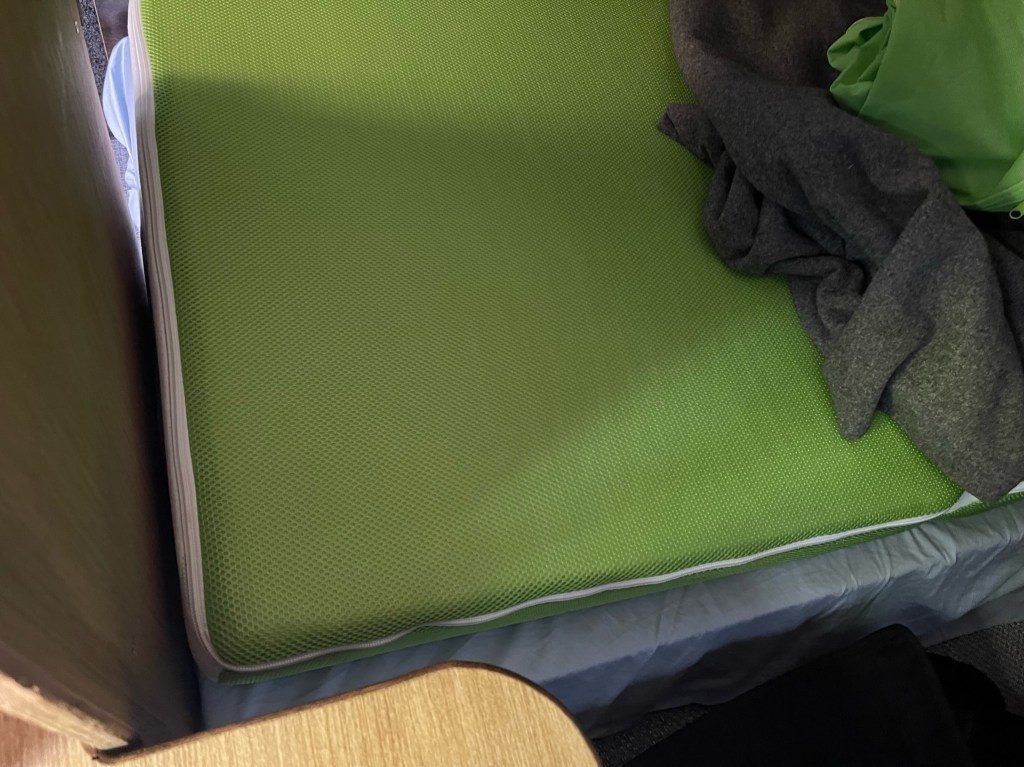
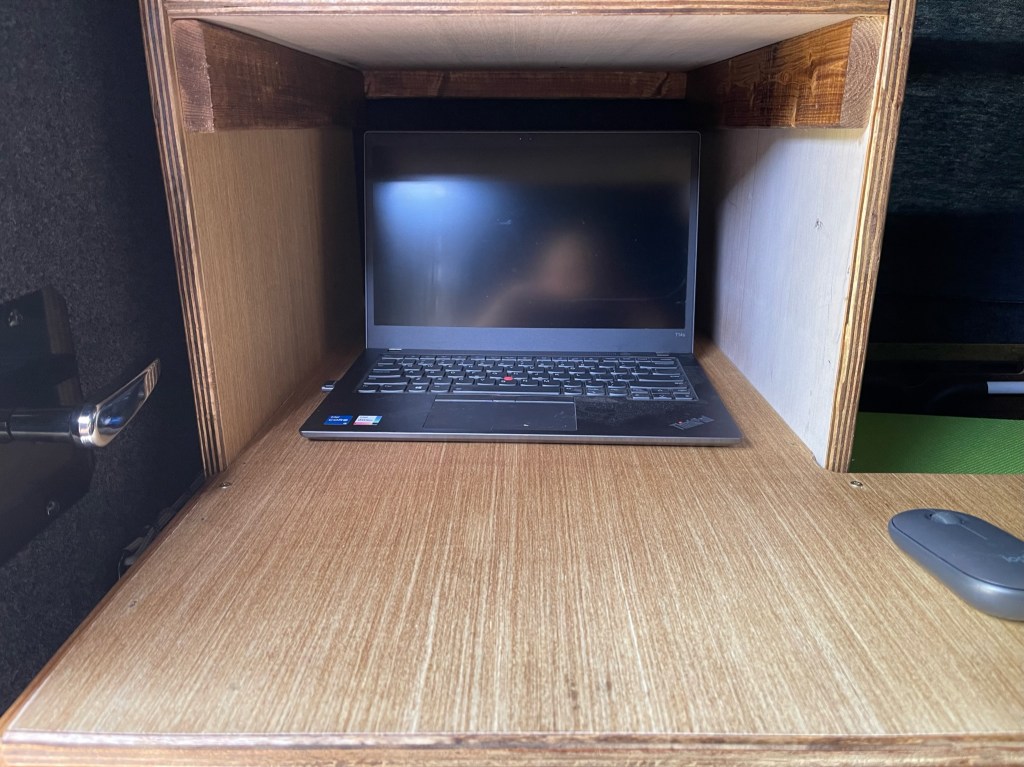
Recently, I bought a new camper, the old one wasn’t working well for the things I like to do. The new camper is so much better but not without its growing pains. I had to find a better way to use the radios inside the camper. To save words, here is a picture of what I have been using. It works okay but because it uses part of the bed, it made sleeping uncomfortable. After this last camp out when I woke up all sore and twisted feeling, I decided it was time to find a better way.

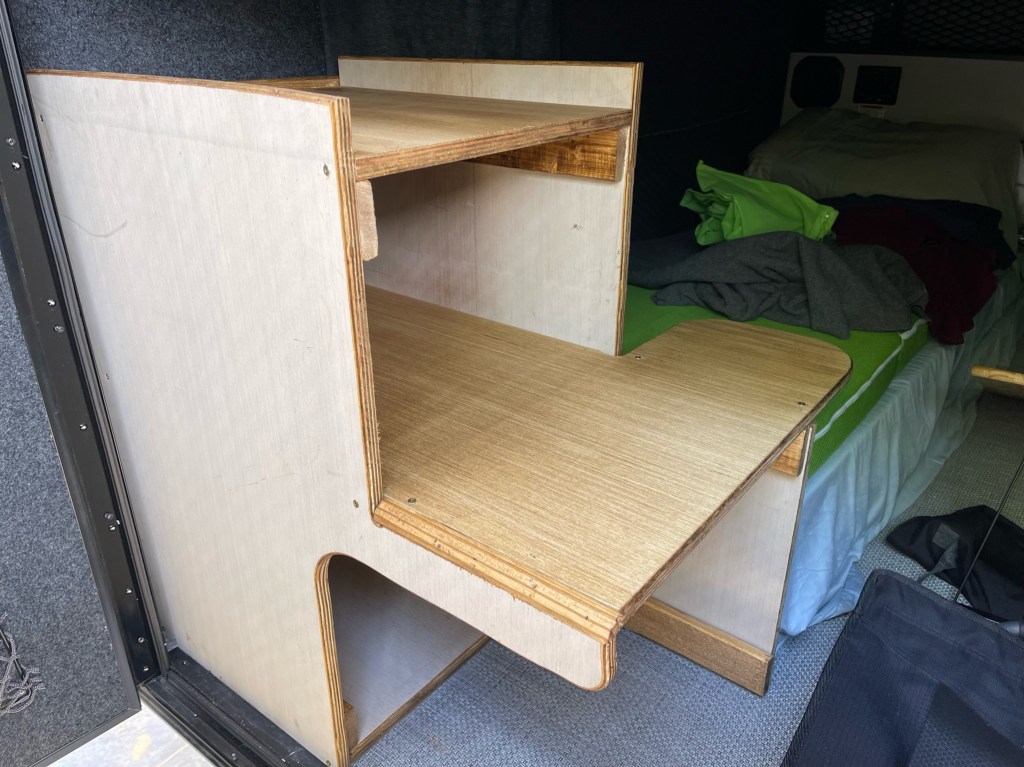
The new desk stacks the radio and power supply above the computer. This reduces the overhang on the mattress. The desk area for the paddle does overhang a little but sliding the desk to the right when not in use alleviates that.

The other thing I did was make a cut-out on the door side to make it easier to get my legs out. This works really well and does not impair the stability of the desk.

The last thing is the main desk is 30″ deep and the shelf is 20″ deep. This leaves plenty of room for the radios and enough room to slide the computer under the shelf if I need the desk space for something else.

Sitting behind the desk, the radio controls were easy to get to.

The desk is made from one sheet of 3/4″ plywood with (2) 1×3″x8″ boards. The stain was a can of Minwax I had laying around, I think it was Golden Oak.

Construction was simple, using hand tools found in most garages. It is not a piece of art, I don’t have the time. My philosophy is that “Perfection is the enemy of good enough”. The desk is glued, screwed, and nailed without any fancy joinery. If I waited until I had time to do a better job, the wood would still be at Lowe s.

I tried it out in the driveway and everything works and feels good. The radio is easy to get to and the computer is a little high but not uncomfortable. With the cut-out, it is easy to get in and out of the camper. The next test will be at the end of the month during my next camping trip. Hope to hear you out there. 73 – Scott

Syncing Computer Time

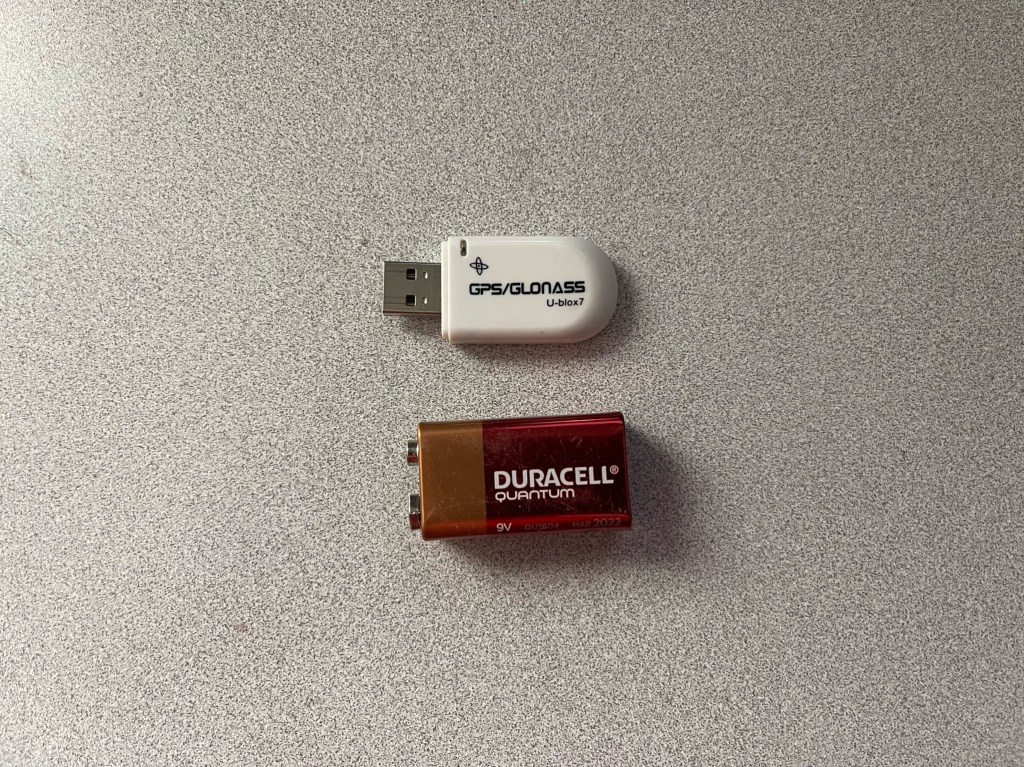
Digital modes have become a mainstay for Amateur Radio. Digital modes are used for conversations, chasing DX, POTA and SOTA, and for EmComm. Indeed we have come a long way even from the turn of the century. Some of these new modes require accurate time synchronization between the receiving and transmitting radios. Off by more than a second or two and the machines will fail to communicate. While operating from home or anywhere else where the internet is available, syncing time is easy-peasy. But what about those times when the internet and even cell service are not available? The easiest way I have discovered is to use the time signal from GPS satellites. It’s pretty easy and the cost is minimal. All you need is a USB GPS dongle like this one:

These can be found on Amazon for about $13. https://tinyurl.com/2p9enmsv.
Next, you’ll need a piece of software that will take the GPS signal, and adjust the computer clock. The one that works the best for me is BKT Time: https://www.maniaradio.it/en/bkttimesync.html


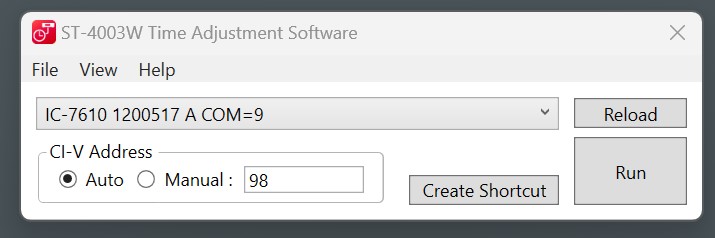
For those that have Icom radios, You can also sync your radios date and time to your computer using an app called ST-4003W which can be found here: https://www.icomjapan.com/support/firmware_driver/3428/

The whole process is pretty easy. I’ve included a short YouTube Video to help you along the way.

Just remember, I am not a great videographer, but the video will give the nuts and bolts on how to sync time. 73 – Scott