Yaesu FT710 – Second Impression

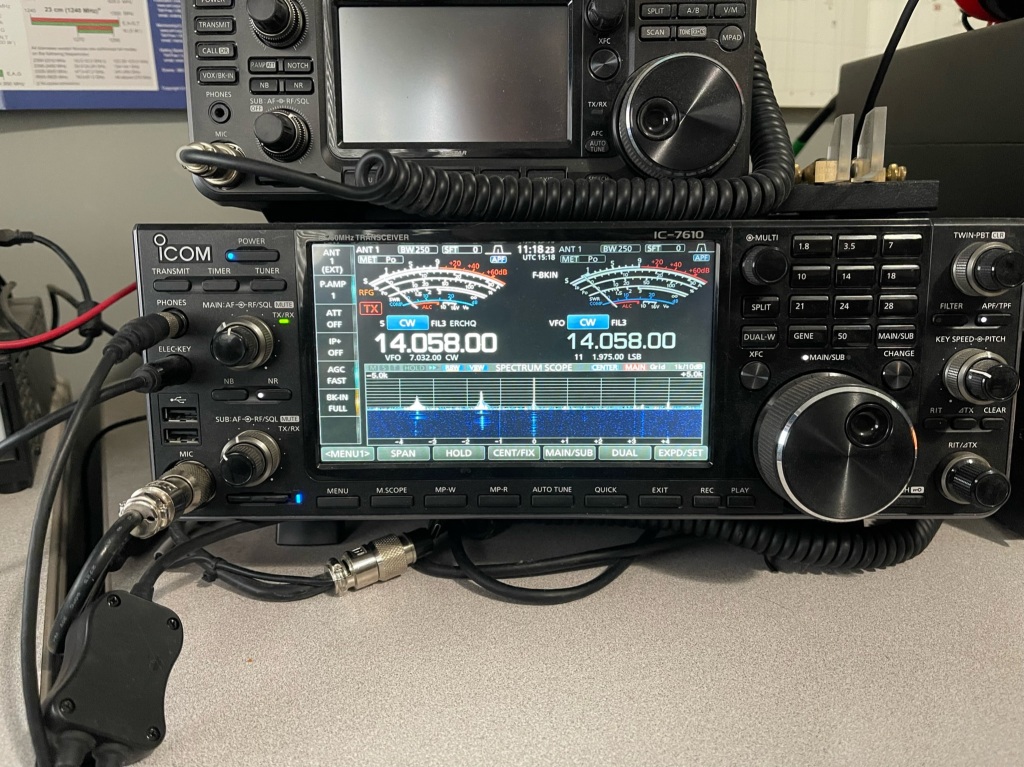
Here is my first look at my second FT710. I will start with the settings I changed and then go over the list of issues I had with the first one. The first FT710 had the original firmware as it was new at the time. This one has several updates under its belt.

Settings/Changes

  1. T710,Taped Power Cables every couple of inches to reduce tangles.
  2. Added Anderson Power Poles to the power cable
  3. Turned off 3DSS
  4. Set waterfall span to 5K
  5. Set waterfall speed to slow2
  6. Set color to 6
  7. Set level to +3.5 dB, peak to level 2 and contrast to level 14
  8. Set tuner type to EXT
  9. Set Tuner/Lin Port to Linear
  10. Set keyer to Elekey B, repeat interval to 3 seconds, Weight to 2.7 and Pitch to 700Hz
  11. QSK – on
  12. Set MyCall to KK4Z and call time to 3 seconds
  13. Set Mic gain to 60 and Processor level to 65
  14. CW mode on
  15. Meter Detector to Peak
  16. Receive Audio SSB – Treble +3 Middle +5 Bass -2
  17. Receive Audio CW Treble +3 Middle +1 Bass -3
  18. Parametric Equalizer (processor on/off the same)
    1. E1 – Freq 300 Bandwidth 10 level -3
    2. E2 – Freq 1300 Bandwidth 2 level 10
    3. E3 – Freq 2400 Bandwidth 1 level 10
  19. Needs a 32gb (no larger) SD card. Scandisk Ultra SDHC UHS-I 32 GB works
  20. Mouse. Seems the only wireless mouse you can use with the radio is a Logitech M310. It does not appear to be in production anymore. I had to buy a renewed one. I got the mouse working and I think it is a good addition to the radio. It does make changing parameters easier and if you click on a signal in the waterfall, the radio will QSY to that frequency. I wasn’t sure how I was going to like using a mouse, but I think I like it.

Here are the issues from the first radio:

  1. Could not use LDG tuner with the radio — it was a surreptitious route to get a tuner to work. I started out with a different tuner, an LDG IT-100 which uses a different cable. I coupled the tuner with an LDG IC-108 cable. The cable is not listed as usable on the FT710. The other twist was setting the Tuner/Lin Port “Linear” instead of Ext Tuner. This little tidbit is not shared by Yaesu, I had to find it on an internet forum. To tune the antenna you push the tune button on the tuner (not on the radio) to get things going. This is where Icom shines. They have been using the same interface at least as far back as the IC-718 and the IC-706. A tuner I bought for my IC-706 MKIIG still works on my IC-7300 with the same cable and I can use the tune button on the radio. The other downside is you cannot use the FH-2 Remote pad when using the auto tuner as it uses the same port at the back of the radio. In addition, you cannot run an amplifier and an auto tuner at the same time. Icom has separate ports for the tuner and amplifier.
  2. No Portable Zero Rails – I use rails on all of my portable radios. Portable Zero now makes rails for the FT710.
  3. Could not use RT systems software – it took Yaesu until July 2023 to get the info to RT Systems. I have RT Systems software for almost all of my radios. RT systems software works fine now.
  4. Auto Notch — I don’t remember auto notch working on the first radio I had. It works now.
  5. Cannot edit/see QMB – another place where Icom shines. I can go into the memo pad (Icom’s QMB) and edit the entries.
  6. RJ45 mic connecter instead of Foster (Icom)- Foster connectors are more durable than the RJ45.
  7. Key clicks in the headphones using CW – They are still there but less pronounced. The CW is harsh sounding and can be fatiguing to listen to over long periods.
  8. WSJT software would change modes when switching bands
  9. Waterfall is not averaging like Kenwood’s or Icom’s. It has to be adjusted manually (and sometimes frequently)
  10. Filter only has 2 selections vs 3 for the Icom. Narrow which only has predefined values and wide which is adjustable. The Icoms have 3 selections each fully adjustable. Icoms can also adjust the filter shape (soft or sharp. The FT710 has contour and APF. Contour is like a soft notch filter and APF boosts the center frequency like a CW signal. Icoms have dedicated controls on the front panel while the Yaesu has a mix of front panel controls and menu items.

Even with all of its quirks, I like the little radio. Yaesu appears to have fixed most of its problems, at least enough to make the radio fun. I still believe this radio compares well with the IC-7300 and either will serve you well. If I could only have one, I would still go with the Icom. The Icom has a lower noise floor, the settings (ergonomics) are better, and it hears as well as the Yaesu (at least in my side by side test). For CW again, the edge goes to Icom. However, the Yaesu has its pluses. The FT710 has a slightly better audio quality let’s say more fidelity but in CW the tone is more harsh than the Icom. The Yaesu has a better attenuator with 3-steps instead of one. With the Yaesu, you can transmit CW while in SSB mode. I like the filter window on the FT710. I can see how changing the filter affects the signal.

Later this week I have Portable Zero rails coming. They are pricy, but I find them very useful on my field radios. I also have a Maestro Evolve III coming which I will setup software for the FT710 on it. I hope to have everything ready for Winter Field Day.

I think a major difference between the IC-7300 and the FT710 is settings. Yaesu gives you settings on top of settings, while the Icom gives you what you need. If you like to tinker and tweak, the FT710 is your radio. If you want to get down and operate, then Icom is the way to go. Out of the box, I had to do far less setting up with the Icoms.

Compared to the FTDX10. I owned an FTDX10 for about 18 months. If I bought one today, the cost would be about $600 more than the FT710. I’m not sure the FTDX10 is that much better than the 710. My primary use for this radio is for the field. More to follow es 73 de Scott

Deja Vu all over again

The 2025 promises to be a better year. I am looking forward to being more radio-active. I am also looking forward to more blogging and more vlogging. I am hoping to undertake some long term reviews. I have two in mind. One is going to be a Maestro Evolve III laptop computer. I know a lot of hams use them so I thought I would give one a whirl. My other project is going to be another Yaesu FT710, this time the field version. I last owned one about a year and a half ago, I traded it off after a few months of use. The radio was going through some growing pains and was probably not ready for prime time. My general thoughts back then was the radio was a likable and fun radio and compared favorably to my IC-7300. I thought I would give it another look and a fair shake since it’s been through a few firmware updates since its release in 2022.

I am hoping this FT-710 is more polished than my first one. I can see at least two firmware updates since my last 710 and the manual has been updated. Hopefully Yaesu cured those early issues. I picked up the radio yesterday. I plan on using it as a field radio for POTA activations as well as for Winter Field Day and Field day with my club. In general the IC-7300 and the FT-710 are comparable, each with their pluses and minuses. Whichever brand you are married to, either radio will probably serve you equally well. One reason I got this radio is there are many members in my club that use Yaesu radios. Having familiarity with the Yaesu system allows me to help them with their radio problems.

My initial thoughts are similar to the ones I had a year and a half ago. It is a likable radio and it has a certain fun factor. I am going through my past blog posts and YouTube videos to make list of things I found with my first FT710 and see if they have been corrected. I will also post the settings I changed on the new radio to suit me.

I like big radios when I go camping or even on POTA day trips. I like having the controls I use handy and if band conditions get ugly, I can turn up the power. I normally run 20-25 watts for CW and digital. The rare times I am on SSB, I may go as high as 50 watts. Another plus with a big radio is I can run digital modes all day long and it will not overheat the radio. I do have a couple of QRP radios and I do take them out for a spin every now and again; but I can just as easily turn my big radio down to 5 watts. I am looking forward to using it in the upcoming Winter Field Day. 73 de Scott

Ham Radio 101 Basic Set-up

In one of the forums I visit there were a lot of questions about what radios and antennas to get for a new Amateur Radio Operator. I have bought/sold/traded many radios over my 29 years as a amateur radio operator and feel I have a pretty firm grip on what a basic setup would look like. I am not going to do a good/better/best list as I feel a good list will leave an operator wanting something better and a best list is usually cost prohibitive and can be technically advanced for most beginners. Better is “the just right”. This range is usually only a little more expensive then the good range and the equipment is still easy to use and has more than enough performance.

Primarily for this post, I will be concerned with Emergency Communications (EmComm). More specifically net operations using digital modes. The equipment list will be geared for either home or portable operation.

Radio. Whatever radio you choose make sure it is capable or 100 watts output and does not require a separate sound card. A sound card whether built into the radio or external is required for most digital modes used today. You want a 100 watt radio for 2 reasons: 1) The purpose is this setup is for EmComm. It may be critical for you to make the communications link with the net control station. Being able to run 100 watts even if for a short period of time is better than maxing out at 5 watts and not making the connection. 2) Digital modes have a high duty cycle. Running a 5 watt radio at 5 watts because they often have a very small heat sink, heat very quickly. A 100 watt radio can run at 40 watts all day long and not even get warm.

My choices.
The radio I recommend for new hams is the Icom IC-7300 at HRO. It is easy to use and setup, has a built in sound card, and the best metering for digital modes.

With the IC-7300 you can view all of the meters at once. Runners up are the IC-7100 at HRO and the Yaesu FT-710 at HRO . I find that the FT-710 and IC-7300 (I have owned/own both) hear about the same. I prefer the ergonomics of the Icoms better. With the radio I recommend Portable Zero RailsPortable Zero Rails to protect the radio and make it easier to handle.

Antenna Tuner/Match. I recommend an external antenna tuner/match. Most built-in tuners will match the impedance of an antenna up to 3:1, and external antenna tuner such as an LDG Z-11 Pro II or LDG Z-100A which will match up to 10:1. This is important if you are using a non-resonant antenna or one that is electrically short or long.

Antenna – Home. I have used many antennas over the years and I have developed my go to antenna list. For the home station, I have settled on either an 80 meter half wave dipole (~132 ft) or 160 meter Off Center Fed (OCF) Dipole (270 Ft). I have a slight preference for the OCF and they can be had in 80 meter versions. The 80 meter dipole can be homebrewed and the OCF dipoles can be found hereBuckmaster Antennas. It is important to note that most EmComm operations happen on the 40 meter and 80 meter bands. An 80 meter antenna will work reasonably well on 40, 20, and 10 meter bands but a 40 meter antenna will not work well on 80 meter. Bigger is better.

Antenna – Portable. I have used a lot of portable antennas over the years. I have narrowed it down to 3 favorites. The antenna I probably use the most is a 28.5 Ft random wire antenna with a 17 Ft counterpoise. It is easy to set up and works well 80-6 meters. If you look at my activations on this blog I have QSO Maps to show real performance. I will include a link on how to build the 28.5′ Random wire antenna. My second favorite is a Chameleon EmComm II Ver. 1 Chameleon EmComm !! ver.2. I usually set it up as a ~60 Ft antenna in an inverted L configuration with a 55 Ft counterpoise. This antenna performs very well on the lower bands to include 160 meters. The last antenna is somewhat of a specialty. I use it for SOTA or lightweight QRP operations. It is a 40 Meter OCF dipole that weighs a few ounces Chameleon OCF 40. I hang it about 10-12 Ft in the tree and sit below it using CW. Another antenna worth mentioning is my Frankentenna which is a multi configurable antenna and I will post a link to it. along with the antenna is Coax cable. Dual purpose field/home coax, RG-8X will work just fine. For home only then you can move up to RG-213 or LMR400.

Grounding. For the home, it is a very good idea to ground your equipment. There are lots of good sources on how to do that. I run a ground rod in the ground and ground my equipment to it. When I am not using my station, I disconnect my radios from mains power, my computer, and the antenna. I also have lighting arrestors on my coax.

Power Home. I use an Astron 30 amp switching power supply for my radios. I have also used a Samlex Power Supply with good results. In the field, if I have mains power or an inverter generator avaliable I use a Powerwerx 30 amp Power Supply. What I like about the Powerverx is it uses Anderson Power Poles for the connections. I put Anderson Power Poles on everything. The main advantage is they prevent cross wiring and the destruction of your radio. If mains power is not available, I have batteries and solar panels to power my radios and laptop. A note about generators. Be very careful about what generators you hook your radios up to. Home Depot or Lowes generators (the cheap ones) are not well regulated and can damage your equipment. If your have to use one of those, run your radio through a deep cycle marine battery and use the generator to charge the battery.

Computers and software. Running amateur radio apps does not require a lot of horsepower or memory. Most Intel I-3 or I-5 processors will do fine. Celerons will work though I am not fond of them. For operating systems your choices are usually Windows or Linux. I run Windows 11 on my machines. For apps, you should have FLDigi, FLamp and FLmsg. For versatility, I use laptops. Keep your operating systems and apps up to date, don’t muck with the machine too much, and you should be fine.

Go boxes. There’s a lot of info out there about building Go Boxes or setting up your radios in a rack mount case. It’s fine until you have to work with it in a limited space – been there, done that. What I use is a Dewalt Tough System tool box that holds just about everything I need except for a laptop. Here is what it looks like.

This should be enought to get you started or at least thinking about your next steps.

I’ve Been Busy

Today is the second day of hurricane season for the United States. According to Colorado State University, this may be a busy season. For most of CONUS (CONtinental United States), hurricanes have little effect. For those of us on the eastern seaboard and gulf coast, it is time to keep a weather eye out.

It should be a time of preparation. Procuring materials to stormproof homes, purchase/maintain generators and check on fuel supplies, check the pantries for food and water storage, and ensure there are adequate medication and first aid supplies. In addition to this, is there enough cash on hand as with no power, there is no credit; cash is king. There is always the question of; should I stay or should I go? This is often a tough decision and the wrong choice could be fatal. If you are going, do you have a place to go? During Hurricane Michael, I was returning to Georgia from Virginia the weekend before the storm, there was storm related traffic up in Tennessee, people looking for a place to stay.

Even though I live in northwest Georgia, I can still be affected by a storm. High winds, heavy rains, tornadoes, flooding and power outages occur as a hurricane winds down as it travels inland.

Part of my preps, besides food, and water, etc., is making sure my communications gear is in order. Most of my gear gets used at least weekly with some of my portable gear getting use monthly. As I have said in past posts, my FunComm gear is mostly the same as my EmComm gear. I check to see that my radios are working and that my portable antennas are in good working order. I pull out my laptop and make sure all of my radio apps and OS are up to date and working. I especially check to make sure I can send/receive on my main digital modes. For EmComm I rely mainly on Winlink, PSK31, Contestia, and CW. I get on the air and send emails, check into nets, etc. I am also a Net Control Station for Phone and Digital, and I run those nets on a monthly basis. During a disaster is the wrong time to find out something doesn’t work. Been there, done that. And yes, sometimes, even though you checked, checked, and double checked, things can still go wrong, but at least you can reduce the probability.

My vehicles get serviced regularly, and I go over my little camper before each trip. My generators are checked and run on a regular basis. I also go through my Flee bag. I check to make sure everything in it is in working order, that there are no expired, expiration dates, and the clothes I have tucked in there still fit. Too big is okay, too small is not.

With all my gear squared away, I turn to me. Have I had a check-up recently? Are my meds current to my needs?, is there anything I need to get fixed before I deploy somewhere? From here I move to my skill sets. Can I use the apps/radios I need? Sometimes a big update happens that changes the app enough I may have to relearn it. Can I still copy CW? CW is not widely used, but it makes a pretty good backup when everything else is going to pot.

How is my fieldcraft? Can I cook and eat in the field, can I purify water, start a fire, clean myself, apply first aid, make repairs, navigate; can I improvise, adapt, and overcome?

Some of this is annual and some of it is on going. I should never let my skills and gear degrade to a point where they are no longer usable. It is bad voodoo to try to learn/relearn a skill during or on the way to a disaster.

How about you? Don’t wait until the last minute. It’s no fun waiting in a long line to get something you could have gotten a few months ago for half the price. And then to add insult to injury, the guy in front of you buys the last one. Be ready, do it now! Embrace the coming storm with a cup of coffee and the knowledge you have done everything you could to be ready. Or, you could be driving around white-knuckled in a panic trying to buy the same things everything else who has waited is trying to buy. I’ve done both and I like the first option much better. Think straight and stay safe. 73 de Scott

Turning FunComm to EmComm

In less than a month, Hurricane Season starts. For most parts of the country, this is nothing more than a news item. For us in the southeastern United States, it becomes a time of preparation.

Hurricanes, are an extreme force of nature. Unlike tornadoes, whose path of destruction may be a mile or two wide, a hurricane can leave a path of desolation 100 or more miles wide. Because it it so immense, it is almost impossible to describe; you have to be there to appreciate the god-like destruction.

Last month Colorado State University’s Department of Atmospheric Science, released it’s 2024 hurricane season forecast. Their prediction is for an “extremely active” season with an “above-average” probability for major hurricanes making landfall along the continental United States (CONUS)and the Caribbean.

This year they are predicting 23 named storms (aver. 14.4) with 5 major hurricanes (aver. 3.2). The probability of a major hurricane striking the east coast is 34% (aver. 21%) and for the gulf coast 42% (aver. 27%). In the tropical Pacific there will be La Nina conditions which can increase hurricane activity in the Atlantic. In addition, eastern and tropical Atlantic surface sea temperatures are warmer than normal making conditions conducive to hurricane development. The complete report can be found here: 2024 Hurricane Season Prediction

FunComm is a great way in keeping your emergency and portable comms ready. Field Day, Winter Field Day, POTA and SOTA are good ways to maintain your emergency gear. The same gear I take to the parks is what I would use during a disaster. I have been to disasters where a guy walks up to me with a handi-talkie in 3 pieces and telling me if I can help him fix his radio, he could help me. Don’t be that guy.

Do your radios work? Do your field antennas work? Have you tested them and checked their performance? Have you tested your batteries and do they work with your radio? Do you have enough capacity? How about generators? Do you have the right kind of generator? Some of these Home Depot generators will destroy a radio. Can you bring fuel to power your vehicle and generators? If there is no power in a disaster area, there is typically no power to pump gas. Make sure you have enough gas to get back out of the disaster area.

Don’t forget about your laptop. Do you have the apps you need installed on the laptop? Are they up to date? Did you sync the time before you left? Do you have a plan to power your laptop?

Where are you going to sleep? Are you going to bring enough food? Water? What about sanitation? Again, no power, no public sanitation. Do you have a list of things you need to bring? What about cash? In a disaster, cash is often king as the credit card machines run off of electricity and the Internet. Remember, if there is no cell service, those cell phone credit card swipers won’t work either. Make sure you bring small bills, as stores will probably not have the means to make change.

The way I am set up now, I could leave my QTH in about 4 hours with a stop at a gas station and grocery store. Part of the reason is I practice my EmComm using FunComm. I have been to several wide area disasters and I made plenty of mistakes, I learned the hard way. 73 de Scott

Cha-Cha-Cha-Changes

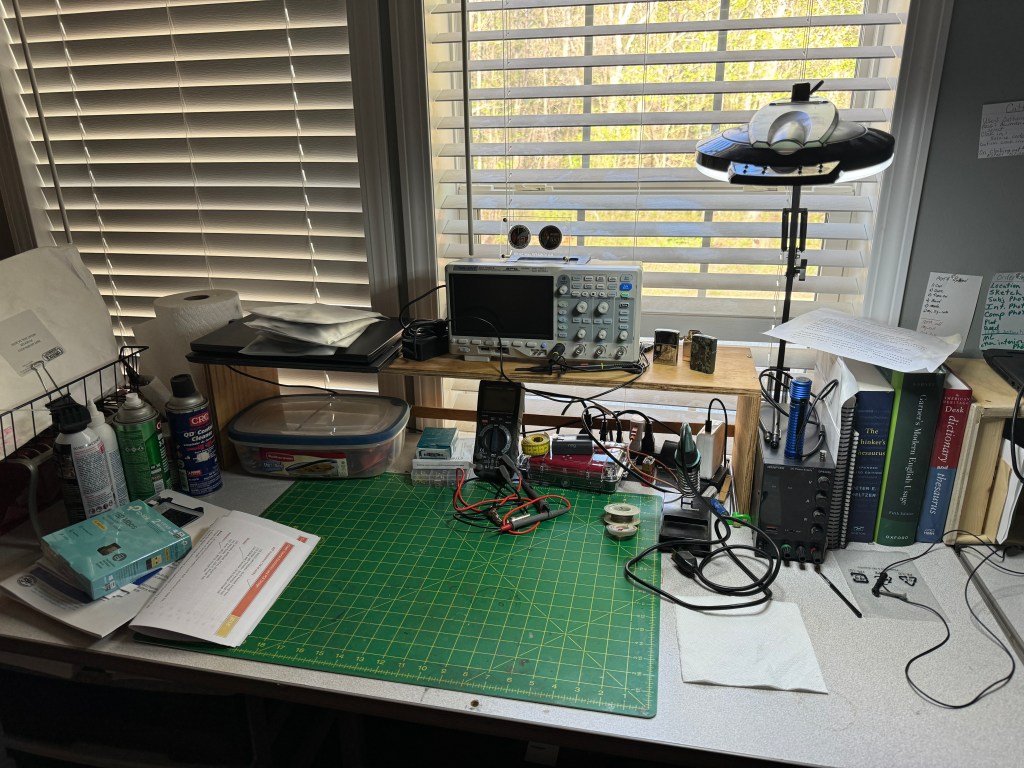
Change is inevitable. In this case my workbench. As I branch out into other fields of study my requirements for a workspace change. As I said earlier, I want to take the time and learn more about electronics. I’m not sure what I am going to do with it once I learn it — but that’s a story yet to tell. I recently added an o’scope to my quiver of test equipment. As I progress, there will be more to add. Looking at my current workbench (above) it was getting crowded and adding more equipment will quickly bring it to overflowing. Time to put on the thinking cap.

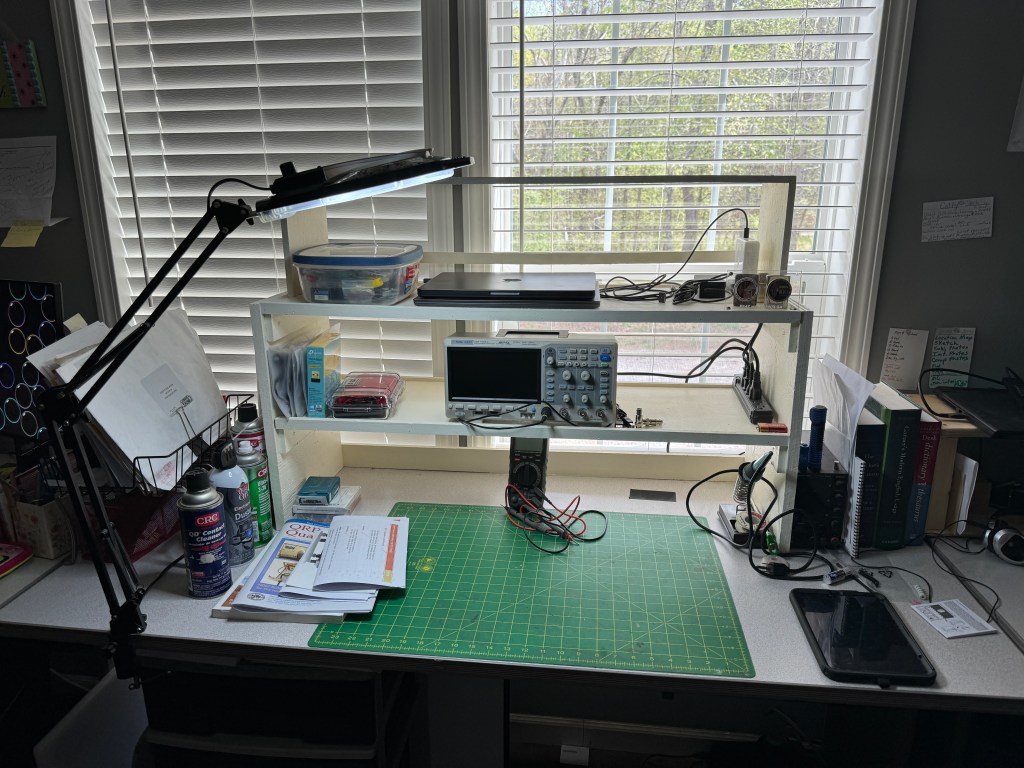
My first consideration was how to create more desk area. Horizontally, I am at my max so vertical was the only diredtion left. I decided I was going to build some shelving. I made a rough sketch and then took a trip out to my sheds. Using a mish-mash of plywood I was able to salvage enough from my scraps to build the shelves. The sides are 3/4″ CD plywood and the shelves themselves are 1/2″ premium grade. The shelves are 3′ wide and 12″ deep. vertical spacing is 8″ – enough for most test equipment. Some of the dimensions are a little off due to some warping of the plywood, but in general, the shelves are level and the whole unit does not wobble. Each shelf has a 1/4″ lip and the bottom of the shelf has a 2″ piece of plywwood across the back to prevent things from rolling where they shouldn’t. The shelf was glued, screwed and nailed using stuff I had on hand. The only thing I had to buy was some paint as all the stuff I had was dried out (I did look). I had to move my light to the other side of the bench so it would reach the work area. Fancy tools for this project included a table saw and a finish pneumatic nailer. The table saw is a godsend as it can quickly dimension lumber.

In the picture below, you can see that I now have more space with room to expand my test equipment. I believe next up will be an Arbitrary Waverform Generator with a Frequency Counter.

The third shelf was the original shelf shown at the beginning of the post. It was painted and repurposed. I will probably store my laptops up there.

Because the shelves are open in the back, they still let a lot of light in. I haven’t gotten my parts from DigiKey yet so the building/experimenting part is on hold. However, I am pressing forward with the written/video portions of my class.

Thanks for stopping by and checking out my (mis)adventures. When time permits I try to get on the air for a little CW fun. First quarter 2024 has been real busy, hopefully it will smooth out. Unitl next time 73-Scott

West Georgia Amateur Radio Society at Cheaha State Park

The West Georgia Amateur Radio Society (WGARS) is a great group. We like to do three things: 1) talk on the radio, 2) get together, and 3) eat. We did all three this past weekend during the Fall Support Support Your Parks on the Air weekend (POTA). We like to do about 4 gatherings a year namely Field Day, Winter Field Day, and the Spring and Fall Support Your Parks on the Air Weekends.

This fall we went a little uptown and rented one of the pavilions at Cheaha State Park (K-1037). This gave us shelter from the elements, power for the slow cookers, and plenty of benches to set up on. There were restrooms nearby with running water. Cheaha Mountain is the tallest point in Alabama and our pavilion was just a little down from the summit.

The weather was perfect. In the morning it was in the upper 40’s rising to the mid 70’s by afternoon. As I said earlier, we like to eat. There was an abundance of food, we had Chicken and Sausage Gumbo, BBQ, baked beans, buns, garlic bread, dunkin’ donuts, coffee, soda, and I am sure I missed a few. The bottom line is we could have fed half again as many and still had leftovers. There were over a dozen of us there.

We set up three radio stations. We had a Yaesu FT-991A and an Icom IC-7300. They were running FT8, CW, and SSB. I was running an Elecraft K3(s)/10 on FT8. My original plan was to run FT8 until it got warmer out and then switch to CW. However, we had a group gather around my station and we were doing what we like to do, kibitz and socialize. With FT8 I can run the radio and join in the conversation. We had a lot of fun chatting with one another. By the end of the day, I worked 40 states and 4 countries for a total of 120 contacts. The DX were Argentina, Canada, Ecuador, and Spain. States covered all 4 corners and in between. Not bad for 10 watts!

I had the pleasure of meeting Ward W4RE. Ward is a Vietnam Veteran and what made our meeting special is that we both served with the 101st Airborne Division. We were a generation apart with me serving between wars, but anyone who has served with the 101st understands that it is not a cakewalk; we had an immediate bond. Like me, Ward is a CW op albeit, much better than I. I am hoping that during one of our future meets, Ward and I can run a CW station together.

This was the trial run for my K3(s). I upgraded my K3 to a K3S. It is a QRP radio with a max power of 12 watts. The difference between 10 watts and 100 watts is about 1.7 S-units, a small change for CW. I operated the radio pretty much the whole time I was out there and it performed flawlessly.

While my K3 was in the shop for a repair and a going over, I put my name on the list for a KX2. There is about a 3-4 month wait for them and if things didn’t work out I could always cancel the order. When I received the invoice for the KX2, I asked my wife Mary K4SEZ about it, thinking it was worth a shot and as I was getting ready to cancel the order; she got on the computer and checked the books (she’s an accountant) and said “Happy Retirement”. I was ecstatic. I retire in 54 days and I have already made plans for that little radio. It was a great weekend that was full of surprises. Winter Field Day is right around the corner — can’t wait. 72 de Scott

EmComm and FunComm

As I have said earlier, I practice EmComm to prepare for natural or man-made disasters when normal means of communication fail. FunComm is pretty self-explanatory, it’s things I do for fun. Fun things may include POTA, Field Days (winter and summer), supporting bike rides, and other club activities. I always like it when I can blend the two together. When I participate in POTA either for a weekend camp-out or a day activation, isn’t it kind of a practice run for an EmComm event? I use the same antennas and most of the time the same radios. My equipment gets a good exercise and I learn more about how they operate under different conditions.

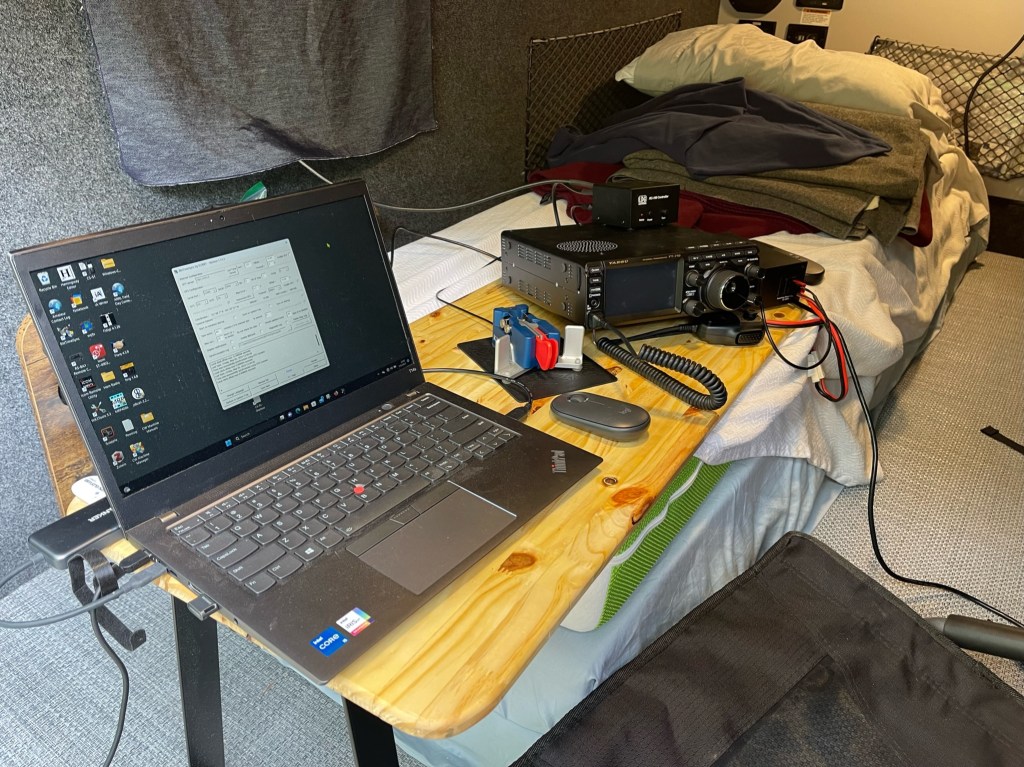
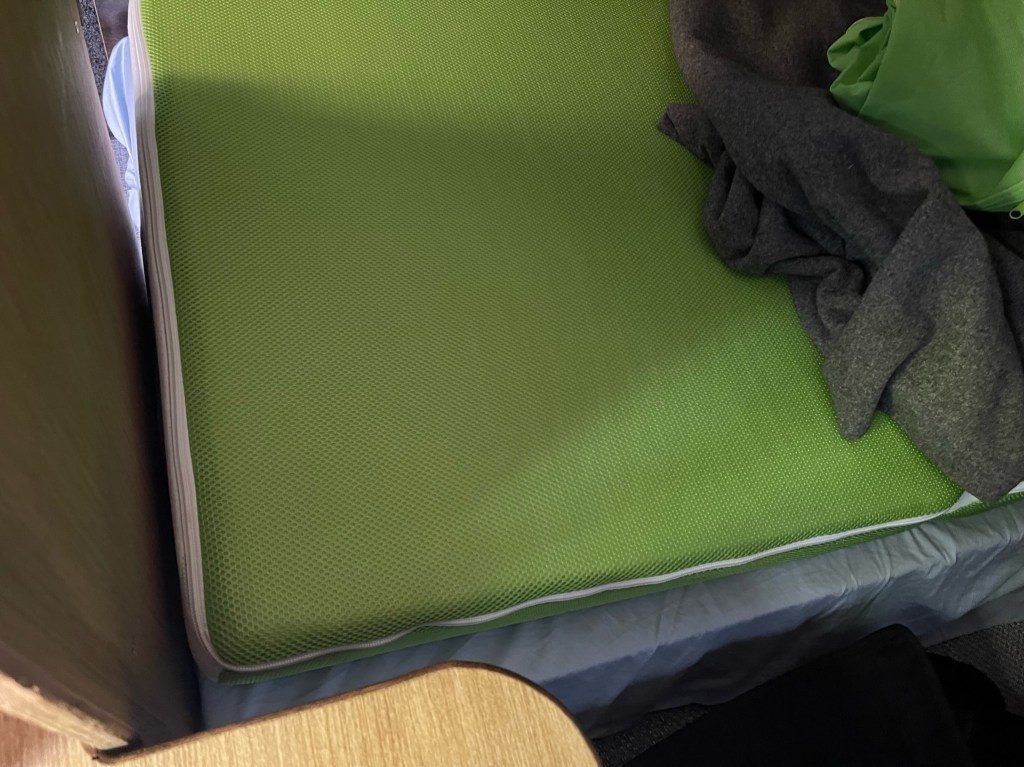
Recently, I bought a new camper, the old one wasn’t working well for the things I like to do. The new camper is so much better but not without its growing pains. I had to find a better way to use the radios inside the camper. To save words, here is a picture of what I have been using. It works okay but because it uses part of the bed, it made sleeping uncomfortable. After this last camp out when I woke up all sore and twisted feeling, I decided it was time to find a better way.

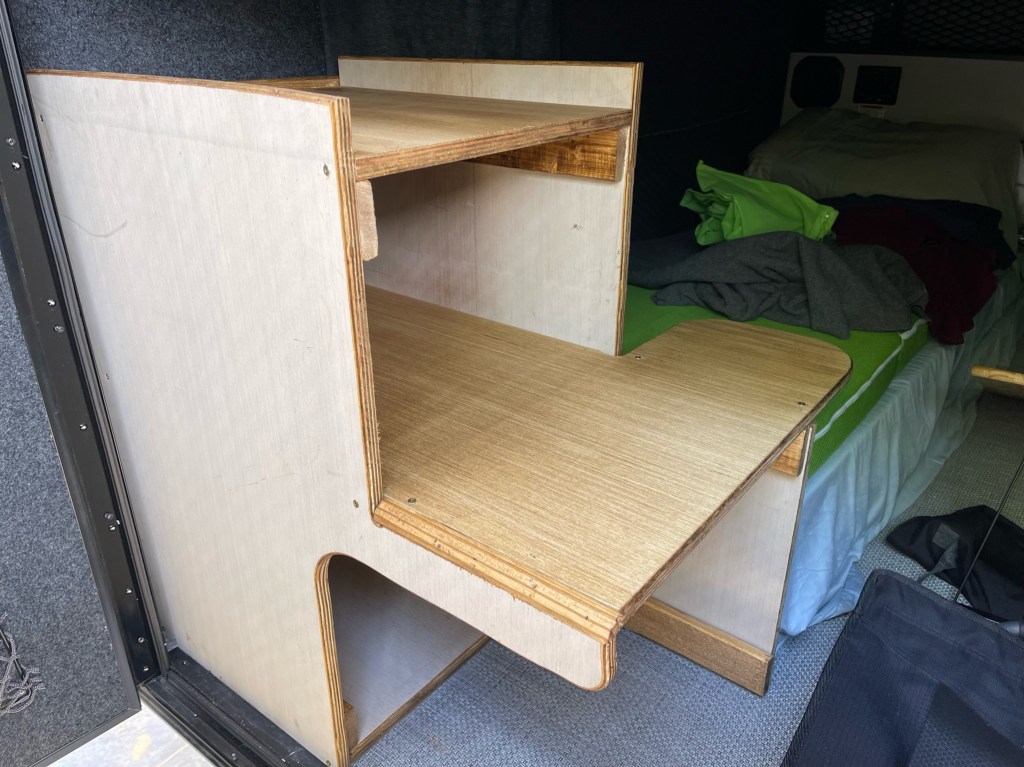
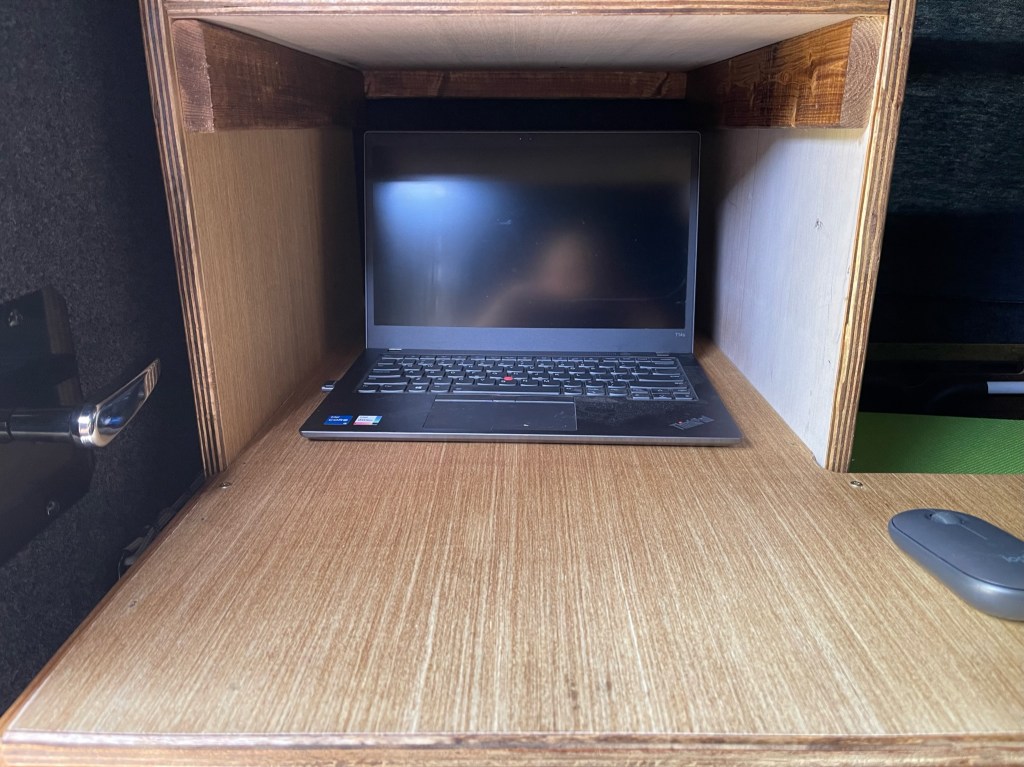
The new desk stacks the radio and power supply above the computer. This reduces the overhang on the mattress. The desk area for the paddle does overhang a little but sliding the desk to the right when not in use alleviates that.

The other thing I did was make a cut-out on the door side to make it easier to get my legs out. This works really well and does not impair the stability of the desk.

The last thing is the main desk is 30″ deep and the shelf is 20″ deep. This leaves plenty of room for the radios and enough room to slide the computer under the shelf if I need the desk space for something else.

Sitting behind the desk, the radio controls were easy to get to.

The desk is made from one sheet of 3/4″ plywood with (2) 1×3″x8″ boards. The stain was a can of Minwax I had laying around, I think it was Golden Oak.

Construction was simple, using hand tools found in most garages. It is not a piece of art, I don’t have the time. My philosophy is that “Perfection is the enemy of good enough”. The desk is glued, screwed, and nailed without any fancy joinery. If I waited until I had time to do a better job, the wood would still be at Lowe s.

I tried it out in the driveway and everything works and feels good. The radio is easy to get to and the computer is a little high but not uncomfortable. With the cut-out, it is easy to get in and out of the camper. The next test will be at the end of the month during my next camping trip. Hope to hear you out there. 73 – Scott

Happy Birthday to me and FT-710 Day 2

For my birthday, my wife bought me a JackTite 31′ pushup pole. I’ve had my Mfj-1910 pole for about 15 years and bought it used for $25. On my last outing, the joints were starting to slip. This time I went with JackTite. It’s a 31′ pole instead of a 33′ but it has a sturdier tip.

The MFJ is above and the JackTite is below. Overall they are about the same size.

The only mod I did was add some Gorilla Tape where the pole rubbed against my trailer hitch flagpole holder. Hoisting up a 12ga insulated antenna wire the tip does have a little sag but not near as much as the MFJ.

I normally tape the wire to the pole at the top three sections using a little electrical tape. 3M Super 88 is my go-to. The joints are tight and secure and the JackTite has a sturdier construction than the MFJ. I will take it out on my next camping trip. I’ll keep the MFJ as a spare.

Update on the FT-710. Yesterday, I spent the day setting up the radio. I’m not much of a tweaker once I get things set up, I get on the radio to operate and make contacts. If you look at military or commercial HF rigs, there is very little to tweak. I think I am close to where I like it. One very frustrating issue was getting the radio to operate FT8. I got everything to work except the audio on transmit. The software would key the radio, but no sound. I turned on the monitor and could hear it through the speakers, but the radio would not transmit it. so zero watts out. I worked on this for a couple of hours. Finally, I checked to see if there was a firmware update and there was. Duh, I know! The update fixed the issue, but really! The radio should have never left the factory like that. With the popularity of digital modes, that should have been a priority. Come on Yaesu!

On a good note, my first contact on FT8 was Turkey. First (or second) impressions. My intended use for this radio is a field radio and as such, it will work fine. My other radio is my trusted IC-7300. I’ve had the Icom for 7 years now and know it quite well. My field box is set up in such a way that to swap the radios out for a trip, all I have to do is swap the radio and the microphone and I am good to go. I pretty much bring the same things every time I go out. I am involved in EmComm and it pays to know your gear.

Where does the FT-710 fit in? I always thought that comparing the IC-7300 to the FTDX10 was unfair, but a lot of people did, and that should tell you how people think about the radio. I don’t think anybody will be comparing the FT-710 to the IC-7610. Today, I would place the FT-710 slightly behind the IC-7300. They are both good radios and if you are married to one manufacturer, then by all means stick with that brand. I have 2 Icoms and now I have 2 Yaesu’s, The FT-710 and IC-7300 will be my field radios. Currently, I do not have any intention of selling either one. Like the FTDX10, the FT-710 will be a long-term review. I wouldn’t worry about the Rob Sherwood numbers too much; it would be rare that the FT-710 would need that kind of filtering horsepower. The IC-7300 will hear everything the FT-710 will hear. I am looking forward to bringing the FT-710 on my next trip. 73 — Scott

Naming Radios

Men in general, have a habit of naming things. All sorts of things, cars, body parts, you name it, we will cast our own nickname on it. I thought I would share some of the names I have given my radios. Typically, I don’t just throw a name on something. I am around it for a while, before I decide what I am going to call it. My poor dogs, when I first get them, I go through a plethora of names until I find one that fits. My latest dog, a boxer mix from the pound was named Hawkeye by them. I got him home. I had to get to know him.

He ended up being Andy but likes to be called pup-pup. Maybe his last owners called him that. He’s still very much a pup but is going to be a great dog.

I will start with my main radio which is an Icom IC-7610. It is my workhorse radio. It is probably the best radio I have ever owned. I have worked the world on it and it does everything I need it to do. I call it Zeus, the king of all my other radios. I believe there is not a radio out there that can do anything that Zeus cannot do. Any improvements over Zeus would be marginal.

Next up is another Icom, the IC-7300. I’ve had this radio the longest. It is simply called Peter, after the Apostle Peter. This radio is my rock. It can do everything my other radios can do. Not as well, but if I could only have one radio, the IC-7300 would be it. I’ve used it as a base, I take it to the field, run it off of batteries, voice, digital, CW, it does it all.

The last Icom in my stable is my IC-705 whom I call Jack. Jack with the AH-705 can do it all. Jack is short for Jack-of-all-trades. It does everything quite well. Because the user interface is similar to my other Icoms, it is easy to use. I think Icom has some of the best ergonomics out there for modern radios.

The next radio on the list is my Lab599, TX-500. This is a fun radio with a simple interface in a small package. What sets this radio apart is it is weatherproof. I have taken out on cold rainy days without issue. Its name is Baal (pronounced bale) which is the Canaanite god of weather. This one doesn’t see as much use as the others, but when bad weather is in the forecast…

The last radio in my current quiver is the FTDX10. My most recent radio and one I wanted to try over a long period to see how I like it and how it compares to my other radios. I named it Sheldon after the main character on The Big Bang Theory. Like Sheldon, the radio has its moments of brilliance, but along with that an awkwardness that can’t be ignored. I will continue to use the radio and try to keep the firmware updated. Yaesu could easily fix some of the issues so we shall see. One thing that I do like about the radio is the roofing filters including the 300hz one.

The last radio on my list is a Penntek TR-45L This radio was due to be delivered last Thursday but has now been postponed until Monday (thank you USPS). This radio is already named Apollo, after the Apollo moon missions back in the 1960’s. I was fortunate enough to be alive then and watched the actual landing on TV. This radio has a 1960’s vibe to it so Apollo it is. More about the TR-45L once I get my hands on it.

These are my radios. I like them all and I try to rotate them as I go to the field. The past couple of months though has had horrible band conditions during my trips so I tended to bring the bigger radios for more horsepower. That and I was working on my POTA N1CC award. When I was at a faraway park I wanted a little insurance working 10 different bands. Gas prices were killer back then so I wasn’t sure about a return trip. Upcoming trips should see a more normal rotation. 73 — Scott