Assault on Dugger Mtn

On Saturday, June 10th, I decided to try a SOTA activation. I wanted a Saturday workout and test my gear, to see how I fair on a 6-point summit. I have eyes on doing a 10-pointer in the future. The summit reference is W4A/PT-002.

As I soon discovered, Dugger Mountain is no easy summit. From my starting point at a Forest Service Road where the trail crosses, it is a steady climb for almost 2 miles with an elevation increase of over 1,200 feet. After that, it is another quarter-mile climb bushwacking to the summit.

There was supposed to be a trail leading to the summit but I didn’t find one. It was probably overgrown with the summer foliage, I don’t think it would have helped much. Once I got to the top, I found a nice clearing with plenty of rocks to sit on. This time of year in the South is not a good time to sit on the ground, it is the middle of Chigger and Tick season.

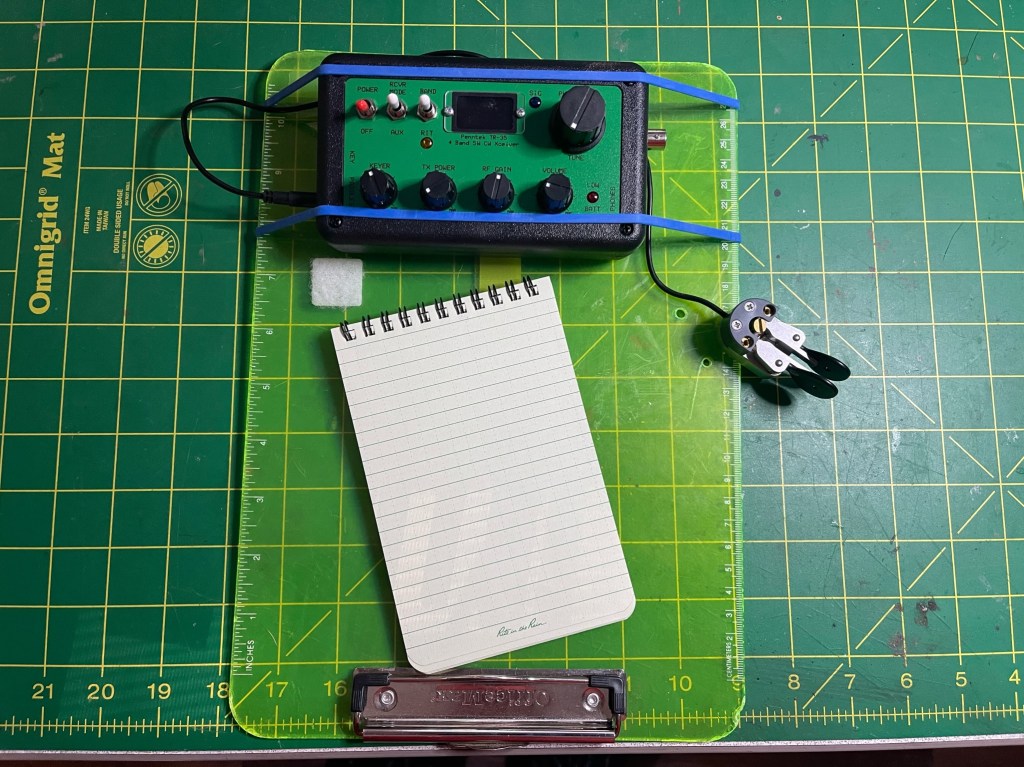
The radio du jeur was my Penntek TR-35. It is a nice handy radio covering 4 bands: 40, 30, 20,17, my workhorse bands. The TR-35 is a 5-watt radio which can put out slightly more with a good battery. The radio has an excellent receiver and there are no hidden menus. You could say it is WYSIWYG, What You See Is What You Get. The radio was powered by a Bioenno 3 amp/hour battery that was rubber-banded under my homemade Flight Deck. The Flight Deck is an inverted plastic clipboard with some holes drilled for my N0SA paddles. There is enough room left for a Rite-in-the-Rain 4 x 6 notebook and/or my iPhone. I also have a large Velcro strap to secure it to my leg if need be.

The earbuds are made by Skullcandy and I like them a lot. If you look to the left of the clipboard, you will see a red dot. That is a momentary on push button connected to the key input on the radio. The radio comes with 2-inputs, one for paddles and one for a straight key. I use the button to tune the tuner.

The radio is connected to an Elecraft T-1 tuner and the coax is RG-316, The antenna is a home brew 41′ Random wire antenna without a counterpoise. I use a 15′ coax between the tuner and antenna for the counterpoise. It is made by Chameleon and has a choke balun at one end. When running a random wire antenna it is good practice to use a choke to prevent unwanted RF from getting into the radio. The antenna uses a homebrew 9:1 UnUn.

Many parts of the Talladega Nation Forest are isolated and cell service is spotty at best. For this reason, I carry a Garmin Messenger with me. It allows me to send SMS/Text messages as well as location information. Since I am sometimes doing a solo activation as an old guy, it gives me a safety net and gives comfort to my wife.

QRV. After a short break and set-up, I went on the air. I expected bands to be poor; however not as poor as the actual conditions. It was probably not the best day to be operating QRP. I had to work pretty hard to get the 4 that I did (enough for a SOTA activation). If I had a wish at that time, it would have been to have higher bands like 10 thru 15 which were supposedly open then.

The trip was fun, Dugger Mtn is off of the Pinholti Trail. It is a fairly well-maintained trail and was easy to navigate. The elevation changes there and back will put your boots and socks to the test. I am happy to report no blisters were indicated. This hike gave me an opportunity to test out my kit. It has been a while since I did any hiking with a pack. One thing I am going to do is lighten the load. I didn’t feel too overpacked, but I need to lose some weight in the pack. I will work on that Sunday. Here is a short YouTube of the trip. 73 — Scott
POTA Activation K-2187 with the Yaesu FT-710

This weekend, I tried a new park, The James H. (Sloppy)Floyd State Park. With a name like that, what’s not to like. It’s a beautiful quiet park that is not too far from the home QTH. How convenient I thought.

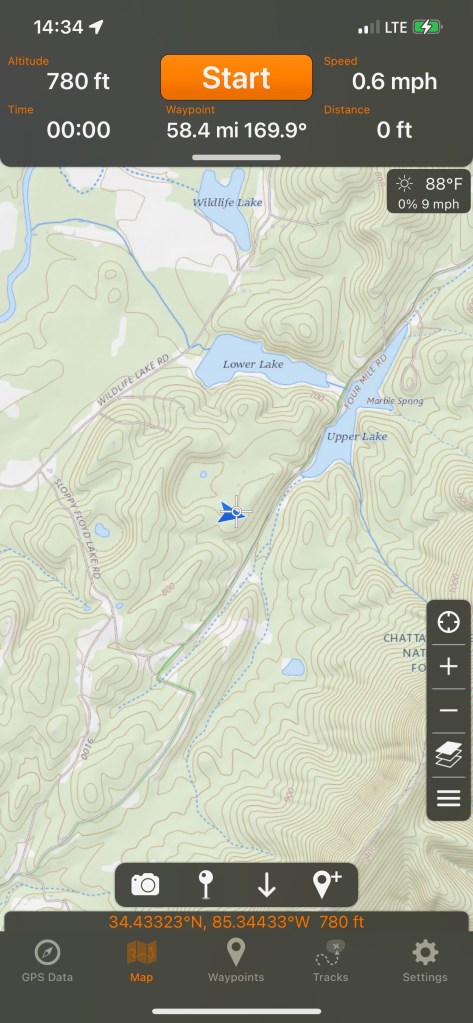
The Trouble I discovered was the park is located in a river valley. My campsite was well below the ridge and hilltops. It wasn’t until later that I checked my topo map. In addition, the bands were not in good shape but hey, I’m up for a challenge.

It is a beautiful park with lots of peace and quiet. The setup was my usual, my 28.5′ Random Wire antenna with the Yaesu FT-710. In hindsight, I should have rigged the antenna in a horizontal orientation rather than a vertical one to take advantage of NVIS or Near Vertical Incidence Skywave propagation. I have been reviewing the FT-710 and I thought I would finish up with the POTA Plaque weekend using CW. I even left the laptop at home to avoid temptation. I used HAMRS for logging and kept a notepad handy for scratch paper. Another thing I wanted to try was going paperless.

I started by calling CQ POTA but that wasn’t really getting me anywhere, I made a few contacts, but the deck was stacked against me. I switched over to Search and Pounce (S&P). I was going to do S&P but not right away. I wanted to S&P so I would be working with other activators. Making contact with someone who has a tribander and 1,500 watts is no challenge. Working other activators really gave the 710 a workout. I had to twist knobs and turn dials for a lot of the contacts. Many were S0 signal strength and often down in the static. It was a good test of the receiver. When I finally went QRT sometime around 1845 UTC and had 52 contacts. Not a lot, but each one a challenge. You will notice in the photo above, I have a weight on the paddles. To operate one-handed I need the extra weight to hold the paddles still. The weight is 500 grams or about 1.1 lbs.

How did the FT-710 do? Quite well. I was pleased with its performance. I was able to work stations I could hardly hear. The filtering worked very well. The DNR does get a little watery sounding as you increase its presence. I usually kept it between 2 and 6. With this radio and any SDR radio, RF gain is your friend and Preamp is not. Sometimes dialing in (actually taking out) a little RF gain is just enough to make that signal pop.

Issues? A few but none earth-shattering. When using headphones sending CW, there is clicking as the code is being sent. It happens at all volumes. It’s a little annoying, but not irritating. Another niggle is using the clarifier. When the clarifier is engaged, it uses the main tuning dial to adjust it. You have to turn off the clarifier to change the frequency. Yes, you can use the Step/Mch knob, but the lowest step is 1 KHz. The 7300 does not use the main tuning dial to set the clarifier.

One thing the 710 has that the 7300 doesn’t is the ability to send CW while in SSB mode. I really like that feature and I use it. The 710 is a likable radio and compares favorably with the 7300. Each has its pluses and minuses and I feel in the end, they equal out. I own both and unless you have a specific need for a specific feature that one or the other has, I think either one will serve you well.

This go around I used the HAMRS app on my phone to log contacts. I have the iPhone Max so I have a bigger screen and it wasn’t that difficult to keep up. Things did get a little dicey when signals were down in the noise but with a little more practice, it (and I) will be fine.

Even though my activation didn’t turn out as well as I expected (through no fault of the radio), it was a beautiful weekend to be out and about. I may not try another activation here, but it is a nice place for some peace and quiet. Until next time, 73 — Scott

POTA Activation Kolomoki Mound State Park and First Kilo

This past week I got to spend a few extra days at a park. My Church Youth Group was camping at this park and I offered to set up an amateur radio station to showcase what it can do.

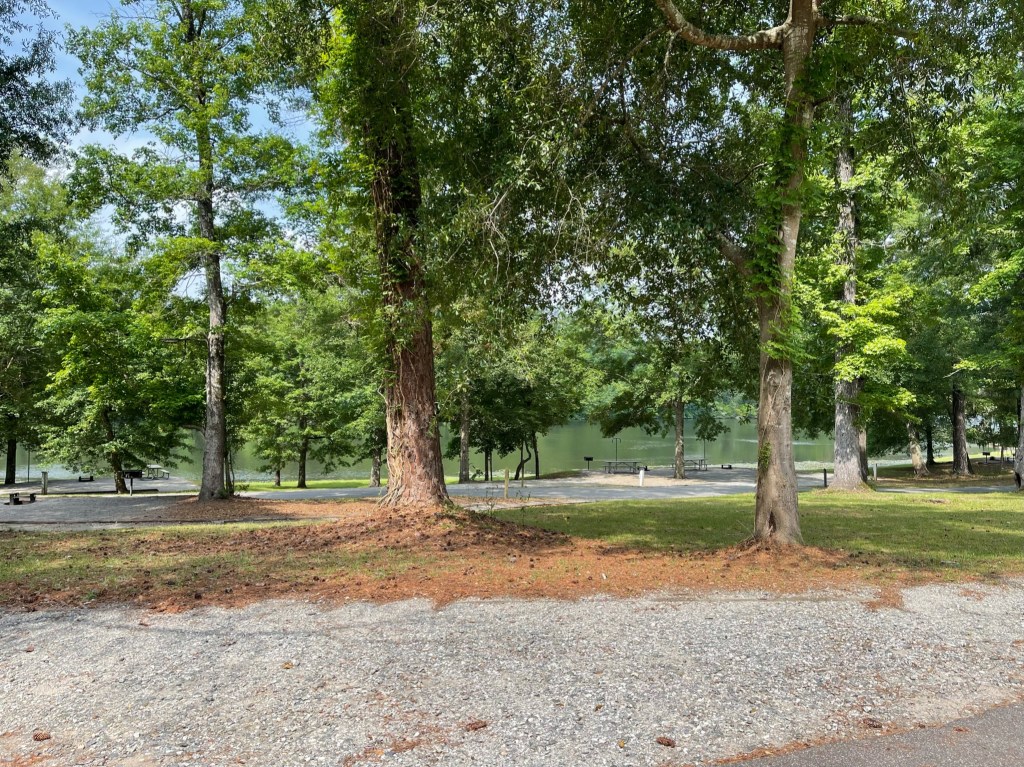
The park is one of my favorites. It has a small campground and it is always peaceful and quiet.

There are a couple of and lakes fishing is one of the activities available here. You can also rent kayaks for a bit of a paddle. My campsite this go around was nestled back in the trees, and while there was a campsite right next door, the campers were quiet.

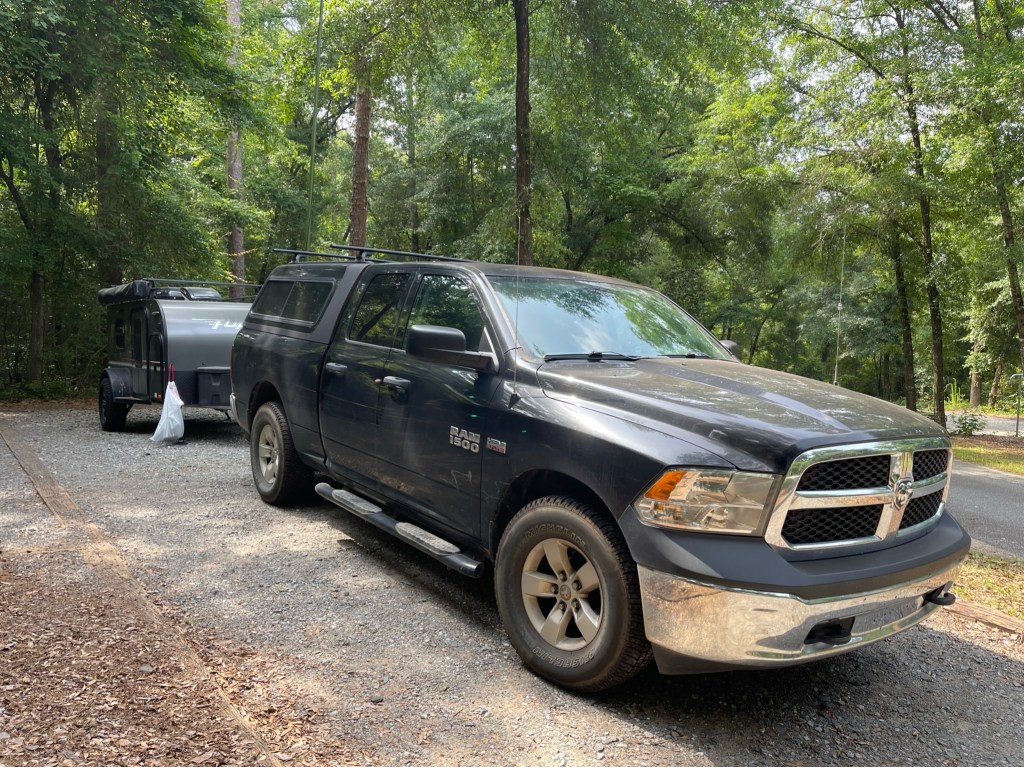
The antenna I used was my 28.5′ random wire antenna up a 31′ Jackite push-up pole. I got the green one and as you can see above, it almost disappears against the foliage.

Like last time, I had to mount the antenna to the truck due to trees over the camper.

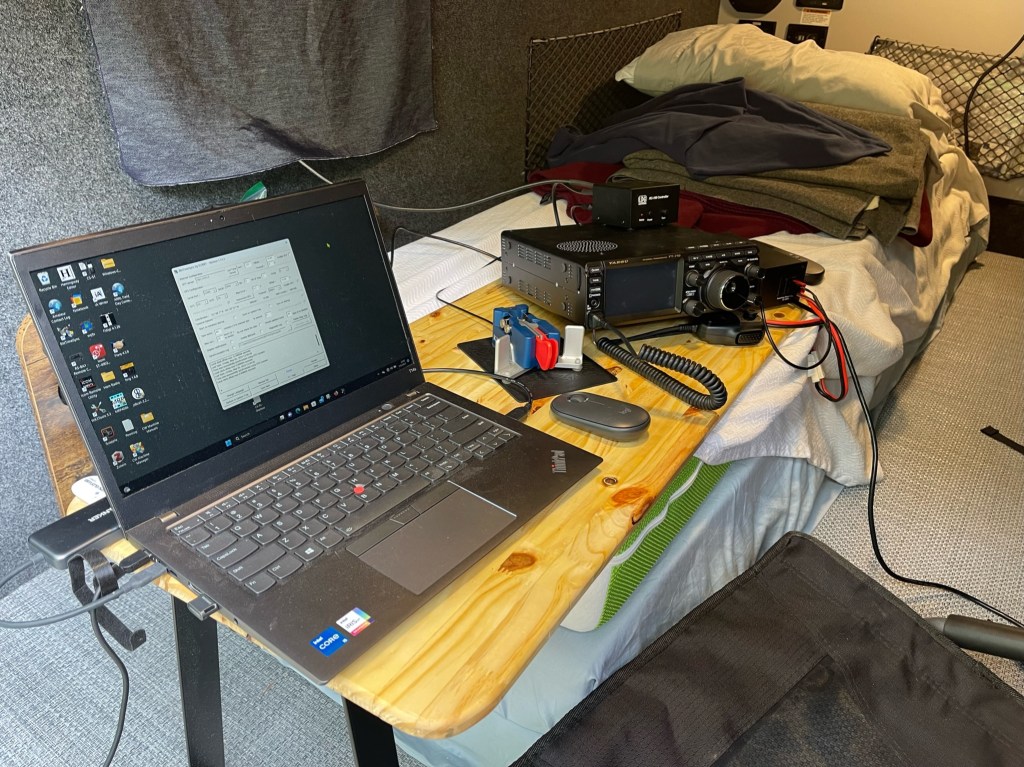
Two new additions to the camper were screens and a radio desk. The screens were a kit designed for the camper. Installation was simple. You attached metal disks in the appropriate places and the screens attach by magnets. I mainly used the screens on the back door. It gave me a more open feeling and with the roof fan or A/C, I was able to keep the camper quite cool even in 85-degree heat. By keeping the side door closed, I had a nice breeze at the back. The desk was covered in a previous post but this was the first real workout it got. Here is a picture of the setup I used this weekend.

This would be a typical setup. There is room for a key (paddles) and everything is within easy reach. On the top shelf is a switching power supply, a Yaesu FT-710, LDG RC-100, and a Garmin InReach Messenger. This was another good workout for the FT-710. band conditions were good on Tues and only fair on Wednesday. My mode of choice was FT8. I was within 330 contacts of a Kilo and knew I could get it done. I ran the FT-710 pretty steady at 45 watts for almost 12 hours. The radio did not get warm and no hiccups were noticed. The screen is easy to read and most of the controls are in the right place. I find that in the field, the 710’s main menu, is a little too busy. Sometimes I have trouble finding the option I wish to change. Overall, the FT-710 is a likable radio. I am going to do some CW POTA Activations with the radio in the near future. I still feel that the FT-710 is very comparable to the IC-7300 and whichever brand you are married to, get that radio. If you are a new op or have no brand loyalty, I would still recommend the IC-7300 over the FT-710, because I feel the ergonomics are better. I still plan on keeping both radios.

Garmin InReach Messanger. This trip was the first time I took the InReach Messenger to the field. Cell service at Kolomoki is very spotty. A nice feature of Messenger is it uses an app on my iPhone. The app is very similar to other SMS apps. Once I got there, I was able to send a quick text home along with my location, downloaded the current weather, and spot myself on POTA. Messenger is so much faster than my old InReach (the first clunky big one). It is now a regular part of my kit and will be a boon to EmComm and FunComm.

FunComm. I have used this term a few times lately and probably need to explain it a little. Among other things radio, I am deeply involved in EmComm or emergency communications. I practice EmComm at home and in the field. Most of the time, the gear you see me take to the field, is the same gear I would take to an emergency. Enter Fun Comm, FunComm is using your EmComm gear for fun doing something like POTA. Each time I go out, I learn more about my gear and its capabilities. Everything is used, tested, repaired, or replaced. I know my gear. I have been to real-world emergencies, and I have had operators come up to me and tell me if I can help them fix their radio, they could be of help. Don’t be that guy. I have had my share of oops and blunders, but I take each experience and build upon it. Now, once a month me and my gear are tested, in a fun way of course. And if something fails, I lose a few contacts, and no harm is done.

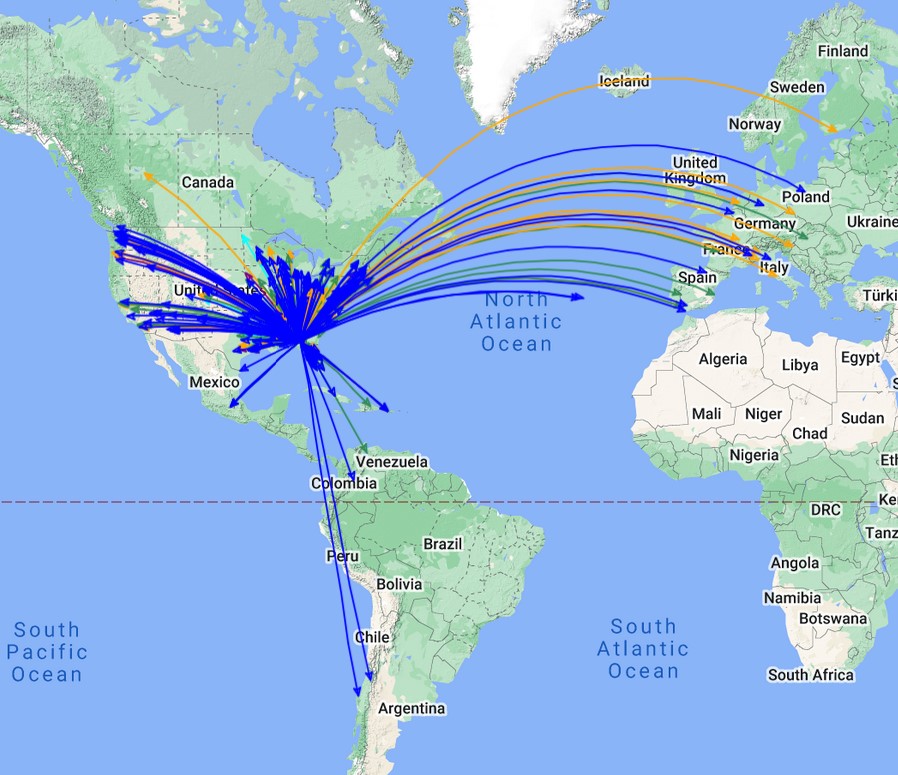
How did I do? Not bad really. I made over 400 contacts using FT-8 from 41 States and 20 Countries. Here is a QSO Map.

Here is a video of the activation.

Penntek TR-35 First Impressions

This weekend is the CQ WPX contest which means there is a lot of activity on the non-WARC bands. It was a great opportunity to take the TR-35 out for a test drive. As some of you know, I tend to do a running review that covers months instead of weeks or days. The same will go for the TR-35.

The first thing I learned is that the CW sidetone level is linked to the TX power. The higher the power, the louder the sidetone. When I adjusted it yesterday, I had the TX power turned way down. When I transmitted today at full power, the sidetone level was almost painful Plenty of volume available. It was a simple fix and I got it where I wanted it.

I fired up the rig using an Elecraft T-1 tuner into my 270′ OCF dipole. With the filter set to CW Wide, there was a cacophony of noise; a mix of static and CW while QSB brought the levels from a whisper to a mighty crescendo. The receiver took it all in stride, Having separate volume and RF gain controls made it easy to tame the beast. Listening to the noise was easy on the ears. Harsh but pleasant. Then I switched the filter to narrow and it was easy to isolate the desired signal. The filter is narrow, but not what some would call contest narrow. In a contest with signals often very close together, it is not unusual to set the CW filter to 150-300 Hz with sharp skirts. The TR-35 feels somewhere around 500 Hz. Could I contest with this radio? Yes, I think I could. The receiver never overloaded, and there was enough isolation that I could clearly hear most stations.

The ergonomics of the radio are excellent. There are 4 single-purpose knobs across the bottom: Keyer, TX Power, RF Gain, and Volume, all within easy reach. These are the controls you will be using the most and they are close at hand. The screen is small but easy to read. I haven’t tested it in direct sunlight yet, but you can reverse the colors to make it easier to read.

How did it play? Very well. I got on the air for a little while and contacted 5 POTA activators. Two of them were in with the contesters and I was able to easily pull them out and work them. I am impressed with this radio. I bought it to do SOTA and wanted a radio with a good receiver. I had read several reviews about the radio and it easily lives up to its reputation. The radio is fun! Small, light, and it is a good performer. Can’t wait to get it into the wild. 73 — Scott
Penntek TR-35 for SOTA

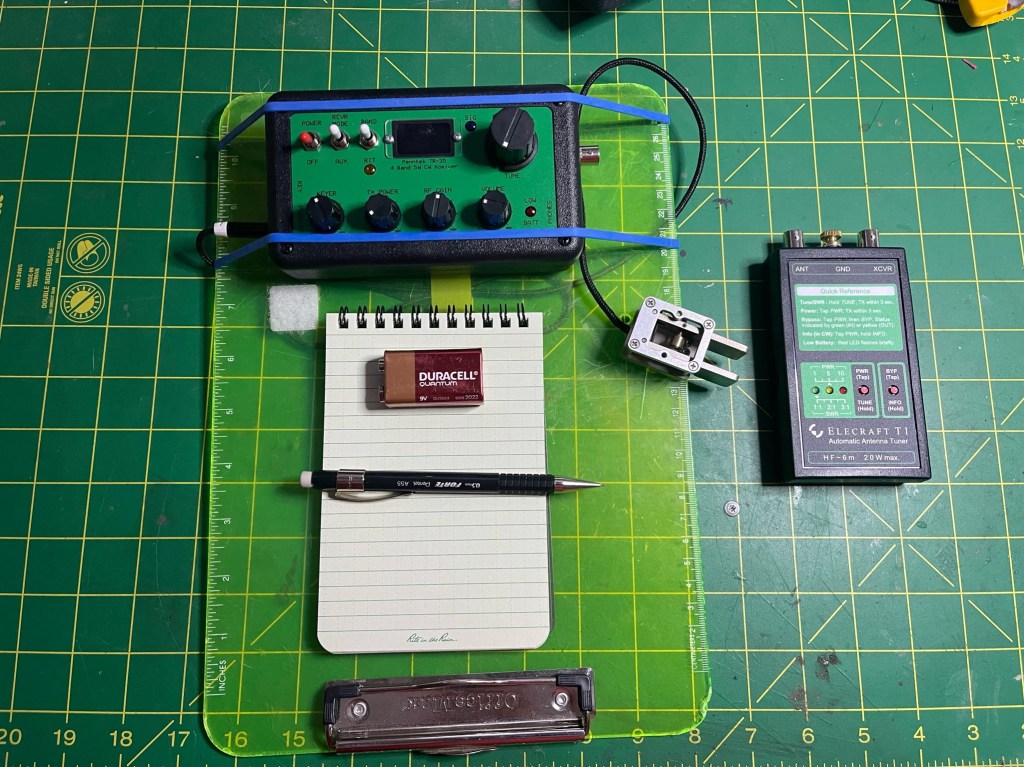
Yesterday, I received my Penntek TR-35. I am looking forward to taking it to the field next week. The radio is mounted on my homemade flight deck which is a modified clipboard. The 9-volt battery is for scale. The tuner is an Elecraft T-1 and the paddles are N0SA SOTA paddles. The notebook is a Rite-in-the-Rain 4×6″. I have been using Rite-in-the-Rain products for close to 50 years. There is nothing better for field use. In addition to the N0SA paddles, I can also use my Begali Adventure paddles.

Both the Begali and the N0SA paddles attach with a 4-40 screw.

I have made two adjustments to the TR-35. I had to adjust the sidetone volume and it was too low for my old ears. The adjustment was simple. Remove the 4 screws that hold the case together, split the case, and there is a variable pot next to the power port. A twist with a screwdriver and all is well. The other mod I did is I added 2 small tip-up feet to tilt the radio a little. I got this idea from John AE5X and you can find the feet here: https://tinyurl.com/2ht9yks2. They add just enough angle to make viewing the top of the radio easier.

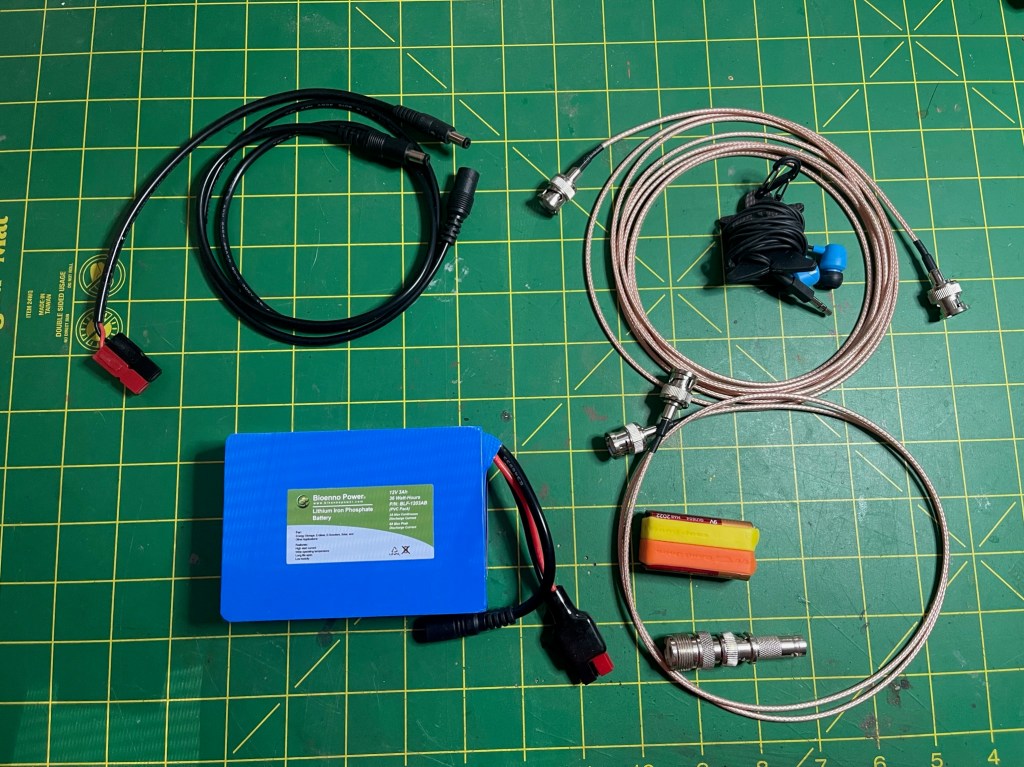
To finish kitting out the radio, I added the following:
6′ RG-316 cable
15′ RG-316 cable
Power cord with extension
Bioenno 3 AH battery
Skull Candy earbuds
Stereo to Mono adapter (not shown)
Spare 9-volt battery (tuner)
Cable Adapters

The stereo-to-mono adapter is for the earbuds. The TR-35 has a mono output and when you plug stereo earbuds in, you only get sound in one ear. Everything but the flight deck and the notepad fit into a Condor utility bag.

The bag and its contents weigh just shy of 50 ounces.

I have one addition and one modification to the setup. I have had an original In Reach satellite communications device for many years and it was showing its age. I now have a Garmin Messanger which works so much better. Many times even when I am doing a POTA activation, There isn’t much if any cell service. It’s nice to be able to spot in real-time. The Messenger is small and will reside on one of my shoulder straps.

I and using a USGI first-ad/compass pouch. I believe the one shown actually comes from my Army days. The Messanger also provides peace of mind for both my wife and I. I can send her a text message that I am okay and my location. I can also send an SOS if I have an emergency. It’s cheap insurance.

The last change I am going to make is the pack bag. The Camelbak HAWG is a great pack but for what I am doing it is just a little bit too small. It currently fits everything with a little room left over for food. Since I am out and about year-round, I need a little extra space for clothing and maybe my little Snow Peak stove. I’ll keep you posted. 73 — Scott
I Got Bit By The SOTA Bug

Meeting with the SASQ group at Cheaha State Park this past weekend renewed my interest in SOTA. Over the past year, I have gotten myself in pretty good shape making SOTA more doable. I started putting together a bag for hiking to SOTA Summits. I have hiked and backpacked at different parts of my life so I have an idea of what I need (and want) for a kit. Since I’m an old guy, I do not want to be carrying the kitchen sink with me. I have a QRP radio coming, but that’s another post. Here is the list of my current load out.

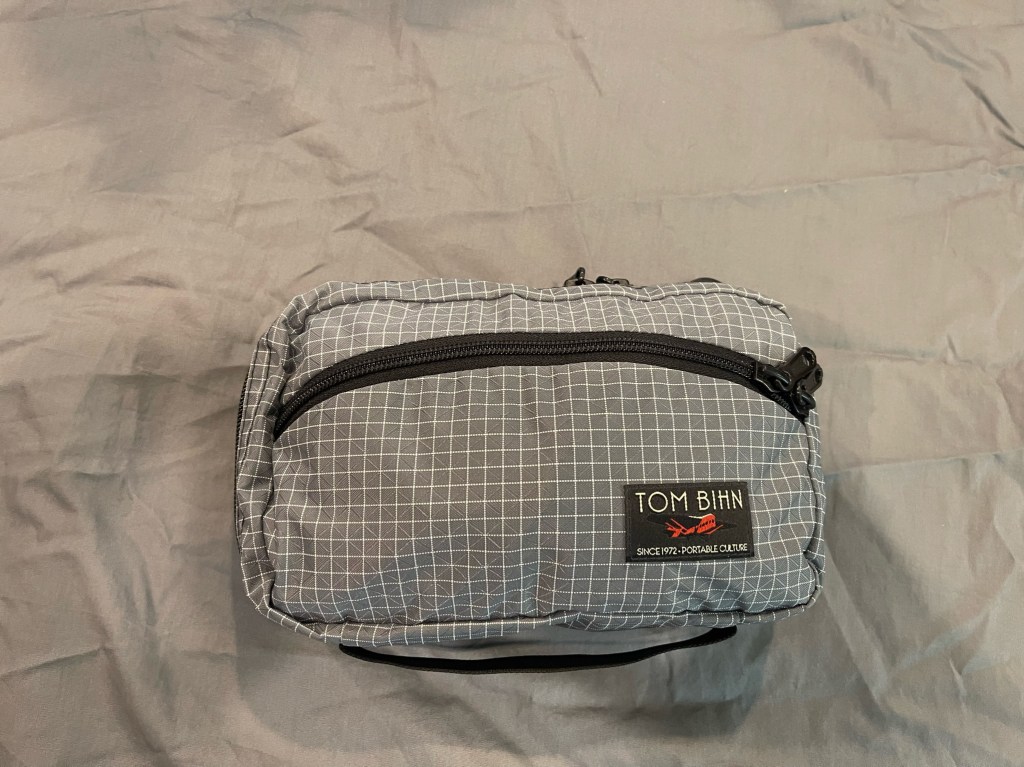
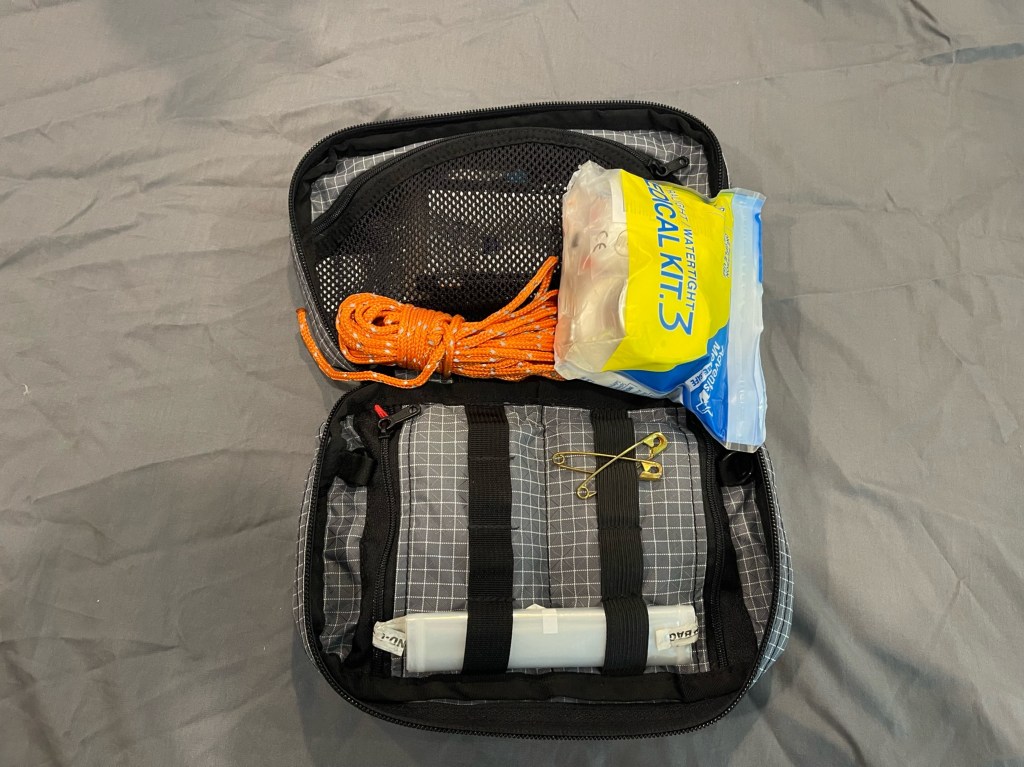
I’ll start with my E&E bag short for Escape and Evasion. Typically an E&E bag has the bare minimum of gear. This bag travels with me when I leave my home area. I move it from bag to bag as needed. The bag is a Tom Bihn Handy Little Thing (HLT) size 2. Loaded, it weighs 24 oz (1.5 lbs).

Here is a list of the contents:
Mechanical Pencil
Bullet (Space) Pen
Rite in the Rain Notebook
Mylar Rescue Blanket
2 – Eye Glass Cleaners
2 – Dude Wipes
Rope
First Aid Kit
2 – Safety Pins
1 – 1 Liter Water Bag
Compass w/signal mirror
Whistle
Survival Guide
Dental Floss
Ferro Rod, Striker, and Magnesium
Fire Tinder
Matches
Duct Tape
P-38
Mini Screwdriver
Flash Drive
Evidence Card
Large Magnifying Glass
Small Magnifying Glass

To carry the radio and associated gear, along with food, water, etc., I decided to use my Camelbak HAWG. It is the older style. I like it because it prevents me from overpacking. The bag and gear without the E&E bag weigh an even 6 lbs., 7.5 lbs with the E&E. With adding food, water, and radios, I am hoping to keep the weight below 15 lbs. I’ve done some Go Rucking with 40 lbs so this should be a breeze.

Here is the list:
Canteen, Cup, and Cover (canteen is Nalgene)
Potable Aqua
MRE Spoon
Poncho
Garbage Bag – Contractor
Rope Kit w/Duct Tape
Triangular Bandanna
Insect Repellent
Tincture of Iodine
Sit Cushion
Tent Stakes – 6

There you have it. enough to cover most events that may happen on an excursion into the wilds, but not too much where you feel like a pack mule. Next work on the radios. 73 – Scott

A little CW Project

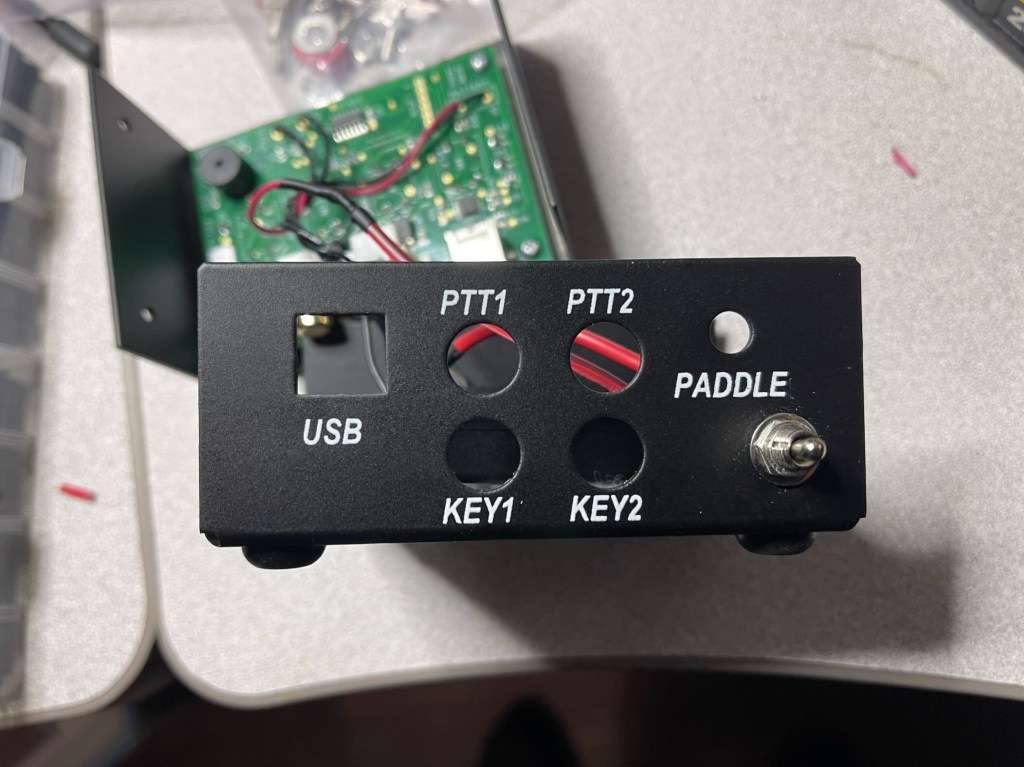
I have the K1EL WKUSB-SMT keyer. I like it a lot. I use it at home and in the field. I would normally either plug it into my laptop or a battery for power. However, I am trying to clean up my act and reduce some of the cabling I have. The keyer will run for months on 3 AAA batteries that stow inside the case. It is a little bit of a chore to change them out due to the 4 teeny screws that hold the clamshell case together. Fine at home, but could become an issue in the field.

I put the batteries in and placed the keyer right-side up in my field box. When I got to the campsite and took the box out of my truck, I heard “dah-di-dah-dit, dah-dah-di-dah” I must have bumped one of the buttons. I open the box and there was the keyer chirping away — with no way to turn it off. Luckily, the paddles were in the top tray so it was easy to hook them up and send a dit to stop the keyer.

When I got home, I scrounged a few parts. All I needed was an SPST switch, some wire, and shrink tubing.

I found an open spot below the paddle connector and drilled an appropriate-sized hole.

A little bit of solder and some heat on the shrink and I’m done.

Now when I travel, I just flip the switch to turn it off. It probably took me more time to write this than to complete the project.

I use the keyer a lot. It integrates with ACLog seamlessly. There is also an app that allows me to program the keyer with a keyboard. I can then save the different message banks on the computer and load the one I need for the trip. I have one for POTA, SOTA, and Field Days. One thing I like is I can slow the CW speed for certain words. I’ll do that with Park ID. Start at 18, slow down for the park number, and then speed back up again. All with the push of a button.

I hope this gives you ideas for your own projects. 73 — Scott

Day POTA Activation – Cheaha State Park

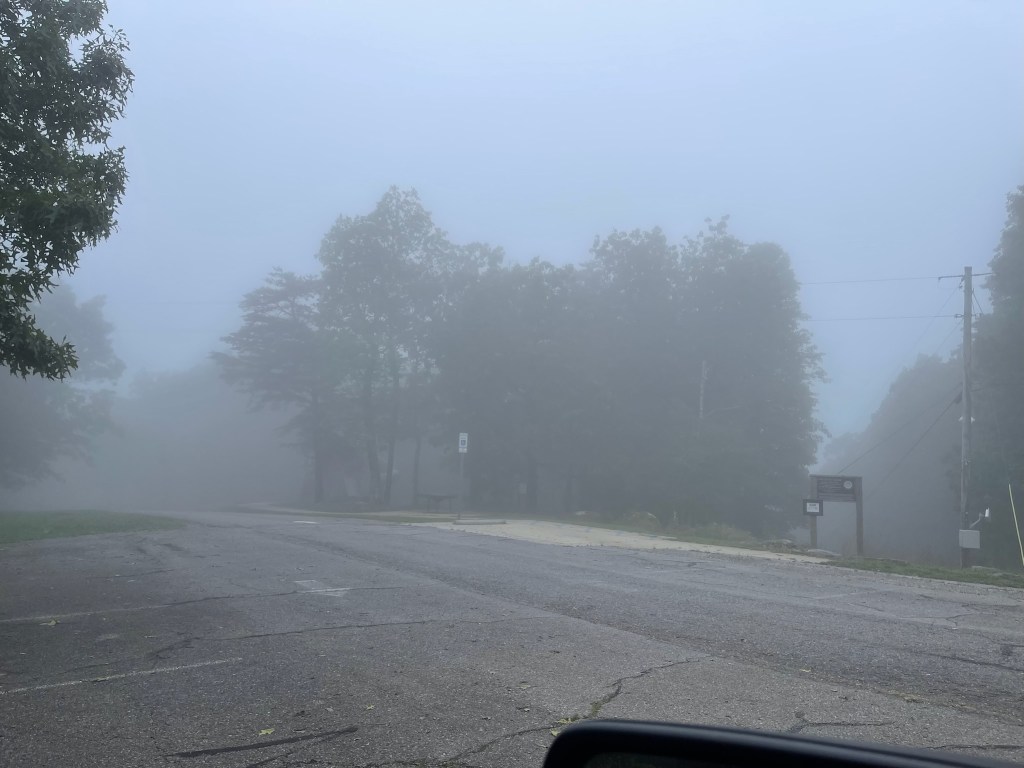
This morning, 05 May 23, I decided to take a trip out to Cheaha State Park. It’s about a 50-mile drive but worth it since it is the highest point in Alabama. I enjoy the park and consider it my home park. The day was cool and foggy. Since I was operating out of the cab of the truck, it was nice not to see the sun.

For a change of pace, I brought one of my QRP radios, the IC-705 with the AH-705. I like this radio. It is easy (for me) to use since I have other Icom radios and the interface is similar. I don’t have to relearn the radio every time I use it. The antenna was my Frankentenna Mobile version. I also wanted to give it a workout at QRP levels.

I had another motive for bringing the IC-705. I purchased an app for my iPhone called SDR-Control Mobile. It was created by Marcus Roskosch, the same Marcus that made SDR-Control for iPad. This app connects to the IC-705 via Bluetooth and operates FT8 and CW. It also has a logging function along with several other tools. What drew me to the app was the ability to use my cell phone. The cell phone uses far less power and lasts a lot longer than tablets or laptops. I used it for over 2.5 hrs and the battery level barely moved. The app controls the radio like most other apps. FT8 was a breeze as most of it was automated and logging was a push of a button. Exporting the log was also clicky-click.

Band conditions were up and down and even though I operating QRP, I still managed to make 41 contacts. It was nice working FT8 while holding the phone in my hands. In the past, I would have to twist a bit to get to the laptop making it uncomfortable.

While operating, a fellow ham drove up and said he was looking for me! He and 4 others were operating a special event station about 200 yards down the hill from me. the club was the Southern Appalachian Summit QRPers. SASQ or Sasquatch. This is a group that prefers operating outdoors. They enjoy hiking to SOTA summits and operating portable with lightweight gear. I visited with them for a while and interviewed them for my YouTube channel. If you are interested here is a link to their website https://jesarge.wixsite.com/sasq

I made 41 contacts and here is a QSO map of the activation.

It was a good day, I made a few contacts and a few new radio friends. I may have to see about joining SASQ. I also added another tool to my portable operations tool kit. I like it when things end up win-win. Below is a short video on the activation. 73 — Scott

EmComm and FunComm

As I have said earlier, I practice EmComm to prepare for natural or man-made disasters when normal means of communication fail. FunComm is pretty self-explanatory, it’s things I do for fun. Fun things may include POTA, Field Days (winter and summer), supporting bike rides, and other club activities. I always like it when I can blend the two together. When I participate in POTA either for a weekend camp-out or a day activation, isn’t it kind of a practice run for an EmComm event? I use the same antennas and most of the time the same radios. My equipment gets a good exercise and I learn more about how they operate under different conditions.

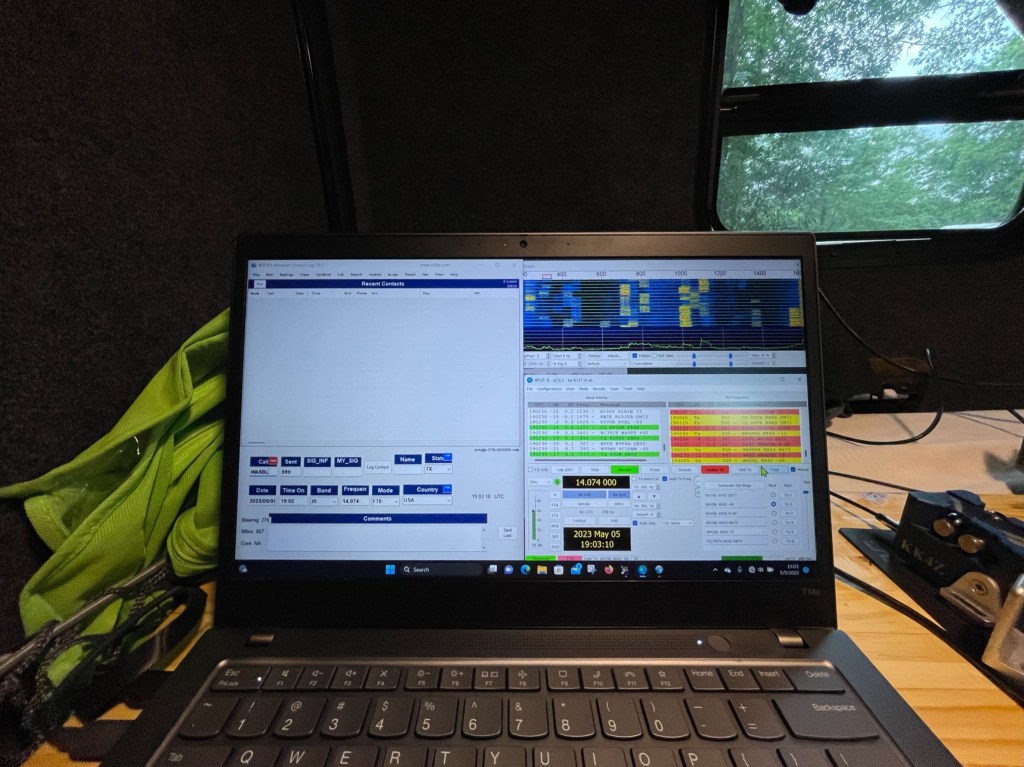
Recently, I bought a new camper, the old one wasn’t working well for the things I like to do. The new camper is so much better but not without its growing pains. I had to find a better way to use the radios inside the camper. To save words, here is a picture of what I have been using. It works okay but because it uses part of the bed, it made sleeping uncomfortable. After this last camp out when I woke up all sore and twisted feeling, I decided it was time to find a better way.

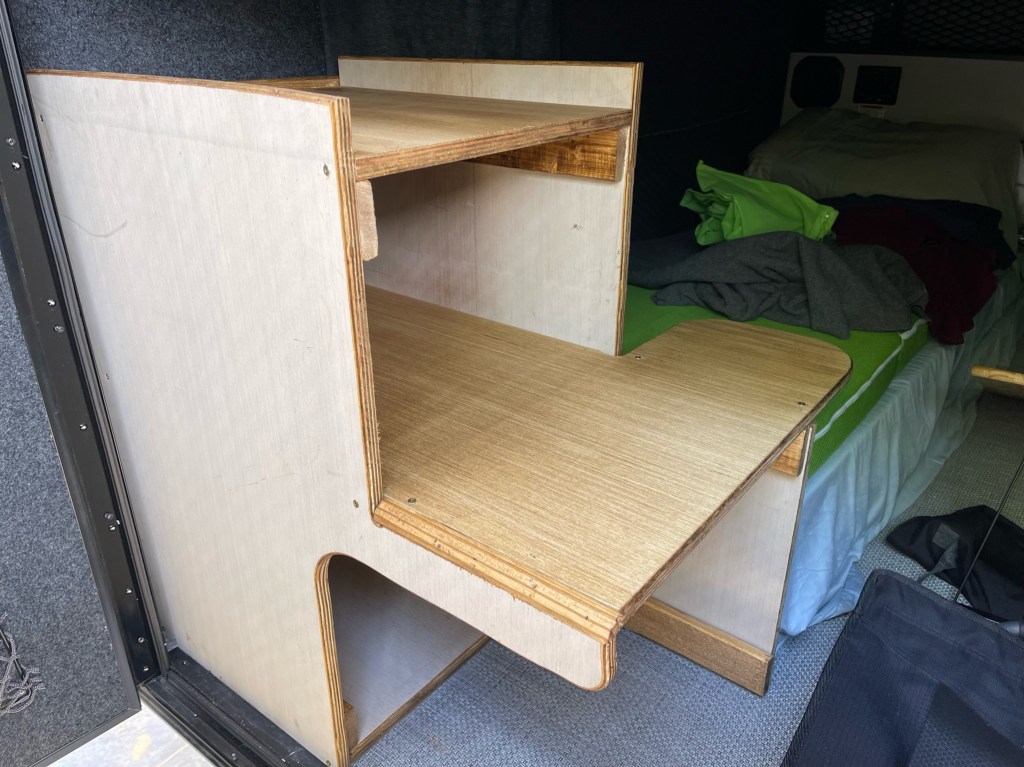
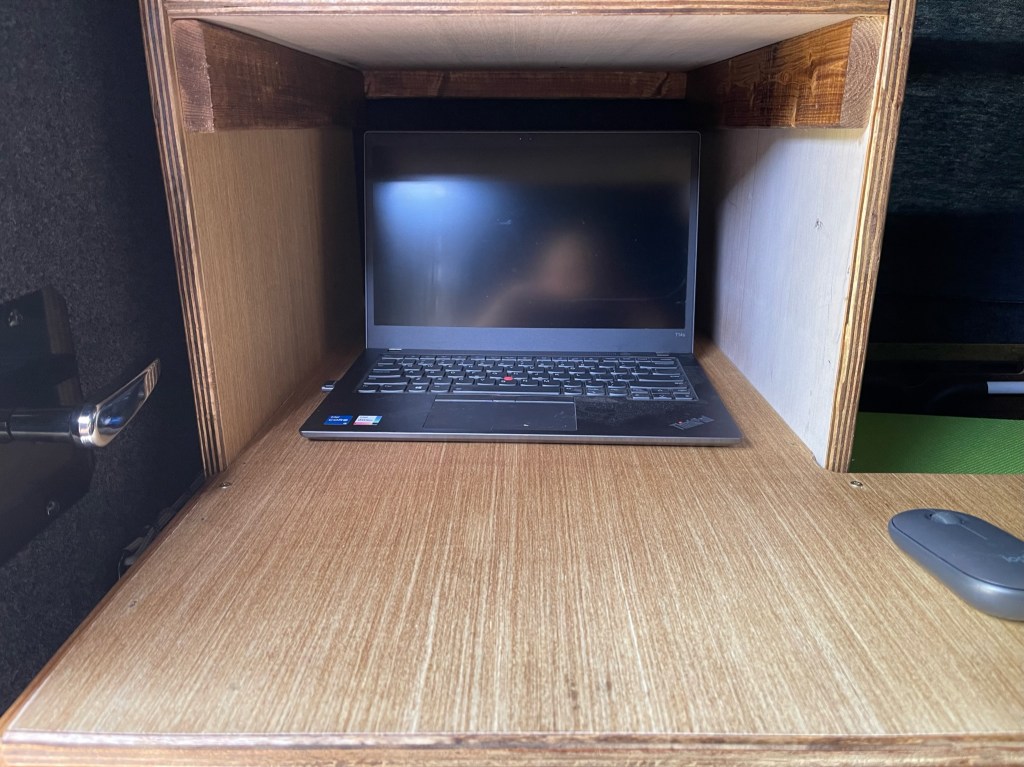
The new desk stacks the radio and power supply above the computer. This reduces the overhang on the mattress. The desk area for the paddle does overhang a little but sliding the desk to the right when not in use alleviates that.

The other thing I did was make a cut-out on the door side to make it easier to get my legs out. This works really well and does not impair the stability of the desk.

The last thing is the main desk is 30″ deep and the shelf is 20″ deep. This leaves plenty of room for the radios and enough room to slide the computer under the shelf if I need the desk space for something else.

Sitting behind the desk, the radio controls were easy to get to.

The desk is made from one sheet of 3/4″ plywood with (2) 1×3″x8″ boards. The stain was a can of Minwax I had laying around, I think it was Golden Oak.

Construction was simple, using hand tools found in most garages. It is not a piece of art, I don’t have the time. My philosophy is that “Perfection is the enemy of good enough”. The desk is glued, screwed, and nailed without any fancy joinery. If I waited until I had time to do a better job, the wood would still be at Lowe s.

I tried it out in the driveway and everything works and feels good. The radio is easy to get to and the computer is a little high but not uncomfortable. With the cut-out, it is easy to get in and out of the camper. The next test will be at the end of the month during my next camping trip. Hope to hear you out there. 73 – Scott

POTA Activation K-3726 Kolomoki Mounds State Park

This past weekend, I got the opportunity to visit Kolomoki Mounds State Park in SW Georgia. It’s about 180 miles away and I can get there and back on one tank of gas. I like this park, it is a little out of the way and it is nice and quiet. Cell service/Internet is almost non-existent. What not to like, right!. This time I got a drive-thru campsite that was well-shaded.

Because of the trees, I had to mount my antenna to the truck instead of the camper. However, the shaded provided kept the camper cool and I only had to use the A/C intermittently. This was the first time I had to use the A/C and it will quickly freeze you out if turned up too high.

The setup was pretty normal, I used my K4SWL antenna which is a 28′ random wire with a 17′ counterpoise. It has a homemade 9:1 UnUn and a 1:1 current balun. The tuner is an LDG RT-100. I love this antenna. It is easy to put up and take down, and it performs very well. I include the stats a little later.

Inside everything is pretty much the same except this time the radio is my new Yaesu FT-710. This will be its first real workout. I plan on using FT8 with a little CW if the bands’ permit. As it turns out, the bands were not in that good of shape. I ended up running the FT-710 at 45 watts. On Saturday a G2 magnetic storm hit and wiped out the bands. Saturday during the day was rather slow. Here is a look at 20 and 30 meters. Normally the whole waterfall from east to west is orange.

The radio got a good workout. I went QRV on Friday at 1400 hrs eastern and ran until 0200 hrs eastern Saturday morning, then again at 0730 hrs Saturday morning until about 2330 hrs eastern Saturday night. Operation was a pretty steady diet of FT-8 at 45 watts. The FT710 didn’t even get warm. It’s one of the reasons I like to bring a big radio — I can run them pretty hard without them skipping a beat.

First impression of the FT-710? I like it. I feel it compares favorably with the IC-7300. Each one has its pluses and minuses but in the end, either one will work for my intended uses for them. What are my intended uses? These radios are my field radios. I use them mainly when I am doing outdoor/portable activities such as camping or public service. I look at amateur radio from two different perspectives. First, is amateur radio for fun doing things like POTA, SOTA, or the like as well as some public service events like bike rides, parades, etc. My second perspective is from Emergency Communications. I am quite involved with EmComm at the local/state/region/national level and participate regularly in training events as well as provide training. I have in the past deployed to several disasters as an EmComm Specialist. So, when I look at radios, it is from the point of view of whether can I use them for both of my endeavors. Radios like the FT-710 or the IC-7300 fill that bill nicely. EmComm is one of the reasons I like POTA and camping, It gives me a fun way to practice my craft and ensure my equipment is in good working order. The only way to get to know your gear is to get out and use it.

How’d I do? Not too bad, over the weekend I made 571 FT-8 contacts 46 States, and 19 countries. My best operating times were at night after the earth turned my location away from the sun. You can see that in the map below where I don’t have any contacts from the Pacific which were still sunlit. I had intended to operate a little QRP CW, but the propagation gods had different plans. I was glad to have a big radio with more power. Every time I go out, I learn something new, either about my gear or about myself. Each trip is a nice weekend in a park but also a training exercise to prepare me to deploy if need be.

Here is a video of the activation.