My Ic-7100 rides with me in the truck. I have it hooked up to an AH-730 and a 102″ whip. I also have a 60′ wire with insulators and an alligator clip on one end. I can attach this to the whip and make a very effective NVIS/medium range antenna.
I really like the 7100 except that I was having RFI problems. I read where the cable between the control head and the radio was not shielded well so I tried some CAT8 ethernet cable. It worked great once and I couldn’t get it to work again. so I switched to plan B. I added some ferrite cores to both ends of the cable and that solved it up to 75 watts. I still get a little RFI interference at 100 watts but I rarely operate above 50 watts mobile/portable so I am good to go.
The other thing I wanted to do was make the radio easier to detach from its tray. I have some desks that I can put over the center console for laptops, notebooks, etc, but they cover up the radio. So off to TSC for some hardware. This is what I came up with.
The knob fits under the tray and makes it easier to unscrew the control head from the tray. I have about 5′ of cable to move the head around, enough for what I want to do. Installed, it looks like this.
I am glad I got the RFI problem sorted and made the head easier to remove. I also have another cable so I can now get the control head outside of the truck and on a folding table if that’s what I want to do.
Marching to the beat of a different drummer.
I know I do a few things differently. Many POTA activators use small QRP radios or compact radios like the FT-891 when they activate. That’s not me. I have always had a foot in the EmComm world and I enjoy working weak signals. There’s an art to catching the weak ones and it takes a good ear. It also takes skill in operating your radio. I like to have the controls I use most easy to get at like I find on radios like the IC-7300, and TS-590sg. I also like to operate low power, not QRP. I mostly find myself in the 20-35 watt range. Even at home, I am usually at 50 watts. Low power gives me enough oomph to make the contact and still makes it a challenge. Through most of my amateur radio career, I have been involved in EmComm. I use FunComm events like POTA to keep my EmComm skills sharp and my radios and antennas in good working order. Not using your EmComm gear until the “Big One” hits often brings unwelcome surprises. I know I am getting a little long in the tooth for some EmComm but old habits die hard. 73 de Scott
This past weekend I camped at Ft Mountain State Park in northwestern Georgia. One of my goals was to test NVIS and see if it would work during my stay. I collected data using FT8 from Friday afternoon when I got set up until about 2130 hrs eastern when the 40-meter band started to fade.
Conditions. I set up in the campground in Ft Mountain State Park. My elevation was approx. 2,400 feet above sea level located in a depression (-200 Ft.). The antenna was a Chameleon EmComm II ver.1 in an inverted vee configuration. The ends were 6-6.5 feet off of the ground and the apex was 10-12 feet. There was a counterpoise run beneath the antenna. The radio was an Elecraft K3(s) running FT8 at 25-35 watts.
During my stay I made 121 contacts on 40 meters. 7-8 MHz is considered the upper limit for NVIS operation. NVIS is also not guaranteed as it relies on proper atmospheric conditions to reflect the radio waves back downward. When creating the following maps, I only included states where I had 3 or more contacts. In addition, some states had no contacts and that may have been due to propagation, or no one was on at the time. Also, I reported the average signal strength for the state (not individual stations) as well as the percentage of the contacts from that state based upon 121 contacts. If you add up all of the percentages on the following maps, they will not equal 100%.
The first map shows all of the states with 3 or more contacts.
Generally, a good signal for FT8 is any signal above -10dB. A closer view shows that except for Texas the stronger signals are within 300-400 miles of the transmitting station. The circle in the map below has a radius of about 350 miles. As you can see there is a rather sharp drop off in signal strength beyond about 350 miles.
While this isn’t a proper detailed experiment, some generalizations can be made. The transmitting station was located in a depression (-200 Ft), there is a good probability that NVIS was used. The signals close in were stronger, meaning that the signals were within the skip zone and that signal strength beyond the skip zone (beyond about 350 miles) noticeably dropped off indicating NVIS operation. There were more stations contacted within the circle. As the transmitting station turned away from the sun the ability to copy close in stations diminished. The white elephant in the room is Texas. In my experience, there always seems to be a radio pathway between Texas and Georgia. Not sure why that is but in all my activations and at home there always seems to be at least one Texas station in the mix.
As amateur radio operators, we often think in terms of how far we can reach, how many miles per watt, to reach that atoll on the other side of the world. What is equally important and in some cases such as EmComm, is how close can we get. Sometimes the most important link is just on the other side of the mountain. Knowing how to utilize NVIS in your comms plans will help bridge that gap. You may be saving a life instead of collecting a QSL card. Below are some links to other NVIS posts I created. — Scott
This weekend I decided to camp at one of my favorite parks. Ft Mountain State Park. I go back a long way with this park. Thirty three years ago I spent a wonderful honeymoon there with my bride and princess. We recently spent a weekend there in the same cabin we spent our honeymoon in. Memories.
This time it’s a solo trip. I came up here for some radio adventure and I got it. On this trip, I did more EmComm related stuff. This was more like an FTX (field training exercise) than a simple POTA activation. I grabbed my normal gear and set myself some tasks to accomplish while out. I wanted to stretch my gear and me, do a grab and go like it would happen in a real scenario. I did not do any extra prep than I normally would do for a POTA activation.
My first task was to receive the National Intelligence Brief (NIB) from the Early Warning Network. I am the Communications Director (G6) of the Early Warning Amateur Radio Network (EWARN). We are building the EWARN system to best suit the needs of the Early Warning Network. This network collects information, analyzes it, and then disseminates the intelligence in products like the NIB.
Right now l receive the NIB via email and one of our projects is to be able to send the NIB to me and others via radio. We are looking at options to include using operators from AmRRon which we are developing a relationship with. AmRRon has some very talented operators. Getting back to my task, I received the NIB via my cell phone while on my way to the park. I pulled over in a gas station, connected my computer to my cell phone via the hotspot and downloaded the NIB onto my laptop.
I got the NIB ready to send over the radio. This includes formatting the document and then signing it using a PGP key. By signing the document this way, anyone with the public key can verify that the document was not altered. The document is not encrypted so it can be sent over the air. The next step is hooking up the laptop to the HF radio in my truck and sending the message. I decided to move since I didn’t think transmitting with a radio near gas pumps was a good idea so I moved. I found a pullover near the bottom of the mountain, on a road that leads up to the State Park. The radio wan an IC-7100 hooked up to ab AH-730 and a 102” whip.
Issue. I am having trouble formatting the file correctly when PGP signing the file in FLmsg. Next week I am going to get with a buddy who is a pro user and get this sorted.
I stopped, hooked the laptop up to the radio, turned it on and using VarAC on 40 meters connected to N4WXI near Birmingham AL. It took me about 2 minutes to send him the file. His group will inject it into the AmRRon system to be passed as traffic from coast to coast.
After I sent the NIB I continued up the mountain to Ft. Mountain State Park.
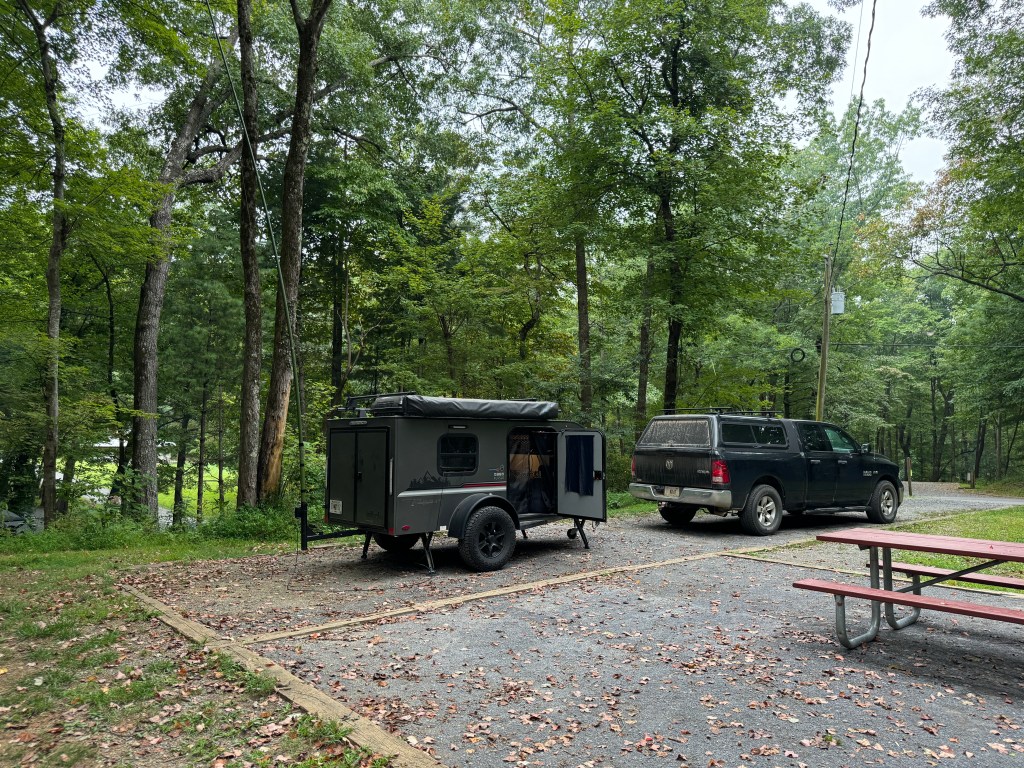
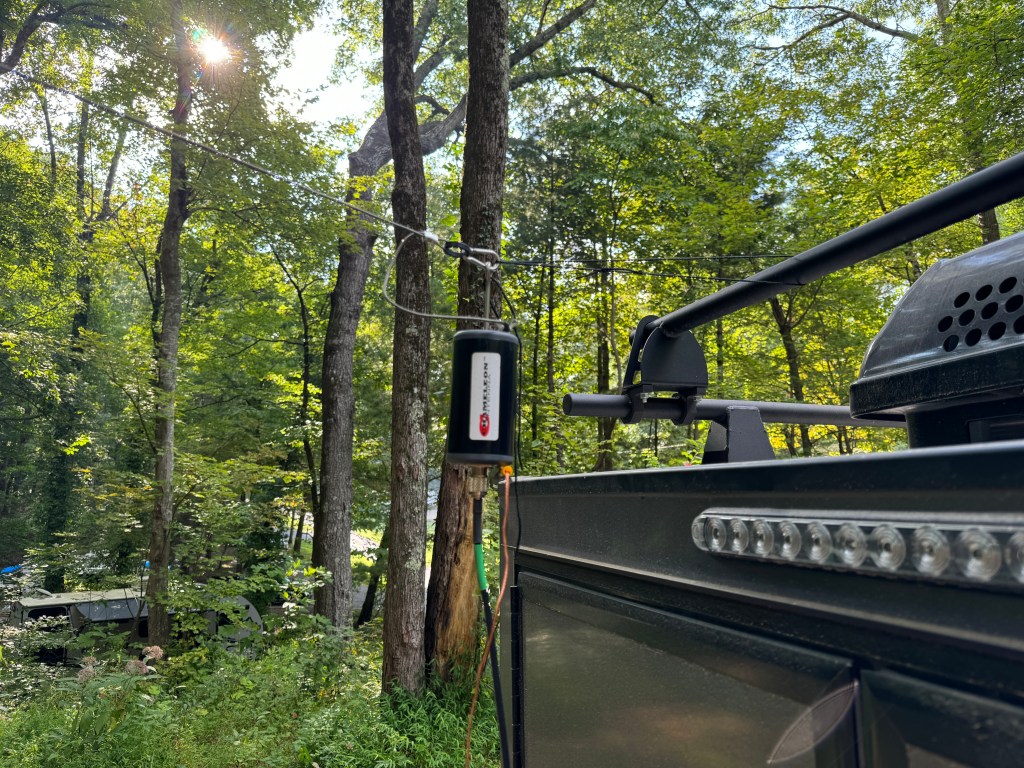
Antenna. I decided to use my Chameleon EmComm II ver. 1 for this FTX. Since I would be on the lower bands I wanted a larger antenna. I ended up configuring the antenna 3 times before I felt like I had the right combination. The first time I used my push-up pole to get one end of the antenna about 12-15 feet off of the ground and set it up like an inverted L with the counterpoise underneath the antenna. I didn’t like this version as I had power lines nearby and while I felt the setup was safe I erred on the side of caution. My second attempt was to attach the balun to the camper and elevate the center of the antenna wire in an inverted Vee with the counterpoise underneath it. I didn’t like this way because it left the counterpoise touching the camper and I didn’t want to radiate the camper. They say threes a charm and so it was in this case. I made a loop of cord between the camper and the unun which when the antenna was stretched, it pulled the unun and the counterpoise away from the the camper. The counterpoise was run underneath the antenna and this was the setup I ended up using. The radio was my Elecraft K3(s) and the laptop was a Lenovo Thinkpad T14.
Once the rest of the station was setup, I sent a quick VarAC vmail to my buddy in Alabama to make sure everything was working. My next task was to send out the NIB via Wnlink email to the regional NCS’. The equipment and the Winlink software worked fine. However, I had a fail. The note app on my phone failed to sync across my devices so I did not have all of the email address for the regions. Luckily I had two in my possession so I was at able to get the NIB out partially. One of the quirks of this campground is there isn’t any cell service. A good test of your gear and you.
Issue. App on my devices was not syncing. I am going to move my files to a better app.
After Winlink, I ran FT8 before and after the net. I did so to see if I was operating NVIS. The antenna was configured for NVIS but that doesn’t mean conditions were favorable. My initial impressions were that I was using NVIS to make many of the contacts I did on 40 meters. Forty meters is about the upper limit for NVIS. Between Friday afternoon and Saturday morning I made 121 contacts on 40. Charting out the average signal strength and percent of total contacts leads me to believe that NVIS was in use. More on NVIS in a separate post.
The net ran fairly well, I had 23 contacts and I was able to send the NIB using FLmsg. Flirig, and FLdigi. These apps worked well. The net macros worked well and need only a few adjustments. This completed another task.
FLamp was another story. I couldn’t get it to work right even though I had the most current version. I found out after the net that this version is quite buggy and I should have used the previous version. No cell service, no internet to fix it. Just like real life in EmComm. I will have to fix that when I get back home. Another issue I had was with the antenna. It does not do a good job running a digital net with above normal duty cycles. The balun would heat up causing the SWR to rise lowering the output power. If I run the net again I would probably only run FLmsg. I have a couple of other antenna options to try.
Issue. The Chameleon antenna was not up to the task of running a digital net with a high duty cycle. It would warm up, increasing the SWR. I was running 30-35 watts (I did reduce power). Further research showed that while the antenna was rated higher for Voice/CW, on digital it is only rated for 20-25 watts. This was not apparent on the website or instructions. For digital modes a rating of about 30% of PEP would be about max. My solution is to get a higher rated UnUn and derate it for digital.
Issue. Even though I had the latest version of FLamp, it was buggy and it wasn’t until I got my cell service back that I discovered that. The solution is to find an older version and install that or see if there is a patch to fix the current version.
Saturday morning the bands were in so-so shape. In addition, it looked like some weather was moving in so I broke down the station and started working on the video and this blog post. It was a nice day but I decided to go home this afternoon instead of tomorrow morning. So much to do, so little time.
Even though I’ve been doing stuff like this for 25+ years, there is still a lot to learn. Experience is only gained by doing so I leave you with a quote from Leroy Jethro Gibbs: “Grab your gear!” 73 de Scott.
Addendum. I had a total of 166 contacts. The 45 additional contacts were above NVIS and were not included with the 121 above. Here is a QSO map of all of the contacts.
I have poured over a lot of documentation about antennas. Through it all I have come up with the following antennas for portable/field use. The best antenna is a horizontal half-wave dipole at 0.1 to 0.24 wavelengths above electrical ground. As long as the height stays below 0.25 wavelengths, its efficiency isn’t affected that much. Much of what I read has a height somewhere between 15-30 feet. There are even a few who advocate putting the antenna within inches of the ground. The antenna can be allowed to sag in the center for a little gain or it can be hung in an inverted vee as long as the apex angle is 120-140 degrees.
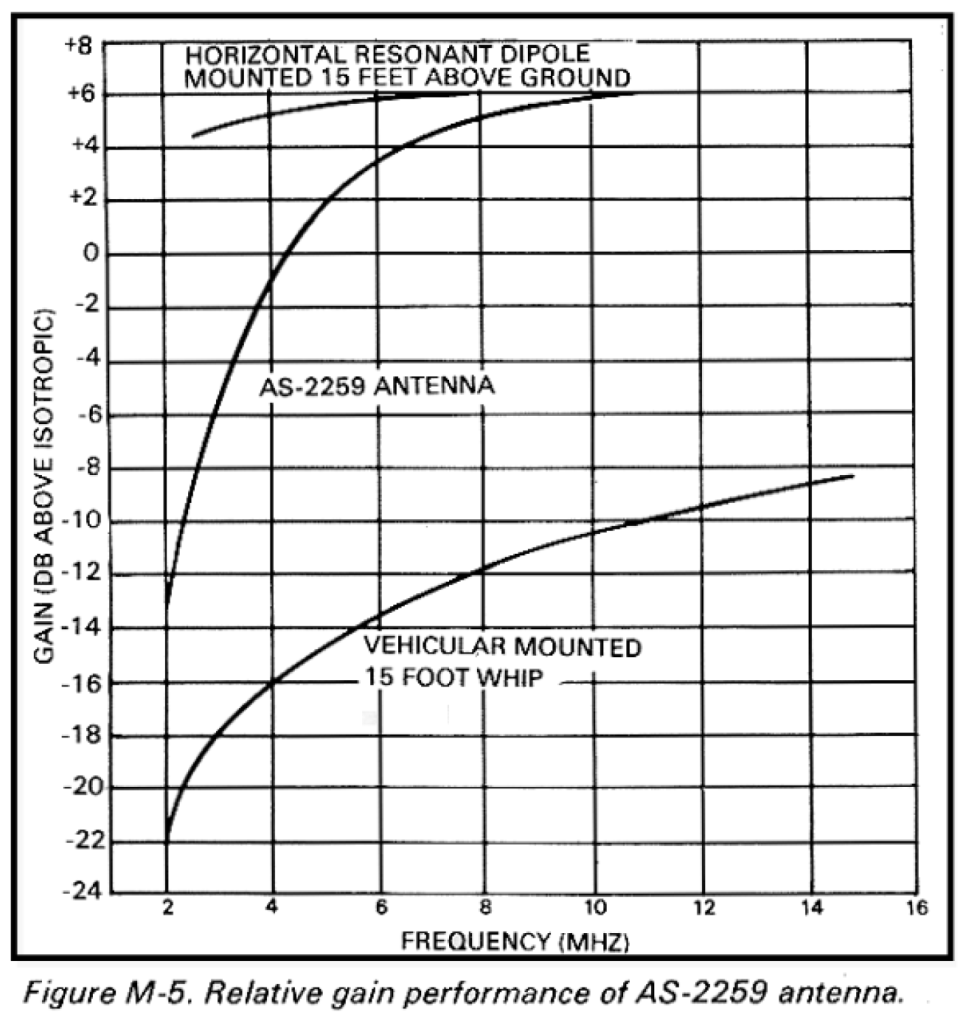
What about the AN/AS-2259? Good question. I built one back in 2007 and used it a few times. It can be a pain to set up and I am not sure the juice is worth the squeeze. Concerning the AS-2259 vs a half wave dipole: In most cases, a standard dipole is as easy to install and performs significantly better (NVIS).
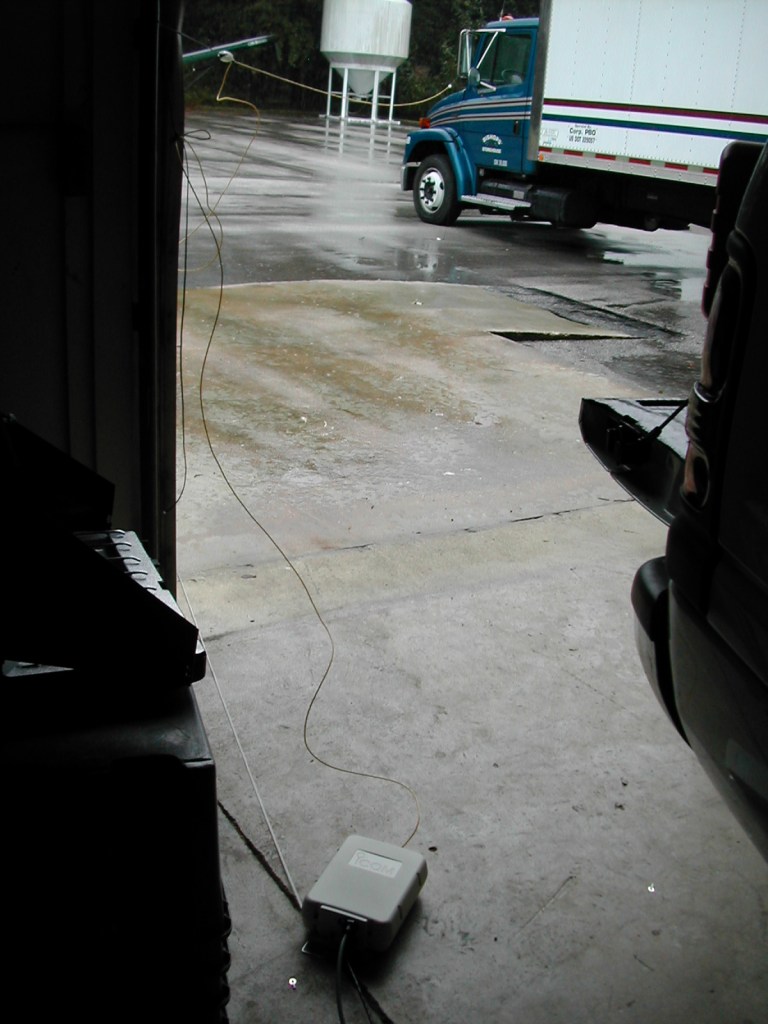
Height above ground. There are two components to antenna height – the part you see and the part you don’t see. The part you see is represented by the length of the mast holding the wire above the earth. The part you don’t see is the portion below the apparent surface through which the radio waves travel before reflecting. For very conductive ground, such as seawater, radio waves reflect on the surface. For poor ground, such as freshwater, radio waves penetrate many feet. An antenna lying on the surface of rocky soil, for example, might have an effective “height” of 40 feet or more. (NVIS) The second antenna is a military whip either 16’ or 32’ attached to a vehicle and used with a coupler. The whip is tilted horizontally away from the vehicle and the vehicle serves as a ground. This creates an asymmetrical dipole. These whips are hard to get and are often expensive. The whip can be replaced with a wire and the length can be extended to 60-100 feet or more and/or a counterpoise can be used. This is a similar setup I used in Jacksonville, FL back in 2004. Another variation of this antenna is Chameleon’s EmComm series. All the antennas mentioned work.
Remember an antenna NVIS should enhance near-vertical radiation and suppress ground wave radiation. Antenna 0.25 to 0.1 or less wavelengths above the ground should provide adequate or better NVIS performance. Any adventure into NVIS starts with a communications plan and propagation study. As I said at the beginning of this series, this is a Cliff Notes Version, enough to get you interested and going. One thing that must be remembered is that NVIS doesn’t always work, and the communications plan should include a contingency for using long path or other forms of communication such as WinLink. Thanks for your interest. 73 de Scott
One of the critical skills needed for successful NVIS operation is determining which frequency or band to use when or if NVIS propagation is even possible. Luckily, today there are online propagation prediction tools to help us. In order to use these tools we need to understand a few terms. Most of us know or have heard of the MUF and LUF, which stand for Maximum Usable Frequency and Lowest Usable Frequency. What a lot of us don’t understand is the MUF and the LUF frequencies tell us that the path will be open at the LUF or the MUF only 50% of the time (NVIS). What we need is the FOT or the Frequency of Optimum Traffic. This gives us a path reliability of 90%. It will frequently be about 50 to 85% of the MUF (NVIS).
To find the FOT, use a service like https://www.voacap.com/hf/ and input the transmitting and receiving stations. Then look for Best Frequency at the bottom of the map to find the FOT and viola! That and all sorts of other info are available. A couple of things to remember. NVIS typically happens below 8 MHz. If the FOT is above that, then NVIS propagation may not be possible. This website provides a lot of information and not all of it may be applicable to NVIS. Software like VOACAP is designed for long-path propagation for broadcast stations.
When preparing a communications plan whether for a weekly net or emergency communications, a propagation study should be completed. This will help determine which bands are best and when. Today 11/22/23 at 1845 hrs UTC, the FOT is 27 MHZ.
My first experience with Near Vertical Incidence Skywave (NVIS) propagation was during Hurricane Frances, in September 2004. We were bringing two tractor-trailers full of food and supplies to an area on the east coast of Florida. I was the EmComm Specialist, and my function was to ensure that adequate communications were available. I was new to this, and this was my second deployment. I recently purchased an Icom AH-4 to go with my IC-706 MKIIG. I was looking for something that could quickly be deployed and recovered while providing a reliable linkage. I also had some Hamsticks with me. The antenna was about 30’ of 12ga THHN wire and the counterpoise was about the same length of bare flat-braided wire. Before we reached our destination, we stopped in Jacksonville, FL to allow the hurricane to pass before we proceeded south. That evening, I deployed the antenna to test it. This was a hurried callout and I had little warning.
That evening, I called to check into our 75-meter EmComm net. I was amazed that I sent and received a 59-signal report from an antenna that was only about 6 feet off the ground. The distance between the two stations was about 300 miles! Back then, I didn’t know about NVIS, but I proved the concept. It works and it works well.
Today, there is a renewed interest in NVIS with Georgia ARES and Georgia AuxComm. I wanted to present a Cliff Notes version of NVIS to help others get a leg up on this form of propagation. Throughout this series, my two main references will be Near Vertical Incidence Skywave Communication, Theory, Techniques and Validation by LTC David Fieldler and Maj Edward Farmer, and FM-24-18 Tactical Single-channel Radio Communications Techniques. When I use a reference, I will abbreviate the (NVIS) or (FM24-18). Italicized text is a direct quote. What is NVIS? NVIS is skywave propagation where radio energy is radiated at or near vertical at a low enough frequency to be reflected by the ionosphere back toward the earth. This causes an omnidirectional pattern like a fireman’s fog nozzle pointed up (FM24-18). This pattern eliminates the skip zone allowing communications within a couple of hundred miles and because the path is near vertical terrain such as mountains can be overcome.
Typical propagation with Skip Zone
NVIS Footprint or Fog Nozzle pattern
What is needed? NVIS needs frequencies low enough to prevent them from penetrating the ionosphere (F1/F2). This usually means frequencies in the 2 to 4 MHZ region at night and 4 to 8 MHz during the day. This would include the 160-, 80-, 60-, and 40-meter bands (NVIS). Note: It is important that tactical and emergency communicators develop strategies for implementing medium frequency (160-meter) NVIS paths (NVIS). There will be more about this in the discussion about propagation. Also needed are antennas that radiate at 75 to 80 degrees or greater from horizontal and that suppress groundwave radiation. NVIS depends on skywave radiation. Because of the time differences between skywave and groundwave radiation reaching the receiving station, there will be some cancelation in the form of fading (QSB) which may be enough to reduce effective communication. I will have more information about antennas in an upcoming discussion. NVIS isn’t mystical, magic, or arcane – well maybe a little arcane until now. What successful NVIS operations need is a little effort from the participants. There must be some skill with equipment, along with some knowledge about theory such as antenna design and propagation. What it really needs is careful planning and an adequate communications plan along with practice. I have a couple of installments planned that should give the average ham enough specialized knowledge to be able to conduct successful NVIS operations. My one caveat for this section is that there will be times when NVIS will not work. Your communication plan should accommodate that.







 KK4Z
KK4Z 