West Georgia Amateur Radio Society Spring Fling

Saturday, the West Georgia Amateur Radio Society (WGARS) took to the field for the Spring Support Your Parks Weekend sponsored by Parks on the Air (POTA). WGARS is a pretty active club and one of the best I have belonged to. Besides local events like fox hunts and balloon launches (APRS), we take to the roads 4 times a year to a park. In the spring and fall we make the POTA Support Your Parks Weekend usually on a Saturday. For the winter and summer, we participate in Field Day and Winter Field Day.

Weather was cold, with fog. Temps were in the 50’s and not the mid 70’s predicted by the weather service. I was in shorts and a tee shirt. Luckily, I had a goretex windbreaker in the truck. Others had blankets wrapped around them.

These events are casual events for us. We normally do 3 things while out. We eat, we socialize, and we throw in a little radio along the way. This was no different. We had a picnic table full of food with hamburgers and hot dogs cooked on site by our President John WD8LQT.

Due to a lot of recent solar activity band conditions were interesting. John WD8LQT was runnning CW/SSB and I was running FT8 to reduce interference between the 2 stations. When I switched to 10 meters, I was working into Europe and South America and when I switched to 20 meters, I couldn’t get out of the Continental United States (CONUS). We each made a handful of contacts and spent a lot of time enjoying each others company.

For radios, John was runnning his Xeigu G90 at 15 watts into a EFHW antenna. I was running my IC-705 at 5 watts into my 28.5′ Random Wire antenna. Towards the end my radio developed a glitch and refused to transmit. I was using my iPad via WiFi to make the FT8 contacts and I think that connection caused a setting to change. When I got home and warm, it took me about 3 minutes to figure it out. I still had a pretty good day. Here is a QSO map from my station.

The goal of these event for our club is not how many contacts we make, but how much fun we have and a large part of that is enjoying each others company. Field Day is only a couple of months away — can’t wait.

Below is a short video. It is a little jittery as I had navigate around people and chairs etc. If you’re prone to vertigo, you may wish to skip this one.
Cha-Cha-Cha-Changes

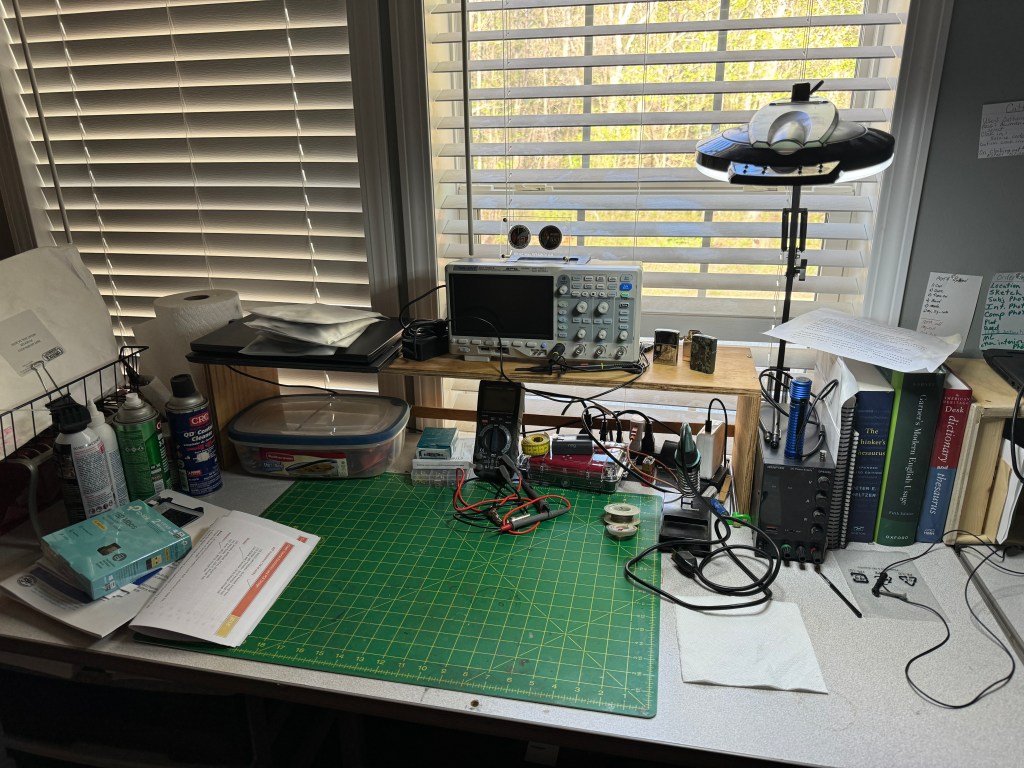
Change is inevitable. In this case my workbench. As I branch out into other fields of study my requirements for a workspace change. As I said earlier, I want to take the time and learn more about electronics. I’m not sure what I am going to do with it once I learn it — but that’s a story yet to tell. I recently added an o’scope to my quiver of test equipment. As I progress, there will be more to add. Looking at my current workbench (above) it was getting crowded and adding more equipment will quickly bring it to overflowing. Time to put on the thinking cap.

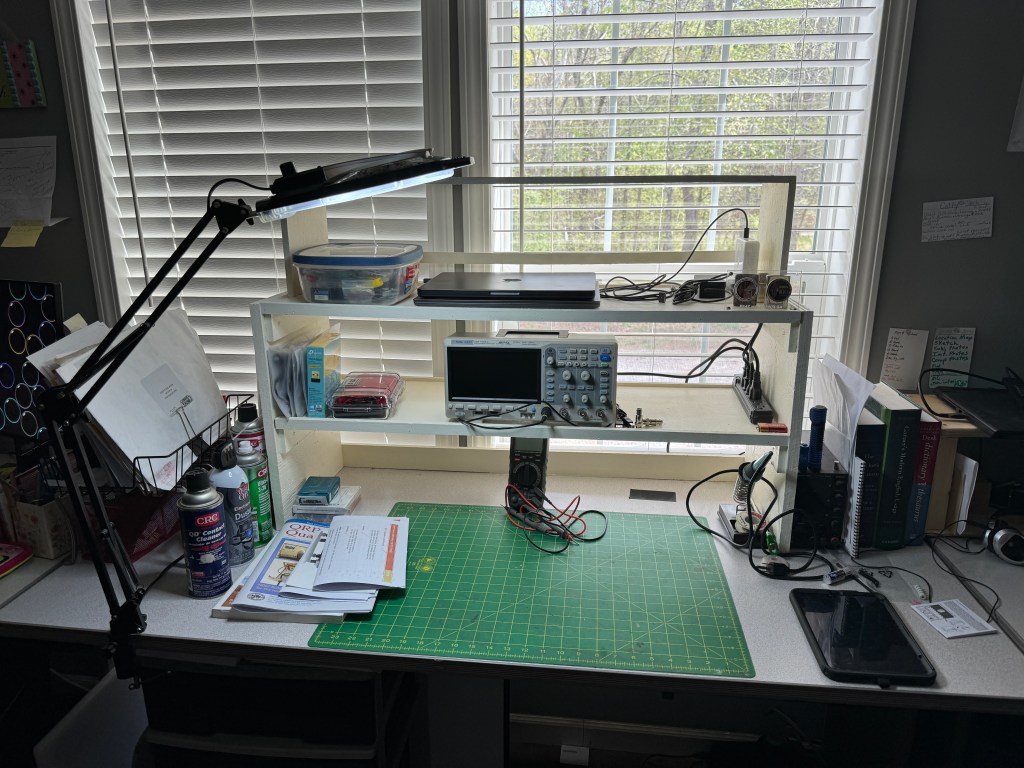
My first consideration was how to create more desk area. Horizontally, I am at my max so vertical was the only diredtion left. I decided I was going to build some shelving. I made a rough sketch and then took a trip out to my sheds. Using a mish-mash of plywood I was able to salvage enough from my scraps to build the shelves. The sides are 3/4″ CD plywood and the shelves themselves are 1/2″ premium grade. The shelves are 3′ wide and 12″ deep. vertical spacing is 8″ – enough for most test equipment. Some of the dimensions are a little off due to some warping of the plywood, but in general, the shelves are level and the whole unit does not wobble. Each shelf has a 1/4″ lip and the bottom of the shelf has a 2″ piece of plywwood across the back to prevent things from rolling where they shouldn’t. The shelf was glued, screwed and nailed using stuff I had on hand. The only thing I had to buy was some paint as all the stuff I had was dried out (I did look). I had to move my light to the other side of the bench so it would reach the work area. Fancy tools for this project included a table saw and a finish pneumatic nailer. The table saw is a godsend as it can quickly dimension lumber.

In the picture below, you can see that I now have more space with room to expand my test equipment. I believe next up will be an Arbitrary Waverform Generator with a Frequency Counter.

The third shelf was the original shelf shown at the beginning of the post. It was painted and repurposed. I will probably store my laptops up there.

Because the shelves are open in the back, they still let a lot of light in. I haven’t gotten my parts from DigiKey yet so the building/experimenting part is on hold. However, I am pressing forward with the written/video portions of my class.

Thanks for stopping by and checking out my (mis)adventures. When time permits I try to get on the air for a little CW fun. First quarter 2024 has been real busy, hopefully it will smooth out. Unitl next time 73-Scott

Shack Shake up and a New Cootie Box

I’m still a little land-locked but as my wife continues to improve after her surgery, I will be able to get a away. That hasn’t stopped me from tinkering in the shack and playing radio. Today I graduated from CWI and I am now an Alumni. For those wishing to improve their CW Skills, I recommend attending CW Innvations https://cwinnovations.net

One of the things I did today was shake up the shack a little. I had the Elecraft K3 installed at the home QTH. As I looked at the radio, I realized that it looked and felt out of place. In reality it is the best field radio I have and with that in mind I pulled it off of the desk and put it in a travel box. I like to take this radio out for my local club events like Field Day, Winter Field Day and the Support Your Parks on the Air Weekends. In its place I moved one of my IC-7300’s to the desk. The 7300 is a very versatile radio capable at home or abroad. The 7300 compliments the IC-7610 as they operate in a similar fashion.

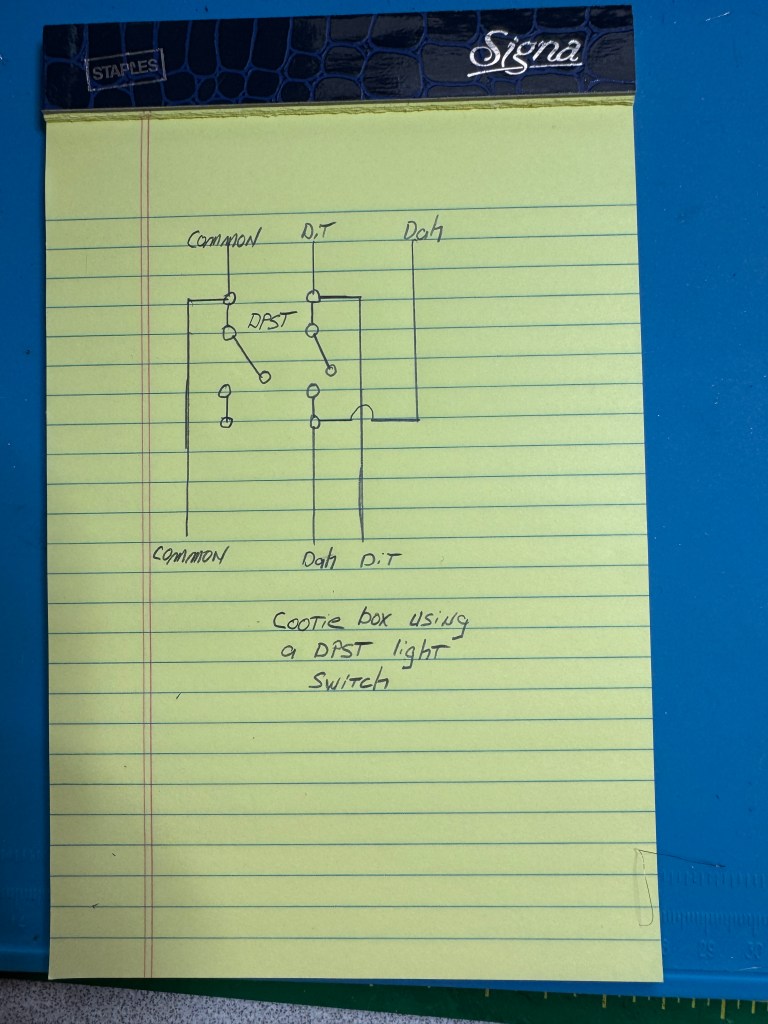
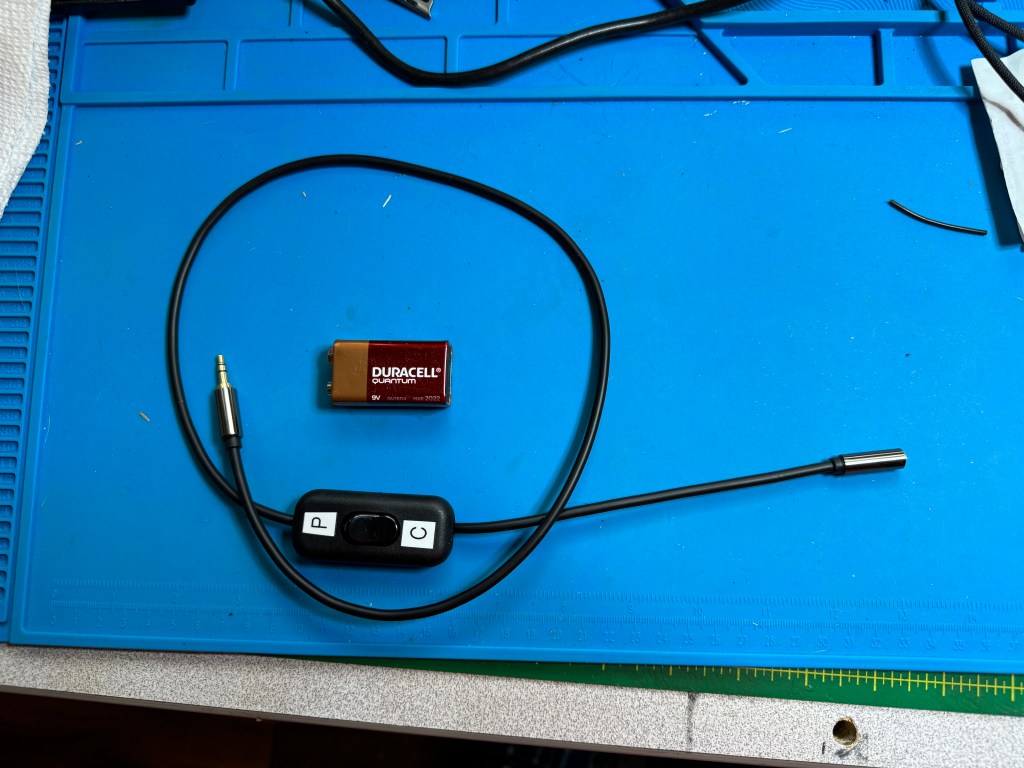
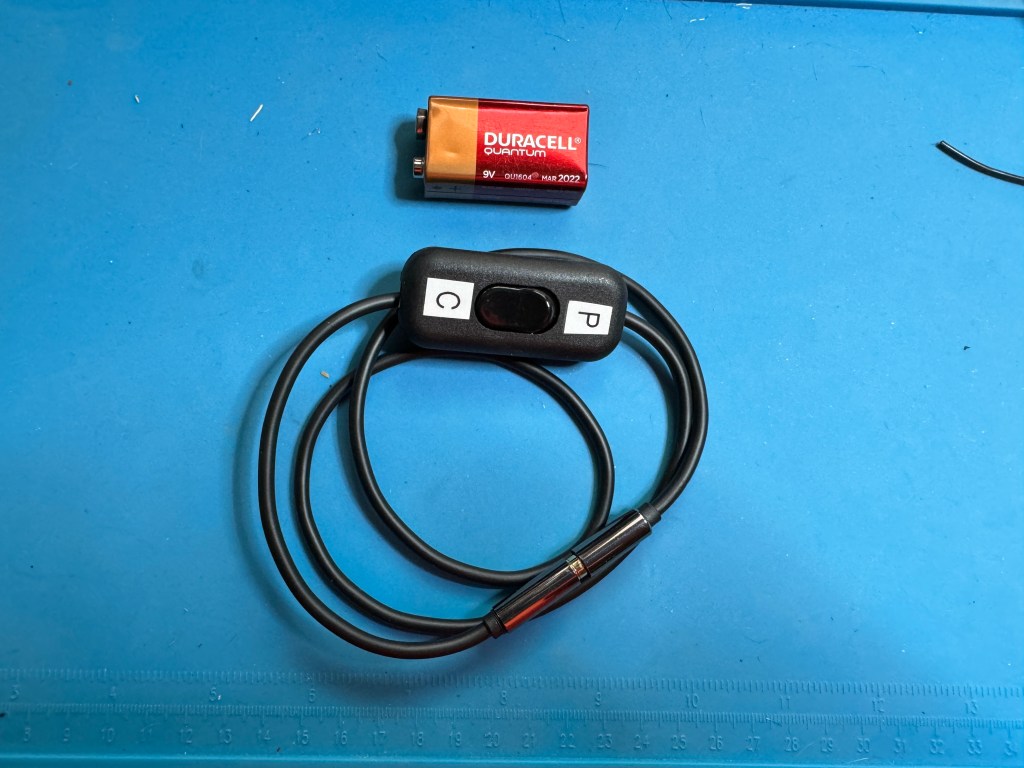
I also made another version of my Cootie Box using a DPST light switch and a 1/8″ TRS plug cable. It cost about $15 and 30 minutes of time. Parts are from amazon:
Stereo Cable
DPST Light Switch
No soldering required as the switch has screw down terminals. Here is a shematic:

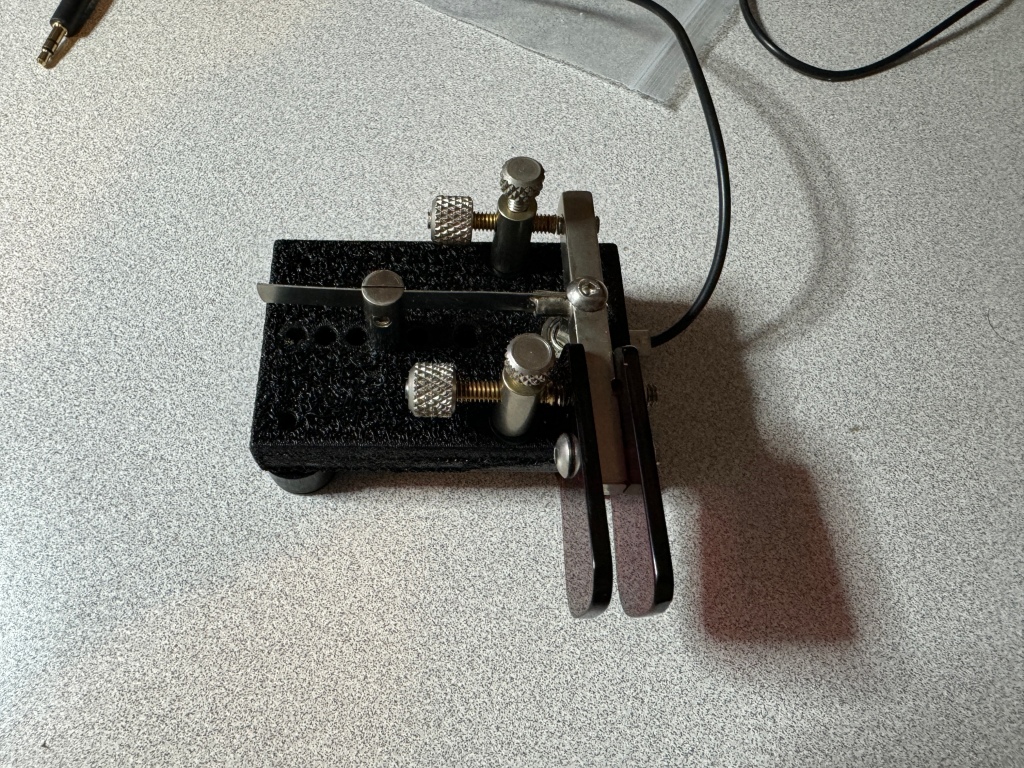
I have a male end on one side and a female end on the other. I have some paddles with the cable attached so having the female end is for convenience. The cootie box is not much bigger than the cables I normally use.

Having a male/female end allows me to coil it up.

This Cootie Box is small enough to take anywhere and allows me to work straight key events without having to bring an extra key with me. The switches I bought come in two’s so I may make another one. 73 — Scott

Another case of the doldurms

I’m in the doldurms again – radio doldurms. This time it is due to my wife having a hip replaced. It happened quickly. She saw the doctor one day and a week later she had a new hip. Over the years, recovery times have decreased but there still is a recovery time. Each day she gets a little more steady on her feet. The caveat is, I still have to do a lot of things around the house. Yes, she is worth it.

I haven’t been on the radio much. I mostly turn it on to do some head sending for my CWI class and sometimes I listen to a QSO. I try to make my codebuddy skeds as long as everything else in the house is copasetic. I try to do some of the CWI exercises at night when things quiet down. I am still doing the things, at a slower pace.

I have goals I want to attain. While in the doldrums, I have switched from my bug to a singlepaddle/sideswiper. I also use paddles and I found it difficult switching from the bug to the paddles. The bug requires a heavier hand, especially on the dit side. You have to hit it a little harder to get the pendulum vibrating. A sideswiper has a similar feel to a paddle. One thing to note, is I cannot set the contacts on a sideswiper as close as I can on paddles. It tends to mush the dits and dahs together. I am currently using a KN4YB SL-85 sideswiper. It has a shorting bar so you can use it as a single lever paddle or a sideswiper.

One negative about using a single lever as a sideswiper is it bothers my arthritis. I have it in my fingertips and it can get painful after a while. I may switch to a cootie key that bends and softens the contact. I have spent most of my CW time with paddles using a keyer. I thought in retirement I would give a straight key a go. I have been practicing and I am using my code buddies as crash dummies. They report that I am doing a pretty good job. One of the reasons I am trying a straight key, is I have 4 nice county parks in my county that are not POTA regulation. My nearest POTA parks are about 45 minutes away. So I joined SKCC and when life gets a little more normal around here, I want to start working on SKCC from home and portable.

Another goal I have is to become more conversational in CW. I have close to 2,000 CW contacts in POTA but they are just exchanges. It’s the reason I am taking a CWI Class. I want to have pass-the-time-of-day QSOs on CW. Right now my code buddies and I are around the 20-25 minute mark for a QSO. We are operating around 17 wpm. POTA exchanges I can do at 22+ wpm.

The good thing about CWI is the end of the class is not the endgame. What CWI does is give you the tools to practice and teaches you how to use them. They teach you how to diagnose any problems you have and what tools to use to fix them. Even though I am a little behind right now, when my life returns to more normal, I will be able to continue my studies.

Finally, I wish to get my code speed up to 25-30 wpm. I am one of two CW ops in my club and usually do CW during the Field Days. I am okay at around 25 wpm or so when searching and pouncing however, I would like to be able to run and hold a frequency. Once life returns… I have plans to participate in some of the CW activities such as CWTest, and I may try for a CWOps number. That may be a ways a way.

That’s the long and the short of it. I hope to see y’all out there once QRV becomes more of a reality. 73 – Scott

Cootie Box

Sometimes you got to go both ways. I recently decided I wanted to do more straight key stuff and I setteled on a sideswiper as my weapon of choice. However, I am still much more proficient with a set of paddles. Often when I go to the field for activities such as Field Day (both) or POTA/SOTA I use paddles. Now that I’m gearing up for the Straight Key Century Club (SKCC), I want to have the opprtunity to make SKCC contacts also. I do own one sideswiper key from KN5YB, Tom makes nice keys and I like the one I got from him very much. I did realize that the feel between a sideswiper and paddles is very close and since I have some nice paddles, why not make them work like straight keys.

To make a paddle into a sideswiper all that is needed is to short the Dit and Dah contacts together. This can be done with a jumper or my cootie cable https://kk4z.com/2024/01/26/cootie-cable/. While these work, I wanted something a little easier to switch back and forth so I came up with the Cootie Box. Inside is the cootie that makes the magic.

The circuit is very simple.

It only takes a few parts.

These can be found on Amazon:
Project Box
3.5mm Stereo Jacks
20 ga Wire
Note: 20 ga was far too big. 24 or 26 ga. would be better
SPST Switch
I also used solder and some heat shrink I had on hand.

I connect 5 wires on one of the jacks 2 for the Dit and 2 for the Dah contacts. One of each goes to the other jack and one of each goes to the switch. The fifth wire is the common. Since I had wire that was too big, after I cut away the insulation on the Dit and Dah contact wire, I separated the strands into two groups. I then cut the insulation off of the wires that goes to the switch and attached them to the contact wires.

I soldered the two wires together and then trimmed them before I attached the other tail to the jack. I used heat shrink to insulate the connections

Before you go any further, feed the one jack you finished soldering through the project box and thread one nut with all five wires and fasten the jack to the project box. Then thread the nut to the other jack with the three wire that go to the opposite jack. Do not thread the switch wires through the second nut. Pass the wires through the hole in the project box and solder them to the opposite jack making sure you have the Dit and Dah contacts wired correctly or they will be reversed (trust me on this one).

With the switch wired and soldered it should look like this.

Wire and solder the oppsite jack, put together, label the switch and Viola! Cootie Box.

It does not matter which end of the Cootie box is plugged into what – completely reversable. One thing I like about the box over the cable is I feel the box is more durable.

Here is a short video of the Cootie Box in action:

Carlos Goes Under the Knife

Carlos is my Elecraft K3…”cause he’s so smooth”. I’ve had Carlos since June, 2023. He came to me as a basic 10 watt K3. He had the 144 MHz K144XV, the KXV3 interface option and 2, 5-pole filters. I got the radio in a trade. Owning a K3 always lingered in the back of my mind, so I took the trade. That started my journey.

Carlos has gone through several iterations since I got him. First I swapped out the 2, 5-pole filters for 5, 8-pole filters (2.8 KHz, 2.1 KHz, 1.0 KHz, 400 Hz, and 250 Hz). Second, I added the KAT3 autotuner. I wanted the internal tuner so I would have less stuff to fool with when using antennas like my random wire. My next upgrade was to add the KSYN3A synthesizer and KIO3B interface. This brought my radio up to a K3S. Finally, I added the KPA3 – 100 watt internal amplifier. I wanted the amp for a couple of reasons. I enjoy Winter Field Day and ARRL Field Day with my club, the West Georgia Amateur Radio Society. I am currently one of 2 CW ops in the club so I usually run CW to help with multipliers. The QSK, the filters, and the ability to run near other radios makes it a no brainer. Also, when I operate portable while camping, I like to run a little more power than QRP; usually in the 20-35 watt range. That is more than enough power for CW. I did all the mods myself and found them pretty straight forward. Elecraft did an excellent job kitting and making the instructions. The couple times I had an issue and they were mine, Elecraft did an excellent job helping me work through it. I did have to send it in last year because of a goof I made, but while it was in the shop, they completely went over the radio and brought it up to spec.

Carlos does scratch a couple of itches. To me, it is like owning a vintage car. It has a nostalgic look and feel about it. The radio was produced from 2008 until about 2015 when the K3S came out. Mine is a later edition with the serial number 8640. The radio is a generation or more older than the current flock of radios. Like a vintage car, I may have more money into it than I should have, but if only accounting for the enjoyment factor, it is money well spent.

I was first licensed in 1995 and my first radio was an old TenTec Omni D. The K3 has a similar look and feel as the old TenTec allowing me to reminisce about all the fun I had as a Tech+ making my first HF contacts using CW. During that time I worked second shift. When I came home from work at night I was able to slip on a pair of headphones and make contacts wihtout disturbing the family until I was sleepy enough to go to bed. My first DX contacts happened then. The K3 gives me the form factor of the older radios with the performance of the newer radios. One other difference is the ergonomics of the K3, which is best in class.

I was considering acquiring an older radio for fun and the K3 fell into my lap. It has become one of my favorite radios. I use it portable for things like POTA and Field Day. Because of its QSK, it is my favorite CW radio. When not in the field, it resides on my desk as a part of the home team. I have a set of paddles and a sideswiper hooked up to it. Hopefully I will get some time today to have some CW fun. 73 — Scott

KN4YB DL-151RA Bug

I am still very new to bugs. This is my first one ever. I set it up by myself after watching a 5 minute video from Tom KN4YB. I am sure that with practice and experience I can tune the bug even more, but for a beginner, I was able to get the speeds from 13 to 30 wpm without much issue. 

Because I can change speeds fairly quickly, it lends itself to activities like SKCC where there is a wide range of operator experience. I try to match the speed of the other party as best I can.

Here is a short video showing how I set up the bug for different speeds. This is by no means the only way to do it nor even the right way. However, It could be considered a good baseline for others like me just getting started. 73 — Scott

Bit by the Bug

Over the past couple of days I have been trying my new keys. One is a bug and the other is a single lever/sideswiper. I kind of switch back and forth between then as well as use my paddles. I am the zippyest with my paddles so far. So here are some of my first impressions.

Single Lever/Sideswiper. It’s okay. Coming from years of paddle use, it seems it takes more effort to run a sideswiper. Between my paddles/keys, it is the slowest. I can run around 17 wpm. I also seem to be more error prone. In single lever mode, again it’s okay. I have trouble in my head switching from sideswiper to single lever. I could probably train out of it. I think the bottom line is, if I continue to use the key, it will be as a single lever.

Next up is the bug or semi-automatic key. A bit of history. Even though I wasn’t licensed until 1995. I built a Heathkit HW-8 in the early 80’s and was interested in amateur radio since the 60’s. Back then there weren’t electronic keyers or paddles. I was very enamored the Vibroplex key. I thought they were so cool. When I finally got licensed I started out with paddles. The philosophy I followed was start with the key/paddle type you intend to use from the beginning. I have been a paddle guy since 1995 until now. With my venture into SKCC, I needed a key. I was always a little intimadated by bugs. They were complex, had to be set-up and required additional skill to run one. I held off until now. 

I was in for a pleasant surprise, I got one of Tom’s KN4YB’s bugs and after watching a YouTube video by him to help me set it up. I was off and running. 

The conversion from paddle to bug was pretty easy. I was worried about my dah spacing after hearing some not-so-good bug operators, but what I discovered was my years of paddle use kind of ingrained my dit/dah spacing in my head.

After some practice and adjustment I tried the bug on my code-buddy. I did forewarn him I was using a bug for the first time. I set the bug for about 17 wpm. With my current setup,by moving the weights, I can go from 17 to about 21 wpm. By altering the setup, the bug has a range from 13 wpm up to about 40 wpm. I started the QSO, and afterwards, I called him on the phone for a critique. He said he wrote down my side of the QSO and only missed one letter. It was an “S” for an “I” in the word rain. That was also an SKCC contact (my first) and I passed my SKCC number to him. Besides being able to run the bug at the same speeds as my paddles; I am comfortable with the bug at 20 wpm, it also seems easier to transition from bug to paddles and back.

It appears I am bitten by the bug. My IC-7610 and my K3(s) have both a straight key and a paddle input so I can leave both hooked up at the same time ready to go. I am in a CW Innovations class and one of my goals is to get my copy speed above 25-27 wpm. Those speeds are very doable with the bug and the paddle. Because of the size and design of my bug (model DL-151RA) It is easily field portable. I am going to get a small padded case for it and take it to a park.

A new key, a new venue, and a new adventure awaits. Retirement is grand. I am having a blast. Stay safe, play nice and 73 — Scott

The King is Dead, Long Live the King

Yesterday, I decided to list my Yaesu FTDX10 on QTH.com. Surprising to me, it sold in a couple of hours. I got my asking price and the guy I sold it to has been helpful and communicative. The radio ships out Monday morning. 

I am going to take the money and get the KPA3A 100 watt amp kit for my K3(s). It is currently a 10 watt radio. I put the 3 in parenthesis becuase my radio is a converted K3 to the S. I plan to use the radio in the shack and for field days. I mainly do CW these days and the QSK on the K3(s) is sublime.

Speaking of CW, I recently received 2 keys from KN4YB. He is a one man shop that makes Bugs and keys. I was intrigued by his designs and bought a couple to try out.

The first one is a bug, model DL-151RA. It is unique in that it is a dual lever. It has one paddle for the dits and one paddle for the dahs. By moving the dit weights, you can adjust the dit speed from about 13 wpm up to 40 wpm. Mine is set around 16.

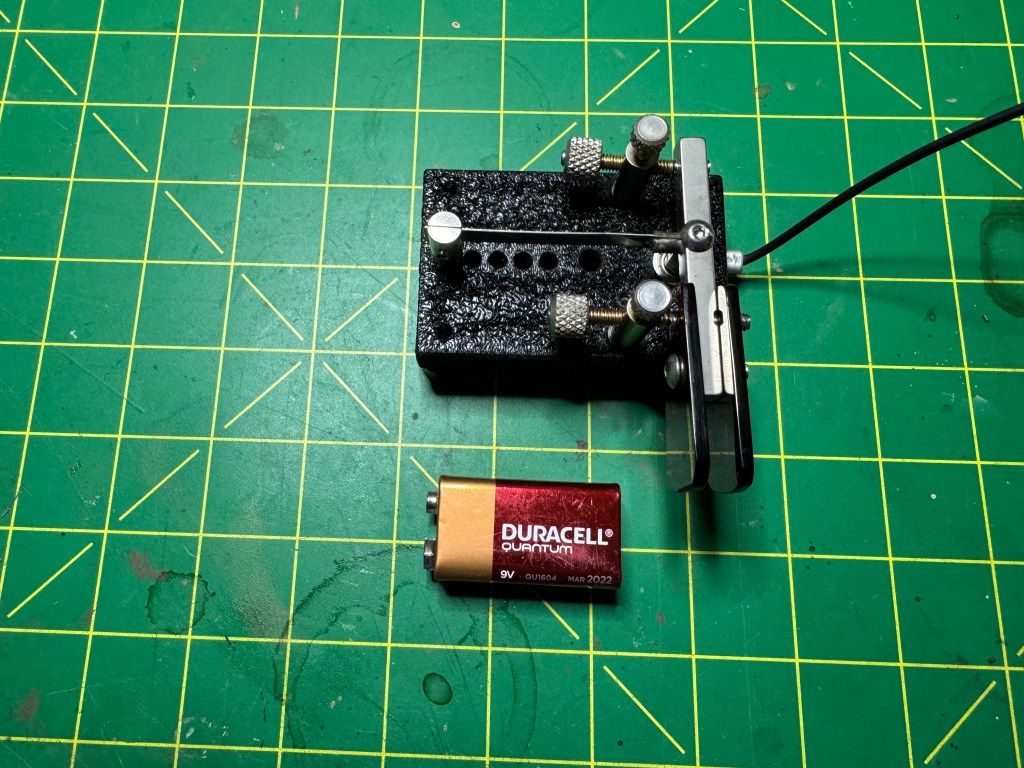
As you can see, the bug is rather compact. I have it sitting on a silicone pad on my desk and it does not move.

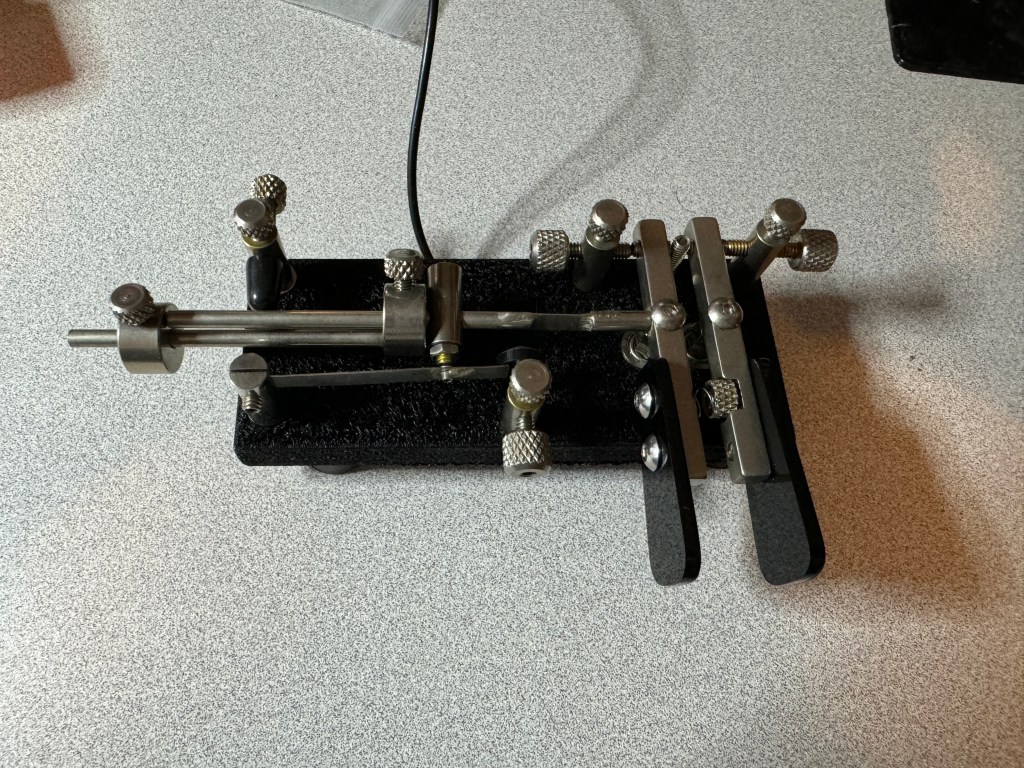
The other paddle I got is a Single Lever Paddle/Sideswiper. The difference between a single lever and a sideswiper (also called a Cootie Key), is a single lever paddle is used with an electronic keyer where the keyer generates the dits and dahs automatically. Note: I use the term paddle to designate a key that uses an electronic keyer and a key to designate a straight key. A sideswiper is more like a straight key where the dits and dahs are generated by hand movement. This model, the SL85 has a shorting bar which allows you to set it up as either a single lever or a sideswiper.

It is also a compact key. The workmanship is excellent and the prices are reasonable.

I started my journey into mechanical keys as the civilty on POTA seems to have taken a turn for the worse. Not as bad as SSB but not like it used to be. I decided to give the Straight Key Century Club (SKCC) a try. They only allow straight keys, sideswipers, and bugs, keys where the dits and dah are formed by hand or mechanically. My fascination for CW goes back to the 60’s. I thought bugs were very cool and wanted a Vibroplex. I wasn’t licensed until the mid 90’s and then chose an electronic keyer. My first set of paddles were Benchers. This is my first experience with straight keys.

I spent time with both keys to see which one I was most comfortable with. I went with keys that had a side-to-side motion as that was my experience. I was curious to see how well I could transition from paddles to straight keys. The answer is, not to bad. I think my years of using paddles has helped me with dit and dah ratios. The ratio is already ingrained in my head. Right now, between the two keys, I am doing better with the bug, which surprised me. However, I think over time and practice, I can gain some level of mastery over both.

What about my paddles? They are not going away. I can still send faster with the paddles and will probably use them for Field Days and some contests. It will take me a while to be proficient with keys. Setting up the bug is an art all by itself. So I am off to a new adventure. My code buddies will now have a new challenge as I try to improve my key skills. 73 — Scott

Culling the Herd

I feel I have too many radios. It’s better than having too few, but I have more than I need. The radios I have are not getting enough use even in a round robin. In the past, when I let radios sit too long something happens. Usually it’s corrosion somewhere and once discovered, a simple cleaning is in order. But I have had cheaper radios go dead on me. I like to use my radios enough to keep them healthy. I didn’t plan on all these radios; they were acquired through deals and trades I didn’t expect. But the bottom line is at least one has to go.

The radio I chose is my Yaesu FTDX10, Sheldon. I’ve owned the FTDX10 for about a year and a half. I’ve had a love/hate relationship with it. It is a good performing radio and I enjoy using it for casual CW like hunting POTA and for the past year or so and has been my back-up radio in the shack. I used it every other month switching between it and my IC-7610. While it’s a nice radio, Most of my gear is Icom centric and I feel that the ergonomics are better on the Icoms. Obliously, I like the radio enough to have kept it for a year and a half but, something has to go and I chose it. The radio was used mostly for CW and was run at 50 watts or below in a non-smoking environment.

I will probably replace it at the QTH with my K3(s)/10. This radio was a surprise trade and I have upgraded it from a K3 to a K3S. This is a radio that deserves more use than it has been getting. I was using it as a field radio, but it really belongs in the shack.

The FTDX10 is for sale, I will post an ad on QTH.com. It comes with the microphone, power cable, 300 Hz crystal filter, Portable Zero Rails, an SPE linear Amplifier Cable, and manual. I am asking $900. I prefer a local pickup/delivery. If shipped buyer pays shipping either USPS or FedEx. You can email me a sroyle@live.com. Low ball offers will be ignored.

Thanks to all who visit this website and associated YouTube Channel.