DF’ing the QRM

The other day in the early evening I suddenly got a 10 over S9 signal on my radios. Depending on the frequency I am on, commercial/government stations will test their radios by running a carrier for a couple of hours. That is what I thought it was. However, in the morning, it was still there and I began to think it was powerline line interference instead. It was a steady signal and was approx. 60 Hz. I decided to see if I could find the cause and report it to the power company.

I first tried going out with my handie-talkie, but it wasn’t accurate enough. The meter didn’t have enough range to really pinpoint the source. One of the problems with powerline QRM is it is transmitted through the powerlines and it can seem like it is coming from different poles/transformers.

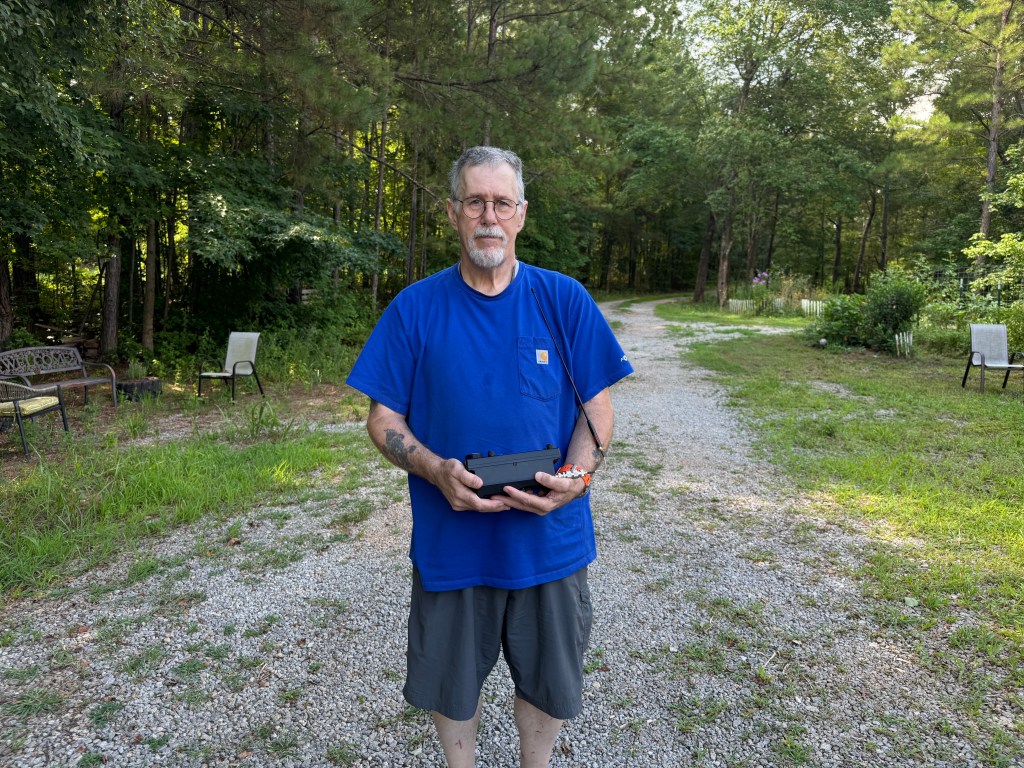
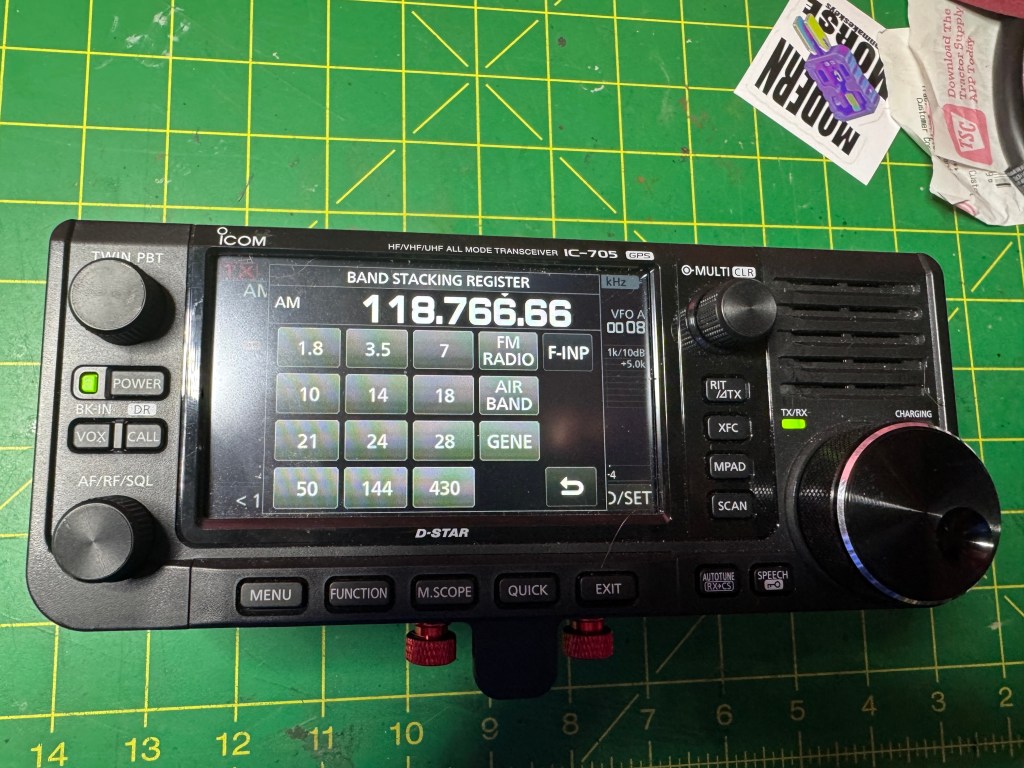
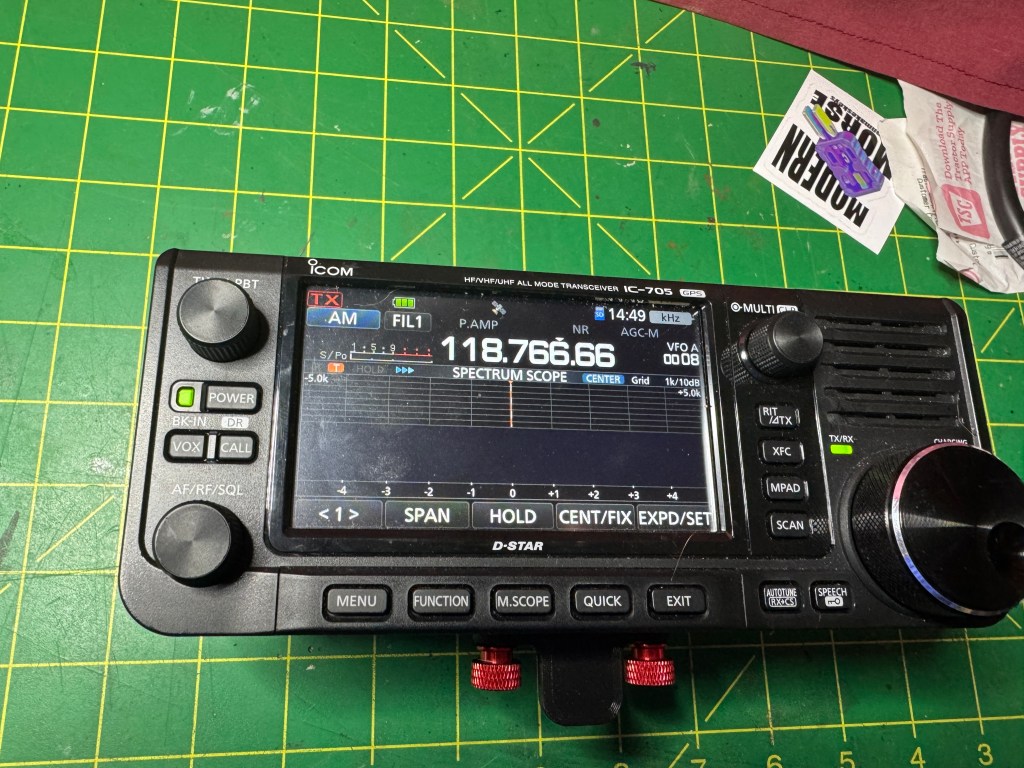
My next setup used my IC-705 with my handie-talkie antenna. I set the IC-705 to airband (AM) and went walking down the street. I used my body as a shield to find the nulls. This worked fairly well and helped me to narrow down the location of the source but it was still too sensitive. In the photo below the HT antenna is on my left side near the shirt pocket.

My third attempt was to use an old Fox Hunting Yagi antenna. This did the trick. I walked up and down the street a couple of times holding the 705 in one hand and the Yagi in the other. The Yagi gave me enough side to side rejection to locate the source. I used the Yagi in the vertical orientation and for more attenuation, I turned it horizontal.

The problem was coming from my neighbors transformer. I called the power company and in about 30 minutes, I had a repairman at the house. Fifteen minutes later and the noise was gone. The power company in my county has excellent service. Even though we live outside of city limits, they have always been quick to get our power restored. 73 de Scott

A New Widget/Gizmo

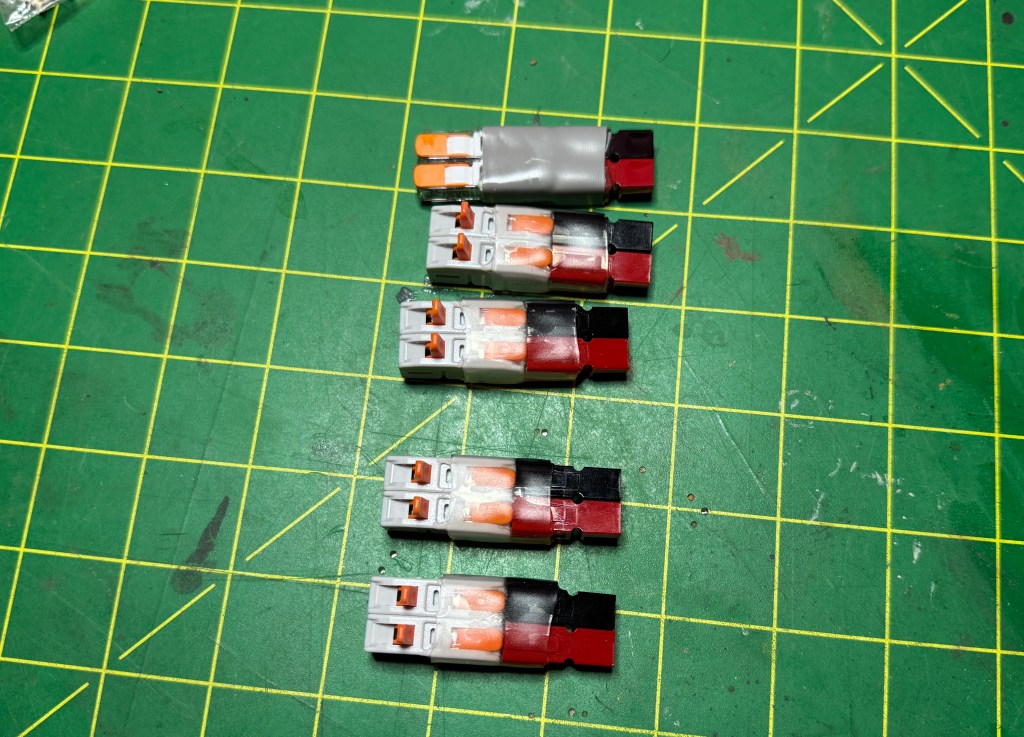
I picked this up during Hamcation last year. I thought was interesting. It allows me to quickly hook up a set of power wires to Anderson Power Poles. I recently found it useful when my FTX1 arrived and I wanted to hook it up to my power supply. Ten seconds later and I was good to go. I found over the past couple of months I used these quite a few times.

My quandary was I bought it from a booth at the hamfest from a vendor whose name I couldn’t remember, how much it cost, and even what it was called. So I thought I would try to recreate it. An Amazon seach found these.

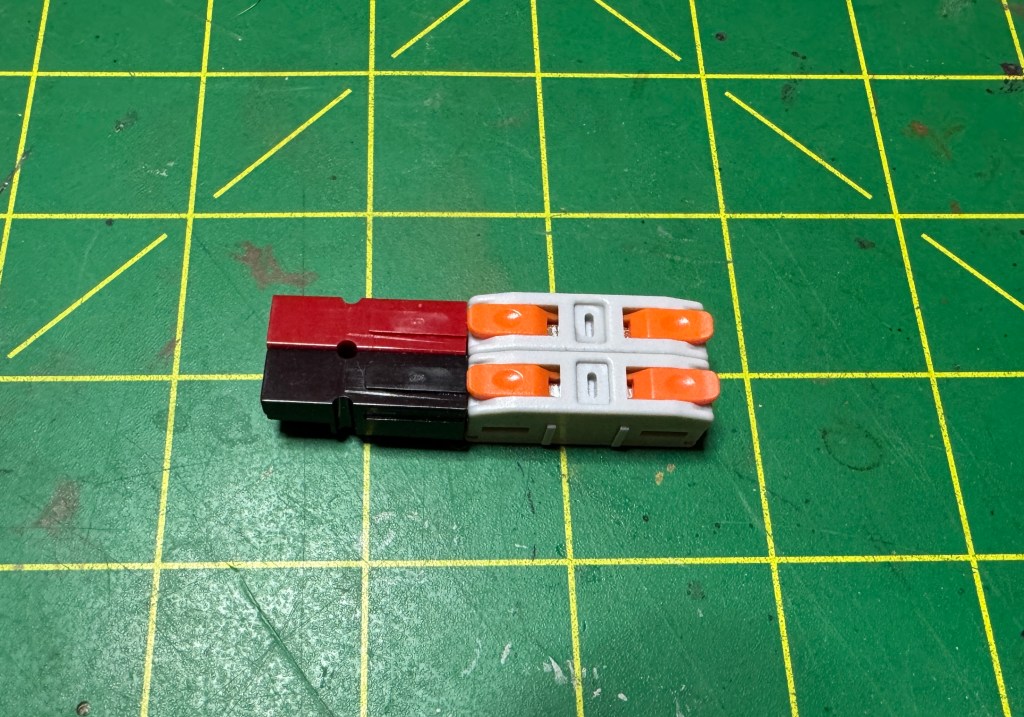
Wire Connectors Putting it together I used 1″ 12 ga. solid copper wire and standard Anderson Power Poles. These connectors will handle wire from 24 to 12 ga. Putting everything together they look like this.

From here I dabbled some Clear Gorilla Glue to hold everything together and I used some clear heat shrink from a prior project. The fnished product looks like this.

I made enough to put with my various radios. I started using Anderson Power Poles about 20 years ago when they first showed up in the EmComm community. I know folks have a love-hate relationship with them. I love them because they can prevent cross wiring an expensive radio to a power supply. Today’s pricing they are about $1.25 a set, cheap insurance.

Now if I have a friend that does not use Anderson Power Poles, I can hook him up (literally). I think I spent about 30 minutes making these. A little something to make life easier when everything around you may falling apart. 73 de Scott

IC-705 vs FTX1 receiver part 3

To some, this part of the test is where the rubber meets the road. For this portion I hooked both radios up to the same antenna and used an A/B switch to go back and forth between the radios. The signal source came from this morning’s CWops CWtest, a weekly one hour sprint. many of the signals are under 500 Hz apart and there are usually weak and strong signals in the mix.

I recorded about 5 minutes of the CWtest switching the radios back and forth approximately every 30 seconds. I made a YouTube video which I will post below. While I was recording I sat directly behind my iPhone so keep that in mind that my comments are from live first hand experience.

Receiver. Before the test, I had both radios turned on and attached to the antenna. When switched to the IC-705, I could hear faint CW signals even though the S-meter or the waterfall were not showing any indication of a signal. When I switched over to the FTX1, I couldn’t hear the signal. generally speaking, I feel that the IC-705 has a slightly lower noise floor than the FTX1. Both radios have good receivers and it would take an experienced ear to make use of the lower noise floor.

Filtering. I set the radios up the same: CW mode, no RF gain, DNR set to 2, filter width set to 250 Hz, and waterfall to 5K on each side. When the test started, I found a weak signal that had a strong signal next to it, approx. 300-500 Hz away. Both radios did a very good job even though both had some filter ringing. The desired signal was still clear and easy to copy. About halfway through, I swapped and found a strong signal with a weak signal nearby. The weak signal was about 300-500 Hz away. this time there was no ringing and the desired signal was easy to copy. Both radios performed about the same.

Audio. The FTX1 has more audio, that’s the best way I can put. It is louder, and sounds more full than the IC-705. To my ear, the audio port design, volume, and frequency response appear to be geared toward SSB and FM. However, the CW signals out of the IC-705 sounded clearer and more distinct. This may due to the smaller speaker acting more like a tweeter making the higher pitched CW signals sound clear. The FTX1’s CW sounded a little muffled. For me, when I operate CW I am usually wearing headphones or earbuds.

Summary. Performance wise, you can’t go wrong with either radio. If you are the audiophile type, the FTDX1 might be a better choice. CW ops might like the IC-705 better. I will post the YouTube video below once I get it uploaded.

FTX1 vs IC-705 Connectivity

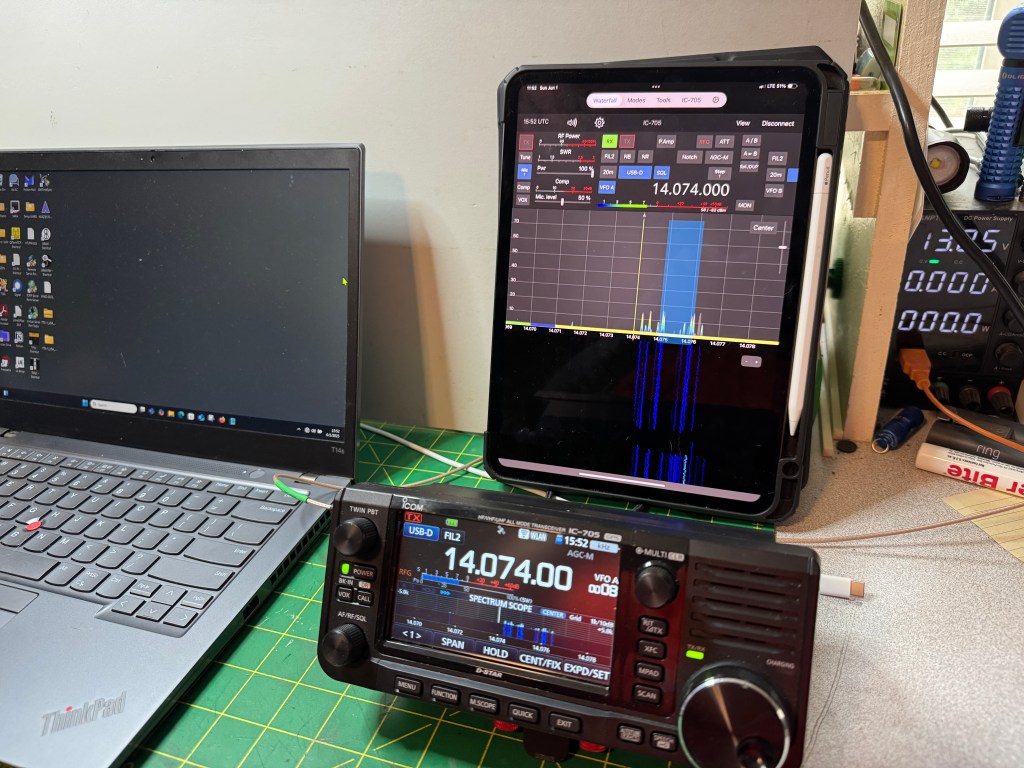
This morning I wanted to explore connectivity with the FTX1 and the IC-705. Right off the bat, the IC-705 comes standard with Bluetooth and GPS while the FTX1 requires a separate purchase for each. The Bluetooth unit cost $55 and the GPS cost $70. the IC-705 has one additional feature in that it also acts as a Wifi access point to allow you to control the radio via iPhone/iPad apps like SDR-Control SDR Control Website. With this app I can operate FT8 and CW. It has message memory and logging. The Wifi on the IC-705 is not intended for internet connection.

Getting back to the FTX1, it took a little figuring but I got it running FT8 on my Windows machine. The FTX1 is so new that there isn’t any control configurations out there on apps like WSJT. A little tinkering and I got it to work just fine. Here are the setting I used.

You want to use the enhanced com port. I also ended up using a USB C to USB A cable instead of a USB C to USB C. I was having trouble getting the latter to work and it may have been something on my part to cause it not to work. I will fool with it some more later.

UPDATE: I was able to get the radio to work with a USB C to USB C cable. However, something I missed was while WSJT software will Xmit and Receive, it will not QSY the frequency on the FTX1. I tried this with FT-891, FT-991, and FTDX10 CAT Command sets in WSJT. Usually with Icom’s there is enough compatibility between the radios that the CAT setting from one model will work with another. An example would be the IC-7610, it is pretty cross compatible with the IC-7300 command set. Hopefully this will be addressed soon.

On the IC-705 you can output GPS data through the B port. This can be used for different things, I use it sync the time on my laptop when I am using one. As far as I can see this feature is not planned for the Yaesu.

The Yaesu is still brand new, I had it 2 days and there was already an update. I am sure as the product matures, more features will be added. I like the radio; it has a certain fun factor. If someone asked me today, if I could only have one, I would pick the IC-705. But that is today, tomorrow as the FTX1 is refined, I may change my mind. In between, I plan on having fun with both. 72 de Scott

IC-705 vs FTX-1 Power

In this post I will take a look at the power requirements of both radios. Again, this is not a detailed in depth scientific experiment, more in line with what the average user would do with equipment he/she may have on hand. One of the first things I did was hook the radios up to a power supply, in this case a Samlex SEC-1223BBM and I used one of those generic power meters. At idle:

That was surprising! The Yaesu uses 155% more power at idle than the Icom. One possible way to look at that is the IC-705 with a 3.3 Ah battery may have the same operating time as the FTX-1 with a 6.1 Ah battery. This makes the Icom even lighter because it needs less battery.

Next I hooked the radios up to a dummy load and Bioenno 3 Ah battery and did a key down at 5 and 10 watts to measure the power consumed. First at 5 watts.

Interestingly enough, the IC-705 is more efficient in its power usage. It is 340 mAh less than the FTX-1. Moving on to 10 watts.

The Icom again is more efficient being 240 mAh less power draw than the FTX-1. What does this mean? I think in rough terms a 3 Ah battery with the IC-705 will give you approximately the same operating time as a 6 Ah battery for the FTX-1. If you are a drive-up POTA guy, this is no big deal. If you are a remote POTA guy or a SOTA girl, power conservation may become an issue. For me, I will use my 3 Ah battery with the IC-705 and get a 6 Ah battery for the FTX-1. Note: The IC-705 with a 3,3 Ah battery weighs 1 pound less that the FTX-1 with a 6.1 Ah battery.

Now comes my first gripe with the FTX-1. The FTX-1 uses a different power connector than my other small radios. My IC-705 and my KX2 both use the same connector. Some of my other QRP radios in the past also used the same connector. Now I have to make sure I have the right connector for the radio. In the image below, the Yaesu connector is on the right. The center hole is larger than the one on the left (Icom/Elecraft).

From here, my reviews/blog post will become more sporadic as I have to get the radio setup and taken out in the field. Unfortunately for me, POTA parks are all somewhat far away and I can’t just pop over for an activation. I do have some big trips/roves planned and I will be bringing the FTX-1 with me. In general, I like the radio, it has a nice fun factor and it does some things very well. In the near future I plan on doing an a/b test with the IC-705 during a CW contest.

One thing to note is the FTX1 can use USB C to charge the batteries however it requires PD (Power Delivery) and needs 45 watts. That would mean a USB C charger similar to one you would use to charge a laptop. The IC-705 can be charged using a regular USB A to Micro USB cable. This might become important if you are trying to save wait or space.

Stay tuned de Scott

FTX-1 vs IC-705 Physicality

I decided to take a look at the FTX-1 and see how it compares to the IC-705. I now have both (I own both) so I can take a good look at each in comparison. My intention is to treat this in a similar fashion as I did for the FT-710/IC-7300. My take is not an in depth technical review but how the radios are perceived through the eyes of a user/operator. First up is the physicality of the radios.

The screens are the same size on both radios. The FTX-1 is a little wider and the IC-705 is a little thicker.

Adding the batteries seems to equalize this as the Icom’s battery is set into the radio and the Yaesu’s sticks out.

One is wider, one is thicker, handling the two radios, I would say it’s a wash.

Weight
Here there is a difference. The Yaesu weighs more. Handling the radios, the Yaesu feels heavier than it actually is. It feels like a brick.

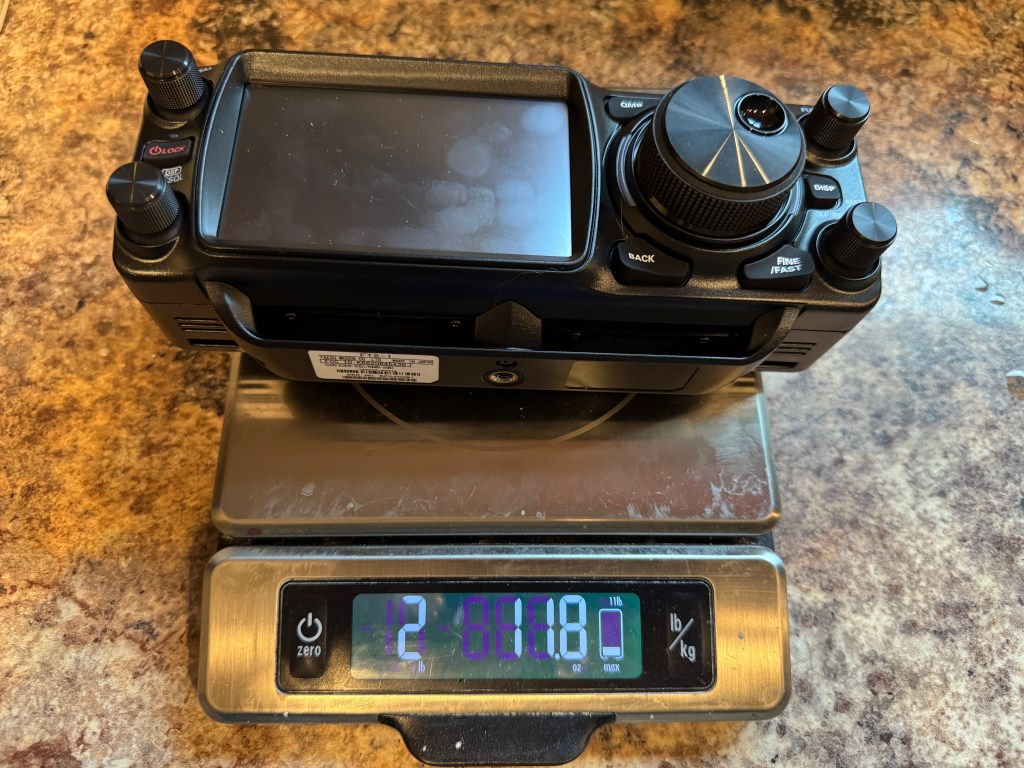
The FTX-1 is 6.3 ounces or 17% heavier than the IC-705. with out the batteries. Adding in the batteries.

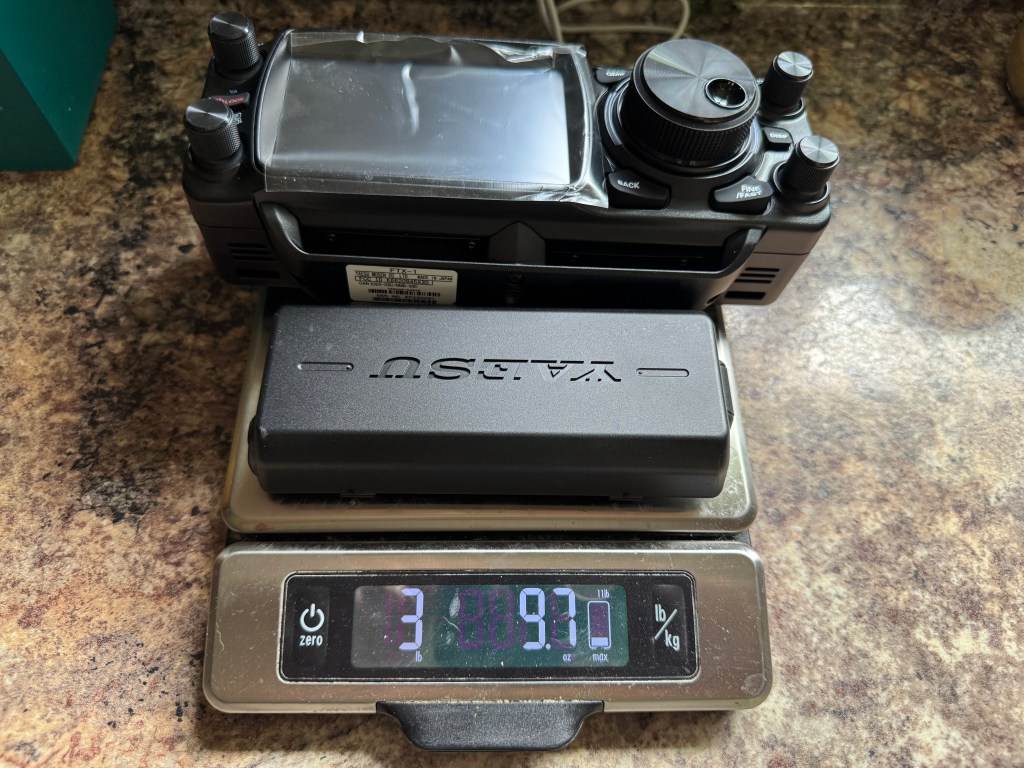
For the Icom, I added to additional batteries to bring the total storage up to 6.3 Ah similar to the Yaesu’s 6.1 Ah battery. Even so, the IC-705 weighs less than the FTX-1 by 9.4 ounces or 16.34%. Note: The Icom with a 3.3 Ah battery weighs about 1 pound less than the FTX-1 with a 6.1 Ah battery (see the next post about power).

Size wise, I feel the radios are comparable, they would both fit in a pack or box interchangeably. Weight could be an issue for some. For those doing a POTA activation carrying their radio from the car to a park bench 50 yds away, weigh will probably not be an issue. For those who like to pack it in or do SOTA, weight would be a more critical concern. For me, my days of over hill and dale are pretty much done. If I had to travel light I would turn to my Elecraft KX2.

Next up power with some more surprises de Scott

Yaesu FT710 final Review and Where to Go From Here

I’ve had the Yaesu FT710 for a while now and used it mainly in the field. That was and is my intent for this radio.  In general, I feel if I am doing an activity like Field Day or a multi-day POTA activation, and I am not carrying my gear more than a few feet, why not bring a full sized but compact radio.  These radios have more operating options and the controls are generally easier to use.  In addition, running a 100 watt radio at low power (20 watts or less), the radio doesn’t even get warm.  The radio works well with digital modes.  It wasn’t that long ago that Yaesu’s were a real pain to run digital.  Icom’s have had an easy interface since the IC-7100.  Today, the FTDX10 and the FT710 both are on par with the Icom’s when it comes to digital modes.  With CW, both brands are about equal.  In general, I feel both radios are interchangeable and it would be the matter of personal preference which would determine which is best for you. In the next couple of paragraphs I will describe the pluses and minus’ of the FT710 and the IC-7300. John WD8LQT provided input from his use of my radio during the WGARS Spring Fling.

Attenuation.  The IC-7300 only gives you 18dB of attenuation while the FT710 give you 3: 6dB, 12dB, and 18db.  Your more expensive radios typically have 3 like the FT710.  In an SDR radio, attenuation is your friend.  Preamp should almost never be used.  The nod goes to the FT710.

CW Tune.  Both radios have autotune but the FT710 has a CW tuning indicator right below the S-meter. I find myself using it quit a bit.  Some CW ops crank their filters way down and if you are a little off frequency, they won’t hear you.  My buddy John WD8LQT, also liked this feature. Nod goes to the FT710.

Sound quality.  The FT710 sounds a little better, but the IC-7300 has a lower noise floor.  I do not find either one objectionable. YMMV.  Draw

Waterfall.  The IC-7300 has an averaging waterfall and the FT710 does not.  That means that the FT710’s waterfall has to be manually adjusted every time band conditions change.  John noticed that when sending CW the waterfall would flash rather brightly, enough to be a little distracting. This may have been due to the waterfall level not being adjusted properly, but it is not an issue with the Icom.  Nod to the Icom.

Ergonomics.  Here the IC-7300 is the clear winner.  It has more of the right buttons on the control panel and it is easier to get to the most needed controls. The 7300 gives you 3 adjustable filters and the Yaesu gives you 2.  To adjust the Icom, grab a knob and give it a twist.  On the Yaesu, push a knob, twist the knob, push the knob, twist the knob.

Power consumption.  The FT710 uses about 1.2 to 1.3 amps at idle with normal volume.  The IC-7300 uses about 0.85 amps.  This doesn’t matter if mains power or generator power is available but when working off of batteries this can become an issue.

Sensitivity and Selectivity. The Icom has a lower noise floor, -133 vs -127 dBm for the Yaesu. Before I get into selectivity let me explain a little about Rob Sherwoods numbers.  Most people quote the 2 KHz blocking number, that comes with a couple of caveats. First, for the most part Rob measures 2 KHz blocking with a 500 Hz filter. That’s a CW filter.  Sideband filters usually run 2.4 KHz plus.  Unless you’re a CW op, this number is irrelevant. Here is what Rod Sherwood says, “I decided to sort the table on my website by close-in dynamic range at 2-kHz spacing. This was the “acid test” for CW contest / DX pile up operation.” He further quantifies his research with the following numbers. “What do you need in the way of close-in dynamic range? You want a number of at least 70 dB for SSB, and at least 80 dB for CW. A 10 dB safety factor would be nice, so that means you would prefer 80 dB for SSB and 90 dB for CW.” In the past I have compared the IC-7300 with the FTDX10 and the FT710 during a CW contest. What ever I could hear with one, I could hear with the other. The Yaesu’s had a little less ringing but I had no problem copying the signal from any of the radios.  

What this means is either radio will serve the vast majority of operators well.  Whatever your personal preference is, go for it.  There are things I love about the FT710 and there are things I love about the IC-7300. I never feel at a disadvantage with either radio.  I plan on keeping both.

Where do I go from here? That’s a good question. I don’t have anything in line to review. I have decided to take a step back from EmComm for a while.  I’ve been doing a lot of digital lately and need to get back to the joys of CW. I also have a couple of QRP radios that need to be taken out and used.  I still enjoy the smaller radios.  I’ll take a big radio on a camping trips/Field Days and may take a little radio for a quick activation. Sometimes it’s nice to grab a small box or bag and go. I have some antennas I haven’t used in a while, I need to get them out.  

Thanks for hanging with me.  I appreciate your company.  73 de Scott

Surprises at Laura S Walker State Park

I decided to travel a little further this time and head toward the Okefenokee swamp. this time I tried the Laura S Walker State Park. It was a five hour drive and about 320 miles but fortunately I was able to stay off the interstates for all but about 30 miles of the trip. The park is near Waycross, GA which recently suffered from severe weather. Even though it has been a while there it still plenty of evidence to attest to natures fury. The park itself was in good shape and I had a nice campsite.

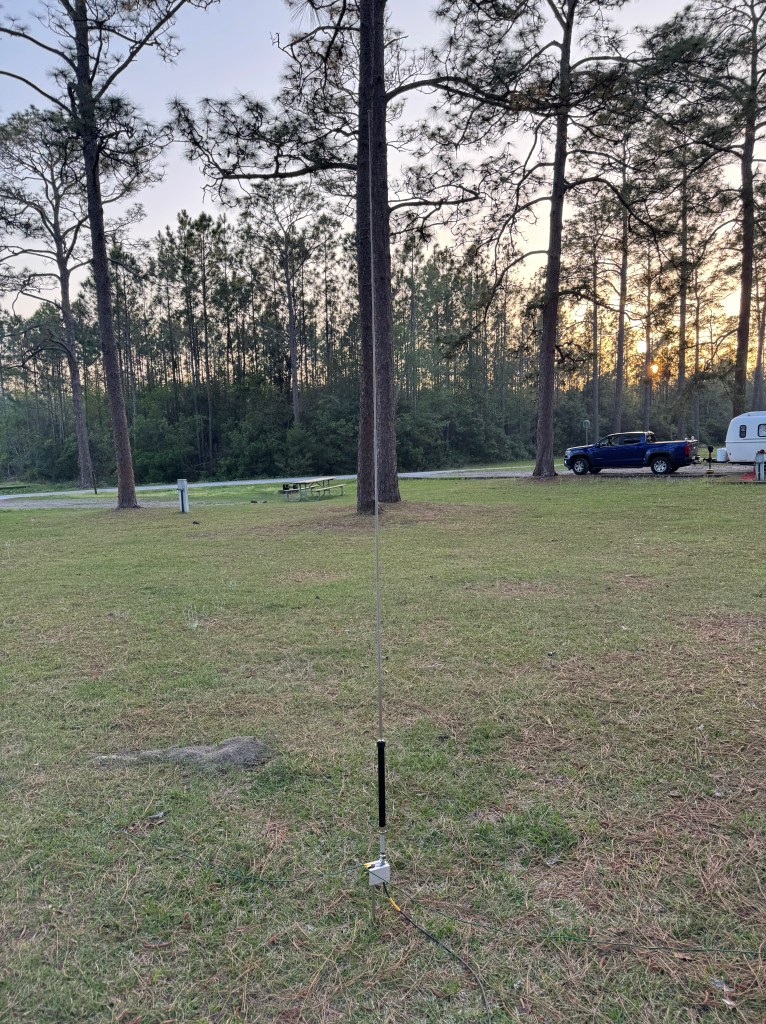
I would normally use my 28.5′ vertical antenna but I had a power line that passed almost directly over my truck and camper. I could have requested a better campsite but in the spirit of FunComm I decided to work with what I had. Instead of my usual antennas I deployed a new antenna. A Diamond RHM-12. This is a manual screw drive type antenna that is only about 7 feet tall and covers 40 meters to 440 MHz. With additional coils it also covers 80 and 160 meters. I set it up away from the power lines and used a Chameleon Spike to set it into the ground. I also had 2 counterpoises about 20-25′.

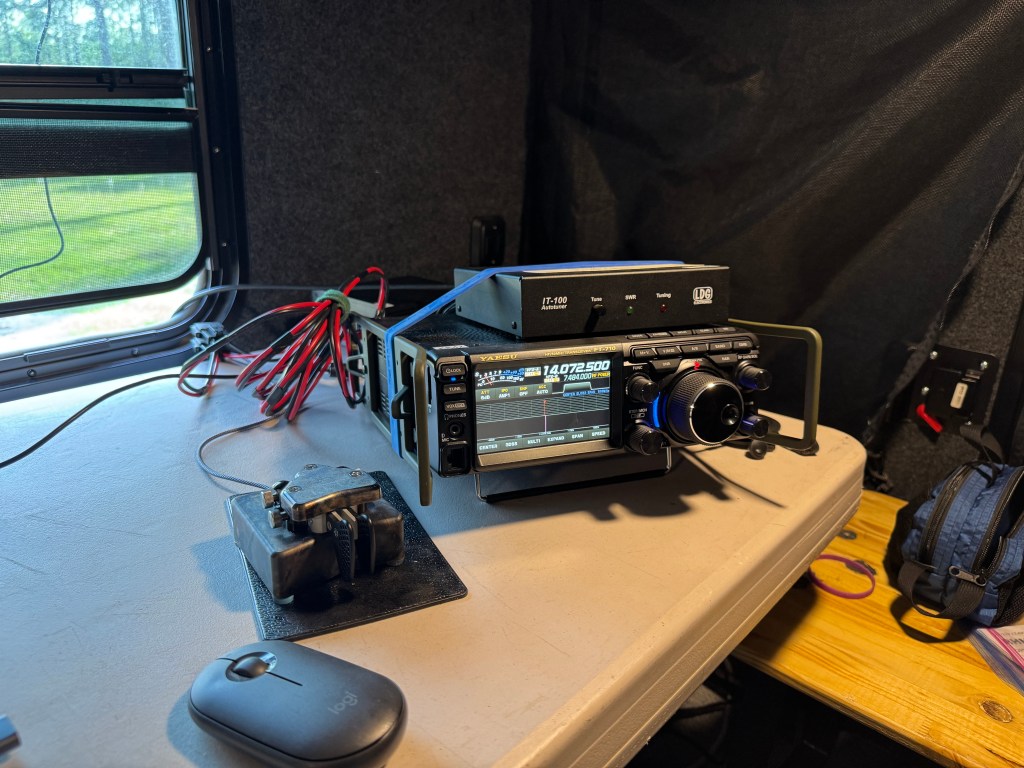
I was a little concerned about its performance. Inside the camper I had My Lenovo Laptop and Yaesu FT-710 with an LDG tuner.

I had a Rig Expert Pro Stick antenna analyzer with me and I was able to get the SWR down below 2:1. I guess I could have monkeyed with to get it lower but since I had the tuner…

I have really taken a liking to the FT-710. It has been performing well and since the last firmware updates, it has become a little champ. It is winning my heart. The radio, tuner, and computer all worked well together. I only ran 25 watts of power as that is about the limit on the antenna using FT-8. I was going to work some CW but the days I was at the park the temps were up around 90 degrees, far from the 43 degrees the morning I left my home QTH. I ran the air conditioning and when it is on I have trouble copying CW. Years in Army Aviation and other loud occupations have affected my hearing.

How did I do? Surprisingly well. In a 24 hour period which included sleep time, I made 400 contacts (7 dupes). I made contacts in 46 states (Not AK, HI, MT or RI) and 34 DX entities! I think that’s a new record for me during a POTA Activation. I got as far west as Australia and American Samoa, and as far east as Turkey, Bulgaria, and European Russia. The bands were up and down and I had to make a few trips out to the antenna to adjust it when I changed bands.

I never expected that little antenna to perform so well. The RHM-12 antenna has been assigned to permanent duty in my antenna kit.

It’s important to take your gear out and use it. Understand how it operates under various conditions. Know what your gear can and cannot do. This is good to know having fun but becomes critical when more is at stake.

EmComm

This past weekend we had a major storm event across the southeast. There were as many as 40 deaths reported as well damage from strong winds and tornados. there were 56 tornados reported across 10 states to include 2 EF-4, and several EF-3’s, I started watching the storm system as it crossed the Mississippi/Louisiana border. I paid particular attention to the system as it approached Birmingham, AL. I live just east of the Georgia/Alabama border.

My local EmComm group started a net on the local 2 meter repeater at 2130 hrs EDT. By that time I was already within the outer fringes of the storm. Lightning was everywhere. When lightning gets within about 20 miles of my QTH, I shut down and disconnect all my radios. In my 30 years of amateur radio, I suffered from 2 lightning strikes. Both came up through the mains (commercial) ground system. the first time about 20 years ago cost me about $3,000 and the last time in 2019 cost me about $7,000.

I broke out my HT and tried to check into the net. I could break squelch on the repeater and that was about it. I am a good ways away from the repeater. Radio comms was out of the question so I sent a text message to the NCS — no reply. I also sent him an email — no reply. Because of the intensity of the lightning, I also shut down and disconnected my computers, I was on my iPhone and iPad to monitor the storms progress.

Fortunately, the storm dissipated somewhat before reaching my QTH but there was still a lot of lightning and a lot of rain. When considering EmComm for any event, the best methods should always be used. In my case, it was not radio, but my cell phone. It was safer. Often in amateur radio EmComm we get fixated on using the radio when other means that may be more efficient and safer are available. In my case sending a text message and/or an email was the best bet. I remember an exercise a long time ago when I watched an operator try to send a message on his HT from inside the EMA. He had trouble hitting the repeater and the end user had trouble copying him. All the while he was sitting next to an operational FAX machine.

When we develop a communications plan, we should always consider the best means/mode available. If the cell phone works, use it, plan for it. When it stops working, then use the next best and so on and so on. It’s never a good idea to start with a 3rd tier system and work down from there. Here in the southeast, except for a major hurricane, cell service is usually working during and after a storm/disaster.

In my case, when the net started, I was surrounded by lightning and using a radio with a tower mounted antenna was not safe. While I had other means to communicate, there was nobody on the other end. It was a sobering experience. If you don’t have a plan, make one. If you have a plan, review it. Make sure you are using the best means/methods/modes available. Have a tiered approach, first A, then B, then C and so on. Relying only on one method is a recipe for failure. Remember the 7-P’s: Proper Planning and Preparation Prevents Piss Poor Performance.

Memories past and Present

This past weekend I made a trip down to Orlando Florida to experience Hamcation. It was a lot fun. I got to meet some cool people and of course came home with some radio related goodies. The Region 4 U.S. Army MARS group had a dinner Friday night and I got to connect faces to voices. It was a good time.

This was also a time for some refection. On my way down and back I traveled on Interstate 75. This was the same route I used during the 2004-2005 hurricane seasons. I provided HF radio communication for the convoy bringing relief supplies right after a hurricane. I did this 4 times in 2004 and once in 2005. Back then, communications was not as well developed as it is today.

During those trips I would check into the South CARS net or the South Coast Amateur Radio Service net. According to South CARS: “The purpose of the net is to assist those seeking to contact other amateur radio stations, or areas; to provide weather and travel information; to assist in emergencies when needed.” They operate on 7.251 MHz from 0800 to 1300 hrs Eastern. I used the net to check my radios and listen for any travel information that might have affected the mission. I joined back then (#3773)and still occasionally check in from time to time.

On this trip I was traveling solo so I dialed up 7.251 and checked into the net. While the net was operational, they kept me company and I enjoyed listening to the net. At times, it brought me back to those disaster relief days. Good memories; I felt the sense of purpose I had back then. I appreciate South CARS today as much as I did back then. I know that if I was ever called up again to provide EmComm in Region 4, South CARS would be there for me.

Other good news is I may have a trade for my amplifier. I found a TS-890s and hopefully the trade will go though by the end of the week. I am not young anymore as I have retired twice now. I know that my days of deploying are numbered as the body starts to wear out. Currently I still go camping and therefore could deploy if needed. However, as time marches on I will become more home centered. The good news is ham radio offers opportunities both home and abroad. I have a pretty good home station and I am a pretty good Net Control Station. I plan to use the TS-890s for CW and other fun things.

I’ve had a good run. I’ve got to do some exciting things in my life. In retirement, I am still busy, I still have lots to do. My focus is changing. A fixed income doesn’t mean eating Alpo, it means careful planning. If I want something, I can have it, if I plan for it. The other option would be to go back to work and that ain’t going to happen. Life is good — de 73 Scott