Last year I installed an IC-7100 in my truck. You can see the installation details here IC-7100 Install. The installation went pretty smoothly and I have used the radio on VHF and HF. The only fault I could find with the installation was how I mounted the control head. I used one of those Lido cup holder mounts. No matter how hard I tightened everything down, they still worked loose leaving the control head to wobble around.
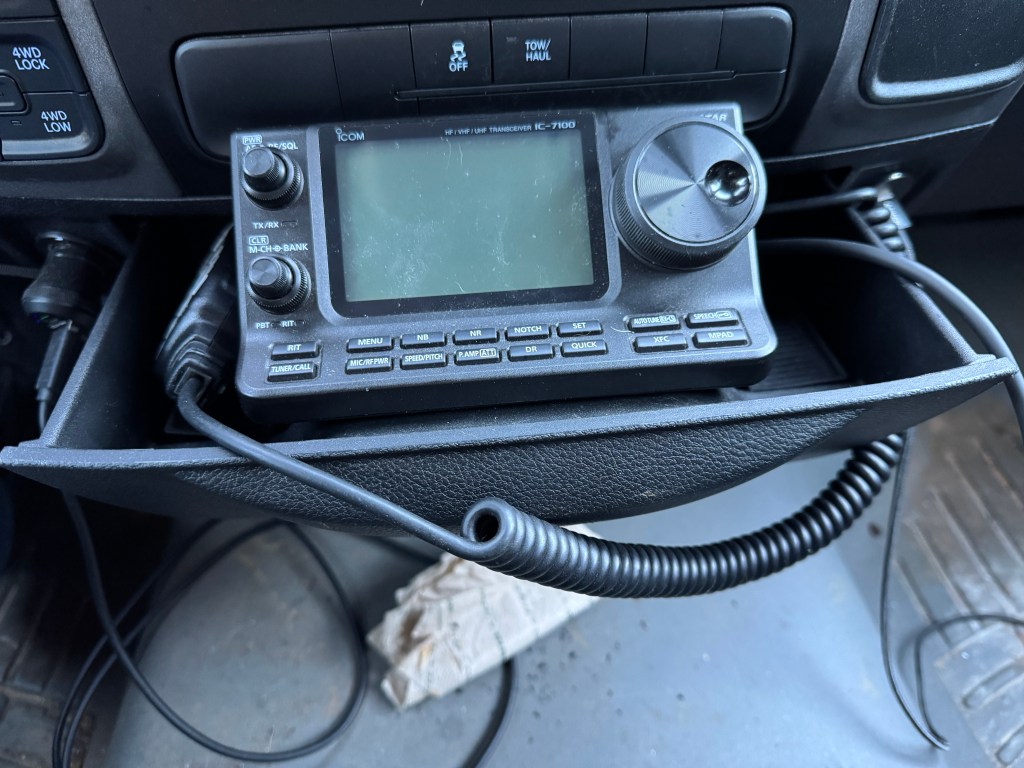
Yesterday, I decided to fix this. It was simple. Using a 3 1/2” 1/4-20 bolt, some nylon bushings, washers lock washers and rubber grommets, I mounted the control head to the pull out drawer In my center dash.
I drilled one 5/16” hole in the bottom of the drawer. I put a lock washer and a washer on the bolt and pushed it through the bottom of the drawer. I then added 2-3 washers, a 1” nylon bushing (1/4” ID) a 1/4” rubber grommet, and another nylon bushing. The bushings, and washers acted like shims to keep the control head level and allow me to tighten the bolt without damaging the control head. The rubber grommet added a little extra “squeeze” so the lock washer would engage the bottom of the drawer.
It took me about an hour including driving to Tractor Supply for the hardware. It cost me about $6.
The control head is now firmly mounted to the truck and there is even a space for the microphone. The only thing I have left to do is reroute the control cable under the mat. This installation is more secure and looks nicer. I even get a cup holder back! 73-de Scott
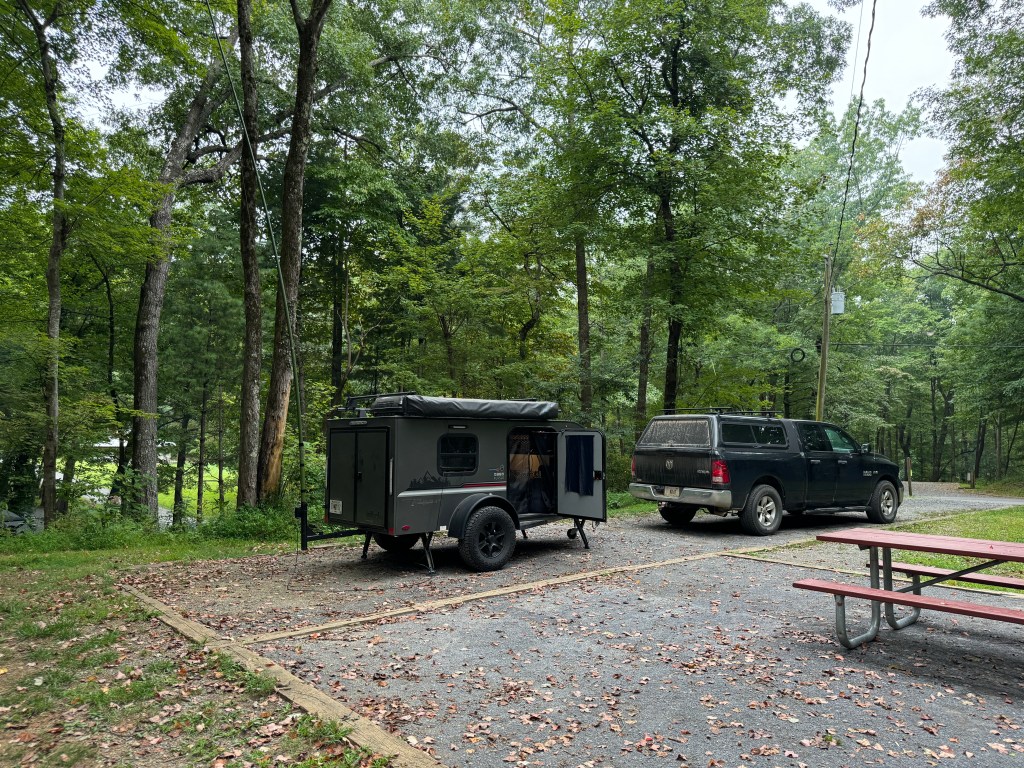
This weekend I decided to camp at one of my favorite parks. Ft Mountain State Park. I go back a long way with this park. Thirty three years ago I spent a wonderful honeymoon there with my bride and princess. We recently spent a weekend there in the same cabin we spent our honeymoon in. Memories.
This time it’s a solo trip. I came up here for some radio adventure and I got it. On this trip, I did more EmComm related stuff. This was more like an FTX (field training exercise) than a simple POTA activation. I grabbed my normal gear and set myself some tasks to accomplish while out. I wanted to stretch my gear and me, do a grab and go like it would happen in a real scenario. I did not do any extra prep than I normally would do for a POTA activation.
My first task was to receive the National Intelligence Brief (NIB) from the Early Warning Network. I am the Communications Director (G6) of the Early Warning Amateur Radio Network (EWARN). We are building the EWARN system to best suit the needs of the Early Warning Network. This network collects information, analyzes it, and then disseminates the intelligence in products like the NIB.
Right now l receive the NIB via email and one of our projects is to be able to send the NIB to me and others via radio. We are looking at options to include using operators from AmRRon which we are developing a relationship with. AmRRon has some very talented operators. Getting back to my task, I received the NIB via my cell phone while on my way to the park. I pulled over in a gas station, connected my computer to my cell phone via the hotspot and downloaded the NIB onto my laptop.
I got the NIB ready to send over the radio. This includes formatting the document and then signing it using a PGP key. By signing the document this way, anyone with the public key can verify that the document was not altered. The document is not encrypted so it can be sent over the air. The next step is hooking up the laptop to the HF radio in my truck and sending the message. I decided to move since I didn’t think transmitting with a radio near gas pumps was a good idea so I moved. I found a pullover near the bottom of the mountain, on a road that leads up to the State Park. The radio wan an IC-7100 hooked up to ab AH-730 and a 102” whip.
Issue. I am having trouble formatting the file correctly when PGP signing the file in FLmsg. Next week I am going to get with a buddy who is a pro user and get this sorted.
I stopped, hooked the laptop up to the radio, turned it on and using VarAC on 40 meters connected to N4WXI near Birmingham AL. It took me about 2 minutes to send him the file. His group will inject it into the AmRRon system to be passed as traffic from coast to coast.
After I sent the NIB I continued up the mountain to Ft. Mountain State Park.
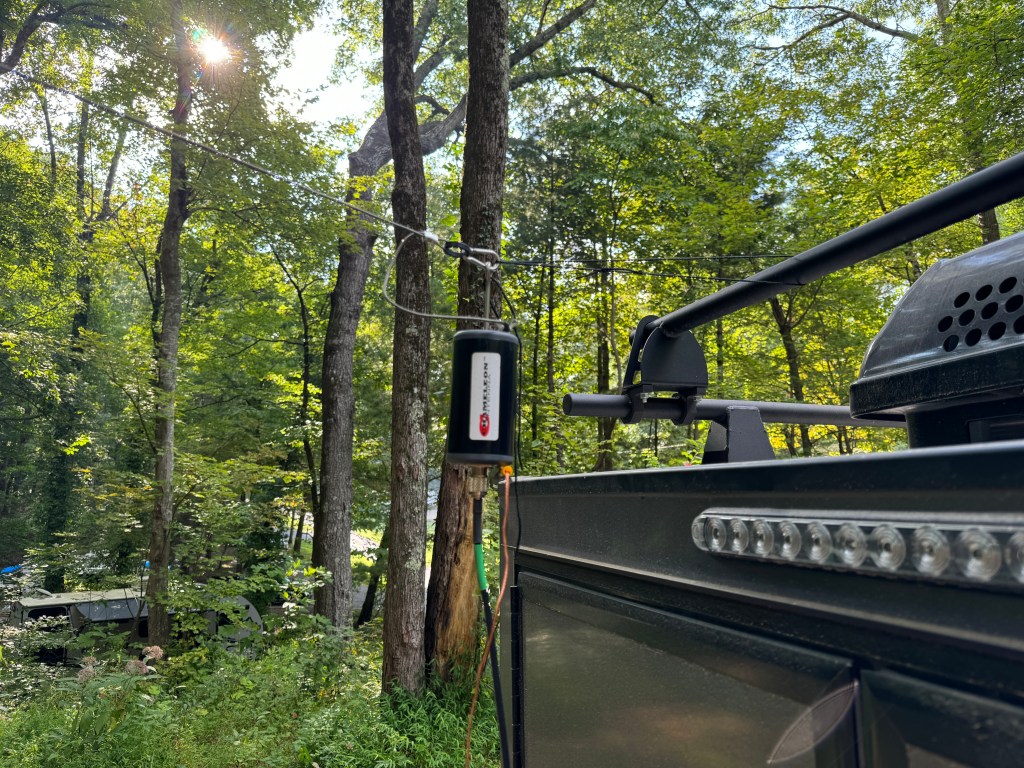
Antenna. I decided to use my Chameleon EmComm II ver. 1 for this FTX. Since I would be on the lower bands I wanted a larger antenna. I ended up configuring the antenna 3 times before I felt like I had the right combination. The first time I used my push-up pole to get one end of the antenna about 12-15 feet off of the ground and set it up like an inverted L with the counterpoise underneath the antenna. I didn’t like this version as I had power lines nearby and while I felt the setup was safe I erred on the side of caution. My second attempt was to attach the balun to the camper and elevate the center of the antenna wire in an inverted Vee with the counterpoise underneath it. I didn’t like this way because it left the counterpoise touching the camper and I didn’t want to radiate the camper. They say threes a charm and so it was in this case. I made a loop of cord between the camper and the unun which when the antenna was stretched, it pulled the unun and the counterpoise away from the the camper. The counterpoise was run underneath the antenna and this was the setup I ended up using. The radio was my Elecraft K3(s) and the laptop was a Lenovo Thinkpad T14.
Once the rest of the station was setup, I sent a quick VarAC vmail to my buddy in Alabama to make sure everything was working. My next task was to send out the NIB via Wnlink email to the regional NCS’. The equipment and the Winlink software worked fine. However, I had a fail. The note app on my phone failed to sync across my devices so I did not have all of the email address for the regions. Luckily I had two in my possession so I was at able to get the NIB out partially. One of the quirks of this campground is there isn’t any cell service. A good test of your gear and you.
Issue. App on my devices was not syncing. I am going to move my files to a better app.
After Winlink, I ran FT8 before and after the net. I did so to see if I was operating NVIS. The antenna was configured for NVIS but that doesn’t mean conditions were favorable. My initial impressions were that I was using NVIS to make many of the contacts I did on 40 meters. Forty meters is about the upper limit for NVIS. Between Friday afternoon and Saturday morning I made 121 contacts on 40. Charting out the average signal strength and percent of total contacts leads me to believe that NVIS was in use. More on NVIS in a separate post.
The net ran fairly well, I had 23 contacts and I was able to send the NIB using FLmsg. Flirig, and FLdigi. These apps worked well. The net macros worked well and need only a few adjustments. This completed another task.
FLamp was another story. I couldn’t get it to work right even though I had the most current version. I found out after the net that this version is quite buggy and I should have used the previous version. No cell service, no internet to fix it. Just like real life in EmComm. I will have to fix that when I get back home. Another issue I had was with the antenna. It does not do a good job running a digital net with above normal duty cycles. The balun would heat up causing the SWR to rise lowering the output power. If I run the net again I would probably only run FLmsg. I have a couple of other antenna options to try.
Issue. The Chameleon antenna was not up to the task of running a digital net with a high duty cycle. It would warm up, increasing the SWR. I was running 30-35 watts (I did reduce power). Further research showed that while the antenna was rated higher for Voice/CW, on digital it is only rated for 20-25 watts. This was not apparent on the website or instructions. For digital modes a rating of about 30% of PEP would be about max. My solution is to get a higher rated UnUn and derate it for digital.
Issue. Even though I had the latest version of FLamp, it was buggy and it wasn’t until I got my cell service back that I discovered that. The solution is to find an older version and install that or see if there is a patch to fix the current version.
Saturday morning the bands were in so-so shape. In addition, it looked like some weather was moving in so I broke down the station and started working on the video and this blog post. It was a nice day but I decided to go home this afternoon instead of tomorrow morning. So much to do, so little time.
Even though I’ve been doing stuff like this for 25+ years, there is still a lot to learn. Experience is only gained by doing so I leave you with a quote from Leroy Jethro Gibbs: “Grab your gear!” 73 de Scott.
Addendum. I had a total of 166 contacts. The 45 additional contacts were above NVIS and were not included with the 121 above. Here is a QSO map of all of the contacts.
Goin’ Mobile, Keep me Movin’ (The Who). After recovering from my rove I decided to install the IC-7100 in my truck. I like the idea of being able to pull into a park and operate with a minimum of setup. The 7100 is nice in that it includes HF/VHF/UHF. Here are the bits an bobs I used to get this going.
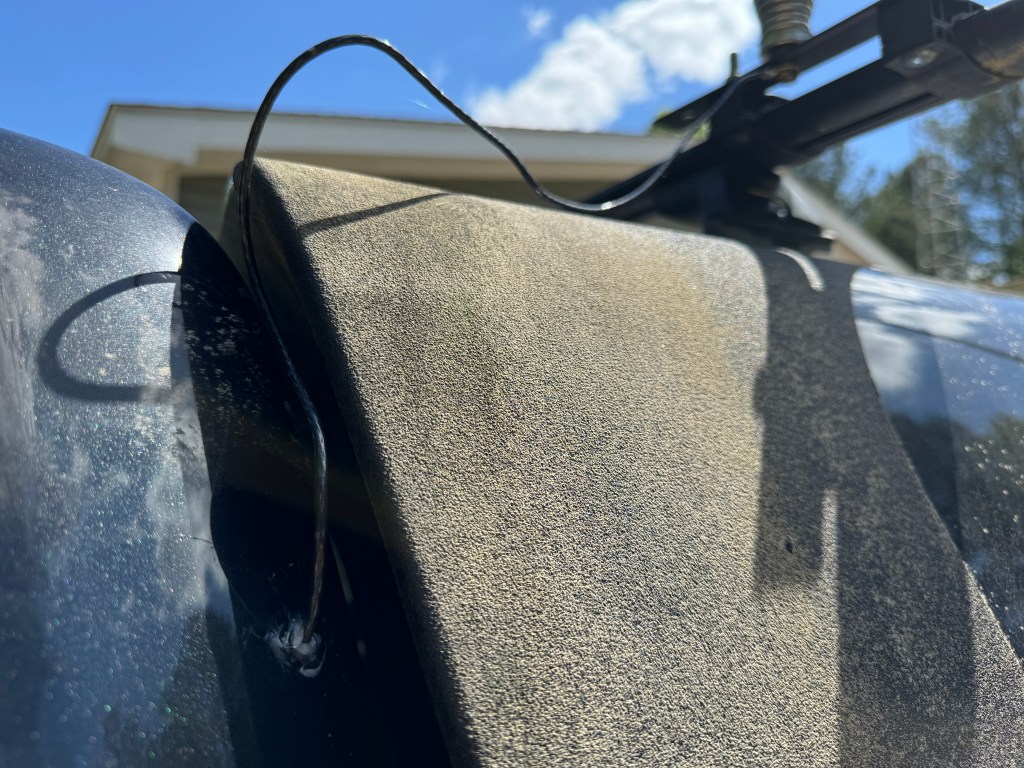
For a tuner, I used Icoms new AH-730. It replaces the AH-4 and is a much nicer unit. The AH-730 and the AH-4 are actually couplers much like the SGC SG-237. They are designed to connect directly to the wire antenna. Coax is only used between the radio and the tuner. I ran a 12 ga stranded wire from the tuner to the antenna which is mounted on my camper roof rack. It is a standard 102″ stainless steel whip. I only had to drill a small hole through the cab sheet metal, add a grommet and a little RTV and I’m done. I drilled an additional 3/8″ hole in the plate where the whip antenna attaches to the truck so I can easily add a horizontal wire for low band NVIS. All I need to do is attach the wire to the truck, stretch it out to a tree, hit the tune button and operate.
Once inside the wire is covered by the trim until it hits bottom and then is routed to the tuner.
The radio and tuner lie in the seat tray under the rear seat. Power from the battery and the UHF/VHF antenna lead are already there from the ID-4100 which was located there. All I had to do was run the control cable from the radio to the control head, attach the antenna to the tuner, the control cable from the radio to the tuner, and add some grounds. If need be, the radio can be easily removed to use outside of the truck.
The control head is mounted on my center console with a cup holder mount. I found this is a nice location for the control head, it is easy to see and manipulate the controls. Plus I also have the DTMF microphone for it. In a pinch I can run CW.
I haven’t done a lot of testing yet, but from my experience with a IC-706 MKIIG/AH-4 combo, things will be fine. Right now I have a bit of work to do on my property which unfortunately, takes priority over radio, but hopefully soon I will be able to get out to a park.
Another thing I haven’t talked about was this mobile setup also works well for EmComm. I can use the truck’s battery or one of my others to run the radio. Adding wire to the antenna will help on the lower bands; plus, the whole system is easy to deploy. Let’s hope I don’t have to use it. 73 de Scott








 KK4Z
KK4Z 